Introduction
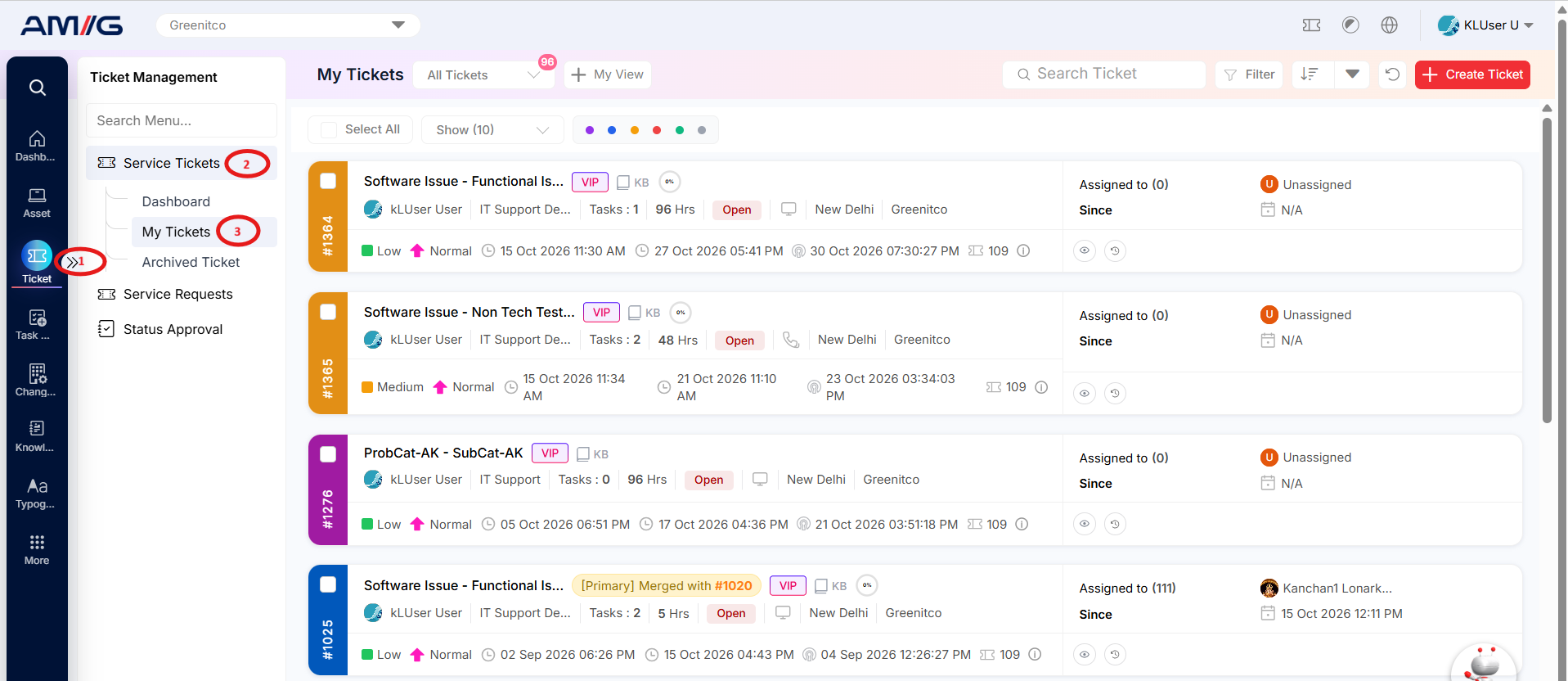
The My Tickets section provides a personal workspace where users can view and track tickets they have created. It allows users to check ticket details, monitor progress, and stay updated on their requests.
Users can click the ticket subject to open its details, mark tickets as starred for quick access, and add comments or feedback.
Each ticket card displays important information, including the ticket subject, ticket ID, requester, department, task count, turnaround time (TAT), status, location, company, timestamps, and assignment details. The action icons on each card provide shortcuts to the operations available to the user.
The My Tickets menu contains four options: Raise a Ticket, Track My Tickets, Comment on a Ticket and Rate a Resolved Ticket.
Navigation Path: Sidebar > Ticket > Service Ticket > My Tickets