

Introduction
The Merged Tickets Report provides a consolidated view of tickets that have been merged by technicians. It displays the details of the original ticket along with the ticket ID with which it was merged.
This report helps technician track ticket merging activities performed by technicians, identify related tickets, and maintain visibility into how duplicate or related tickets are consolidated.
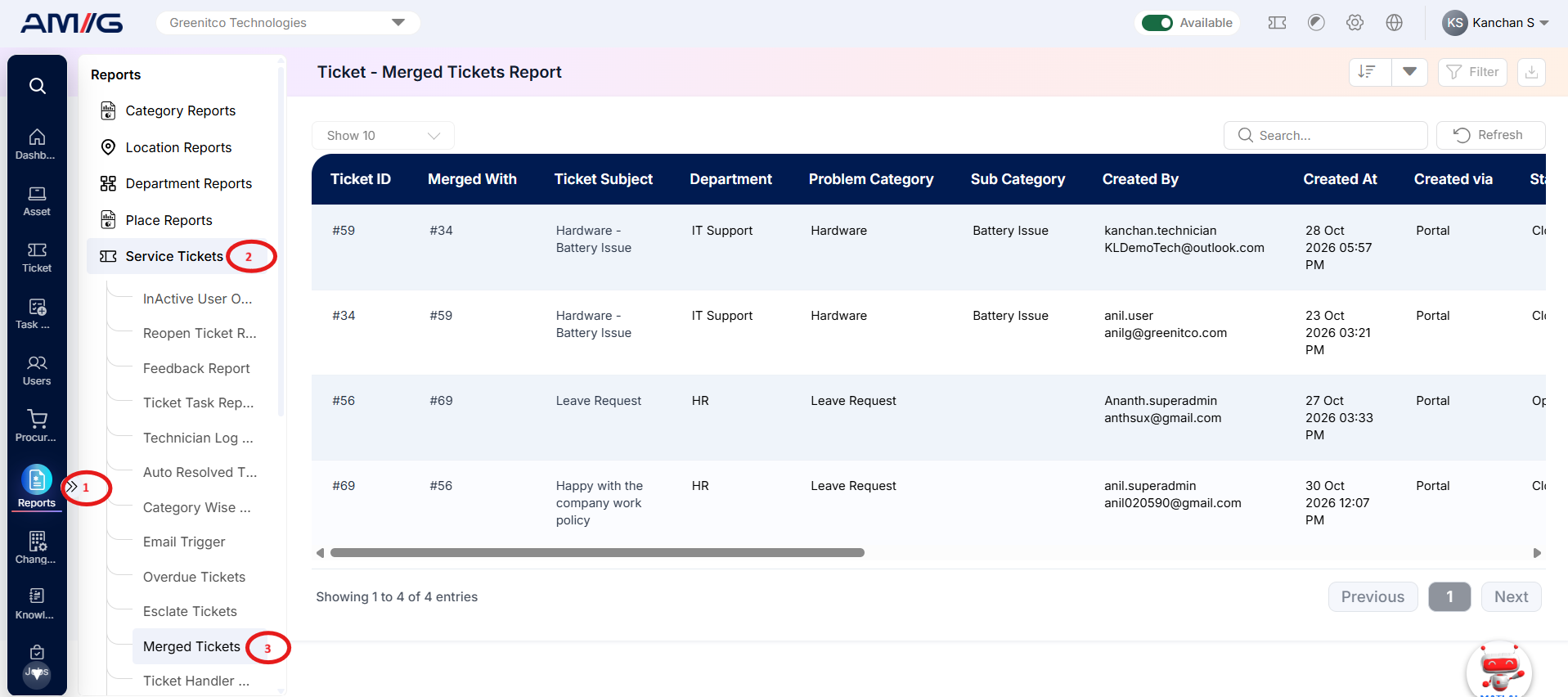
Navigation Path: Sidebar > Reports > Service Ticket > Merged Tickets Report
Viewing the Report
Open Merged Tickets Report from Sidebar > Reports > Service Ticket > Merged Tickets Report. The report opens as a list.
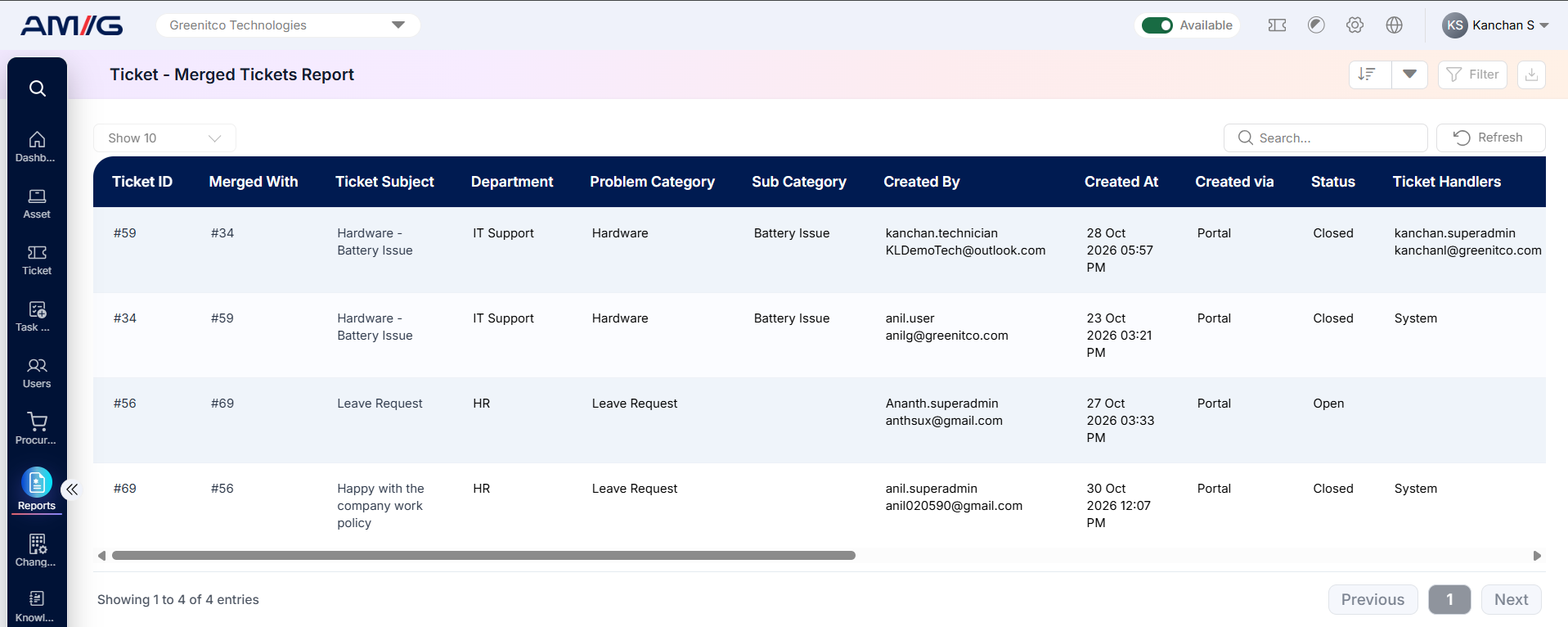
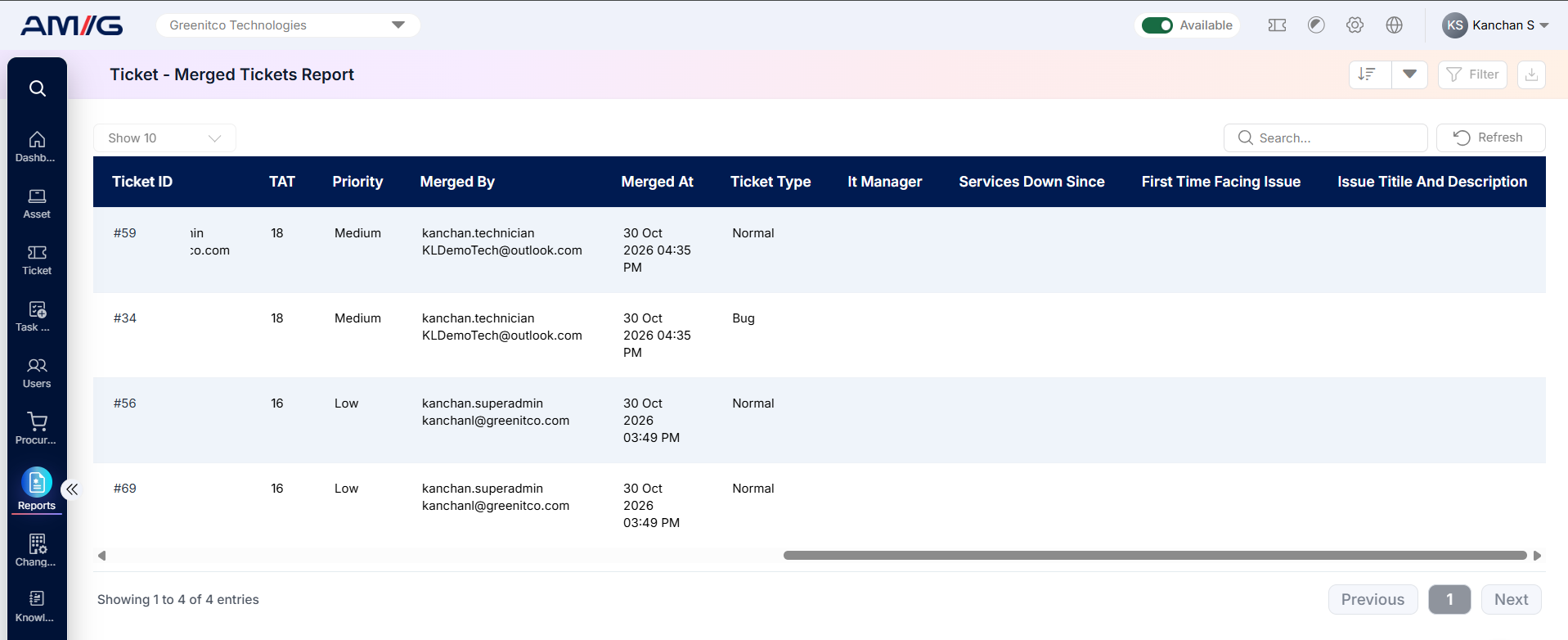 Figure 2.2.1: Merged Tickets Report – report listing
Table 2.2.1: Report columns
| Column | What it shows |
|---|---|
| Ticket ID | Displays the unique identification number of the ticket. |
| Merged With | Displays the ticket ID with which the current ticket has been merged. |
| Ticket Subject | Displays the subject or title of the ticket. |
| Department | Displays the department associated with the ticket. |
| Problem Category | Displays the problem category assigned to the ticket. |
| Sub Category | Displays the subcategory assigned to the ticket. |
| Created By | Displays the name of the user who created the ticket. |
| Created At | Displays the date and time when the ticket was created. |
| Created Via | Displays the source or channel through which the ticket was created. |
Filtering the Report
Step 1: Click Filter at the top-right of the report. The filter panel opens.
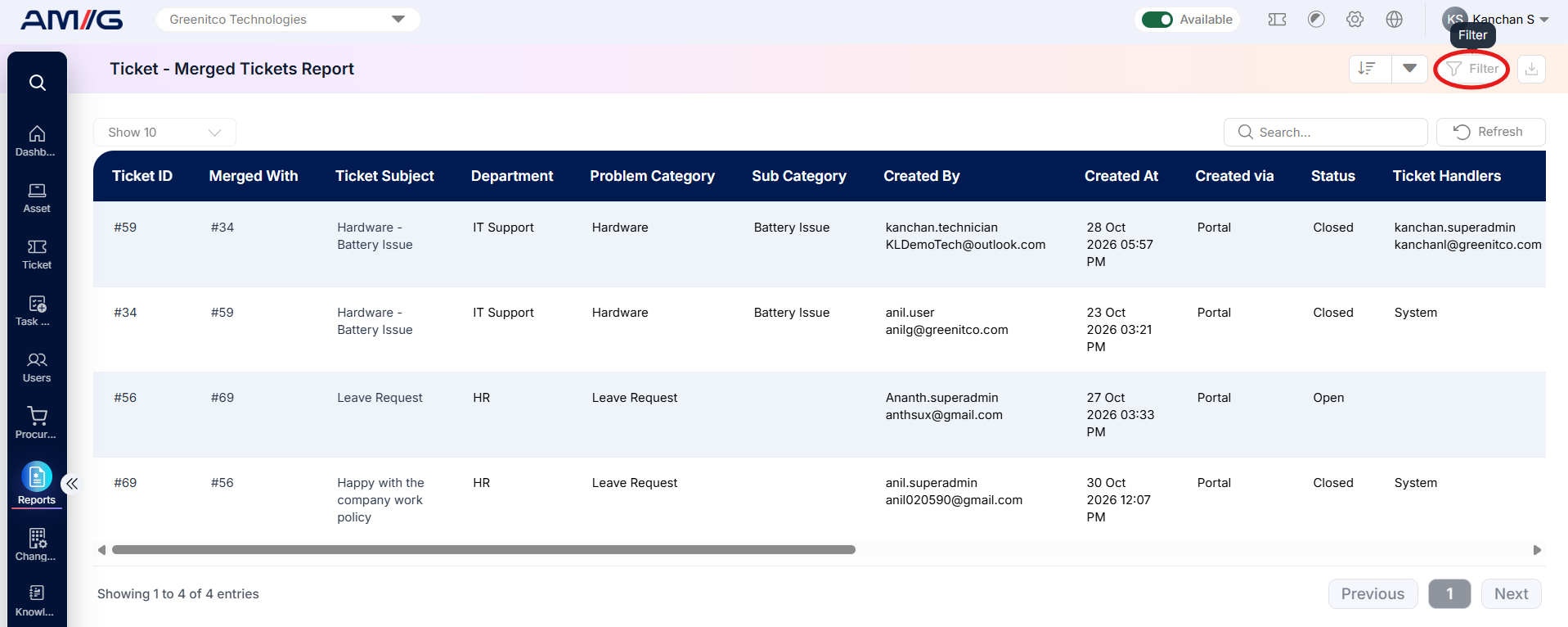 Step 2: Choose the values you need in one or more of the filters listed below.
Step 3: Click Filter (or Apply Filter) to update the report. Click Clear to remove all filters.
Table 2.2.2: Available filters
| Filter | What it does |
|---|---|
| Department | Filters tickets based on the department associated with them. |
| Problem Category | Filters tickets according to their assigned problem category. |
| Sub Category | Filters tickets based on the assigned problem subcategory. |
| Created Via | Filters tickets based on the source or channel through which they were created. |
| Merged By | Filters tickets based on the user or technician who performed the merge operation. |
| Status | Displays tickets matching the selected ticket status. |
| Ticket Handler | Filters tickets based on the technician or handler assigned to them. |
| Priority | Filters tickets according to their assigned priority level. |
| Ticket Type | Filters tickets based on the selected ticket type. |
| Date | Filters tickets using the selected date criteria. |
| Date Range | Filters tickets created or recorded within the specified date range. |
| Creator / Logger | Filters tickets based on the user who originally created or logged them. |
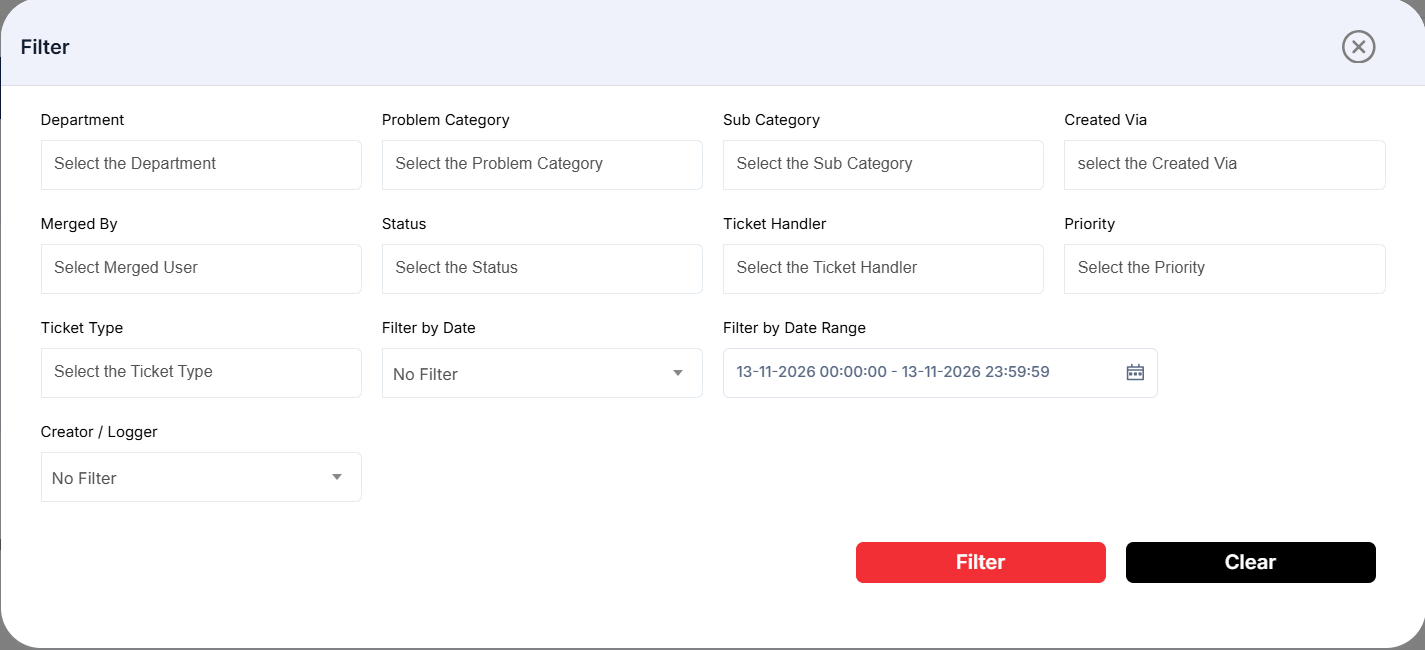
Figure 2.2.2: Merged Tickets Report – filter panel
Sorting the Report
Click the Sort button at the top-right corner of the report to view the available sorting options. Select the desired column to sort the report records.
The available sorting options are:
Ticket ID
Merged With
Ticket Subject
Department
Problem Category
Sub Category
Created By
Created Via
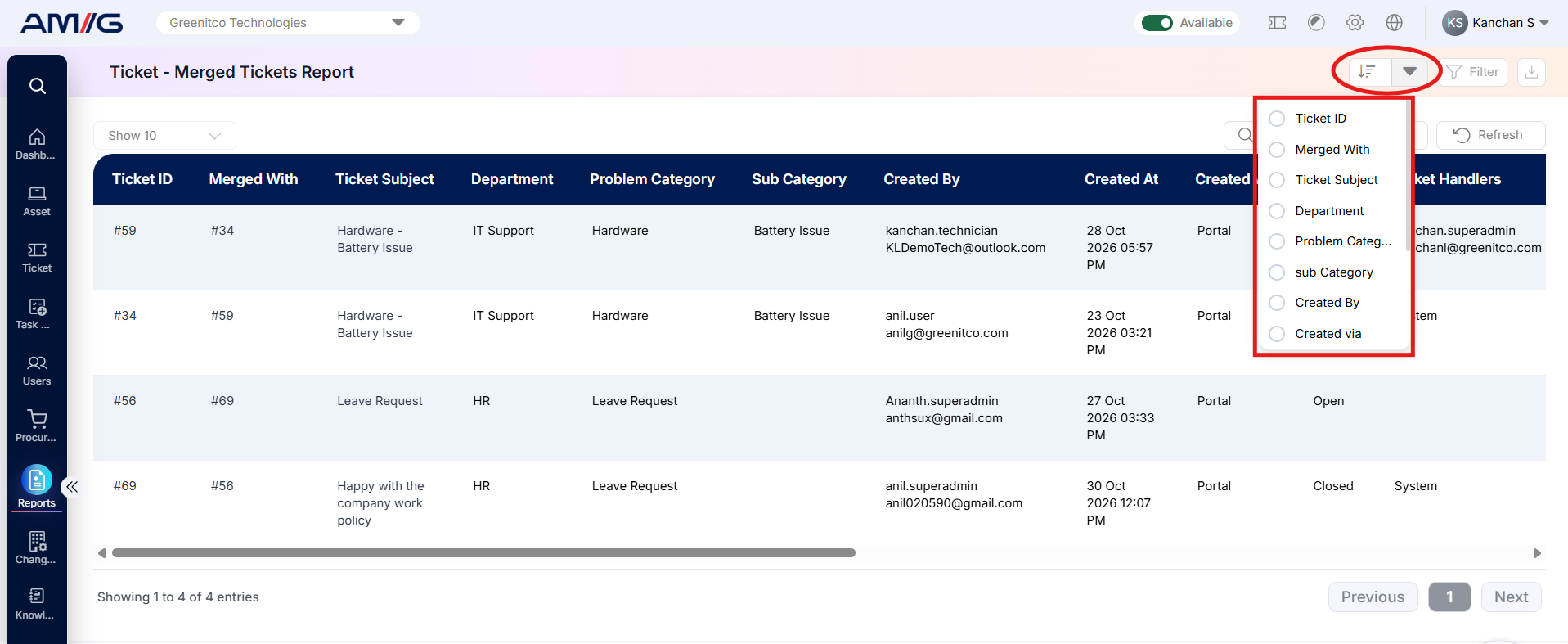
Figure 2.2.3: Merged Tickets Report – sort options