

Introduction
Raise a service request in the same way as a ticket, choosing a problem category that is set up as a request. If the category has a dynamic form, it opens so you can capture the details the approvers need.
Step 1: Click Add Ticket to open the Create Ticket form.
Step 2: Select the Company, Department, User (Ticket Raiser) and Problem Category. Priority and TAT are filled in from the category.
Step 3: If a dynamic form opens for the category, complete its required fields.
Step 4: Enter the Subject and Content. Add the device, reply-to account, seat number, tags and CC emails where needed.
Step 5: Add supporting files by dragging them into the attachment area or clicking Add Attachment (up to 10 files, 10 MB in total). Check the ticket raiser information panel to confirm the requester.
Step 6: Click Create.
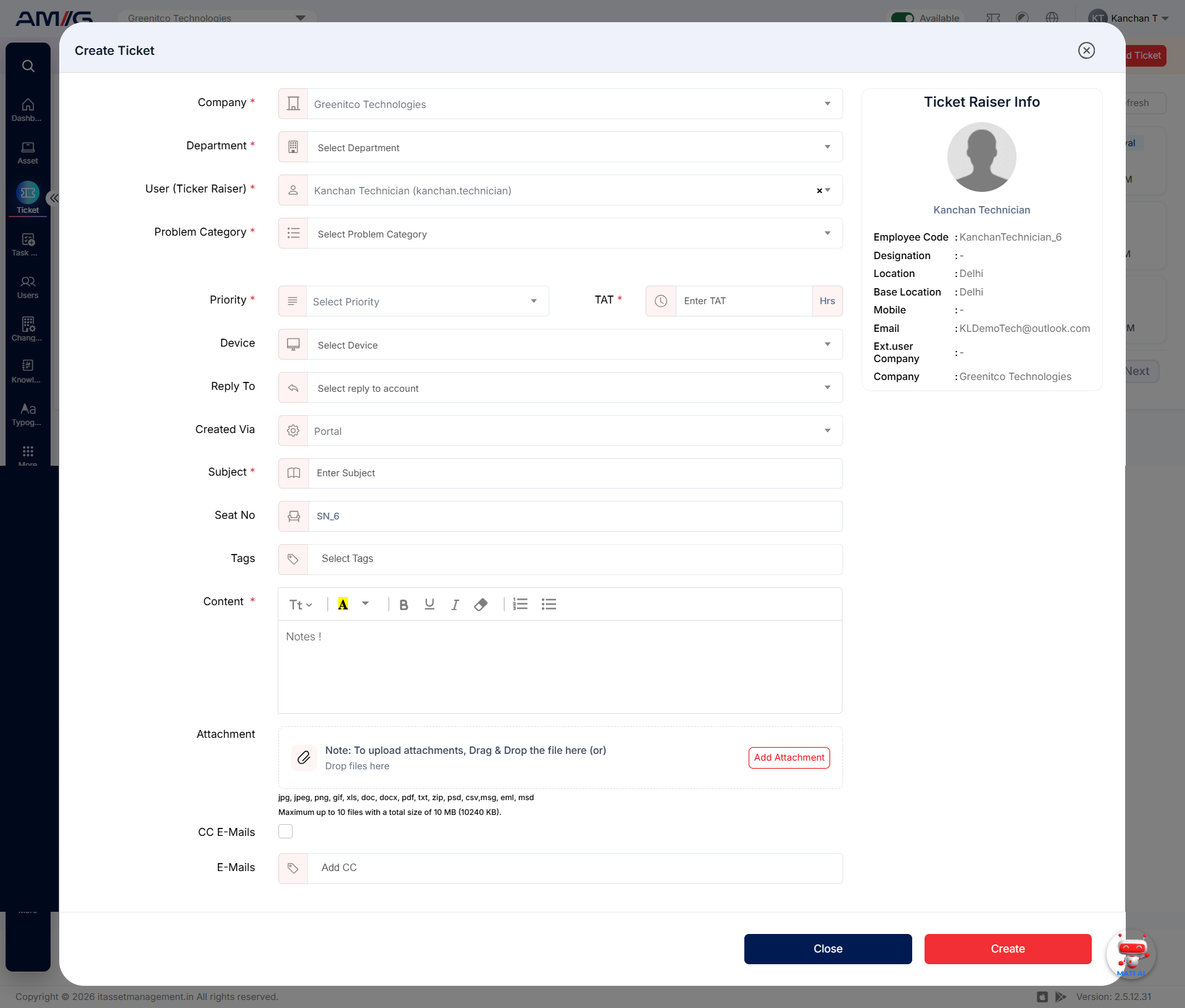
Figure 2.6.1: Create Ticket form for a service request