

Introduction
Delete a ticket only when it should not exist at all, for example a test ticket or one created by mistake. Deleting is available only to users with permission.
Deleting a ticket
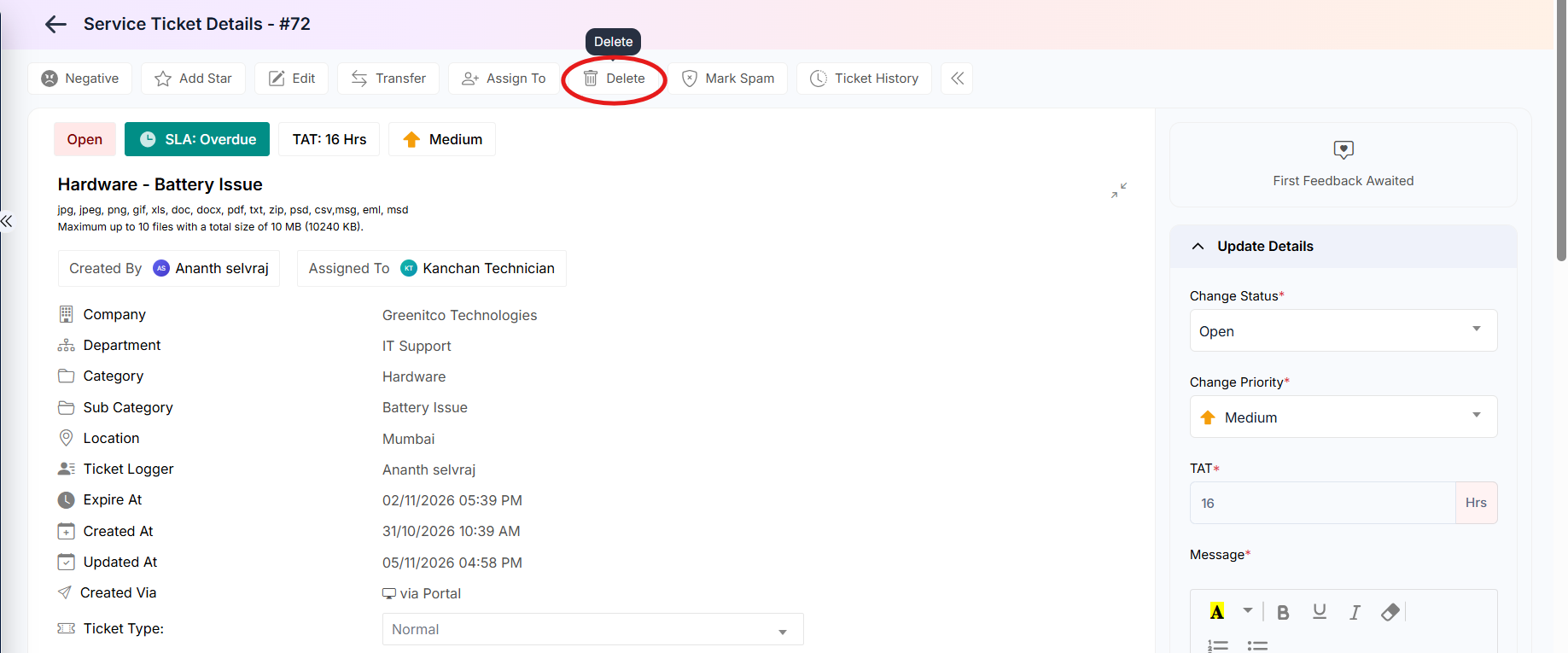
Step 1: Open the ticket and click Delete in the action bar.
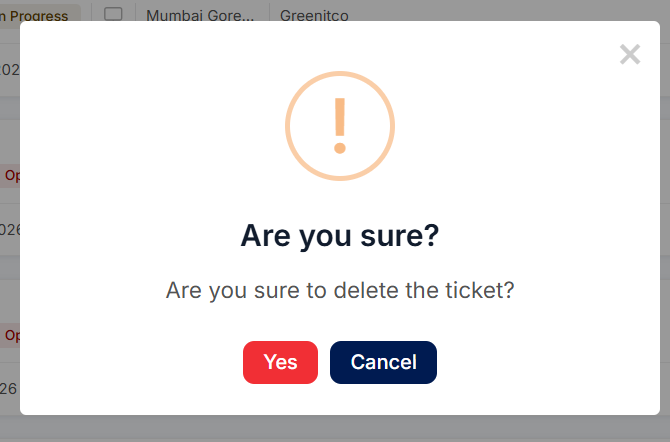
 Step 2: Read the confirmation prompt and confirm only if you are sure.
Deleting several tickets
Step 1: Select the checkboxes beside the tickets.
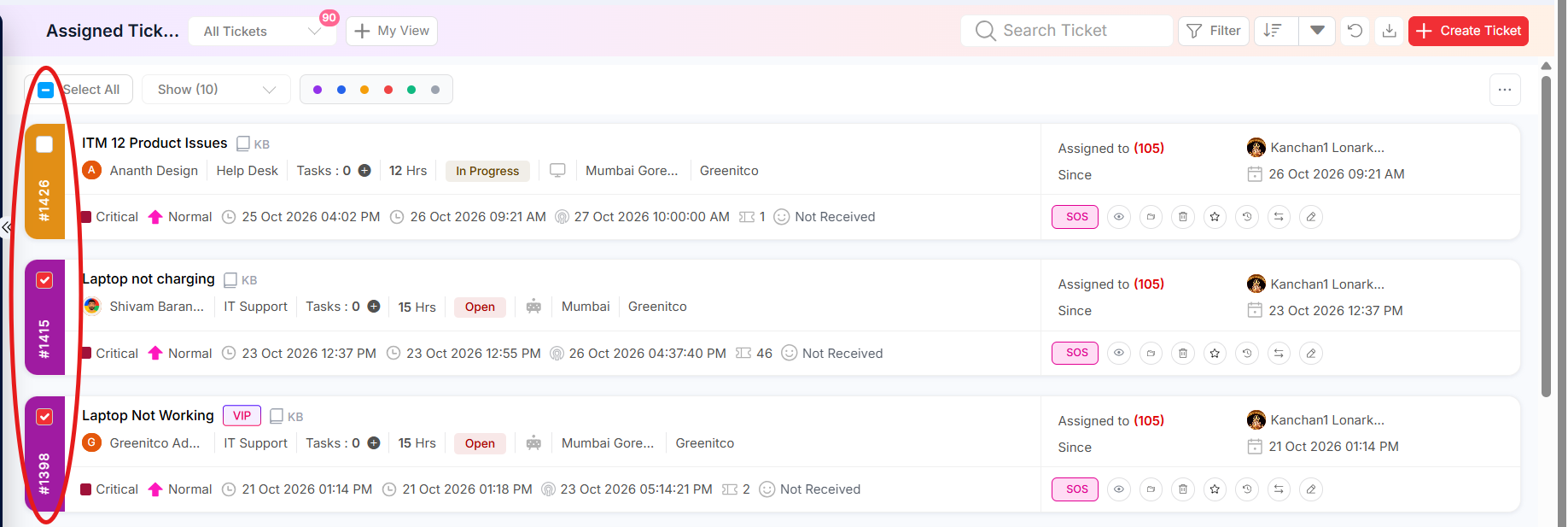
Step 2: Click More (...), then the Bulk Delete icon.
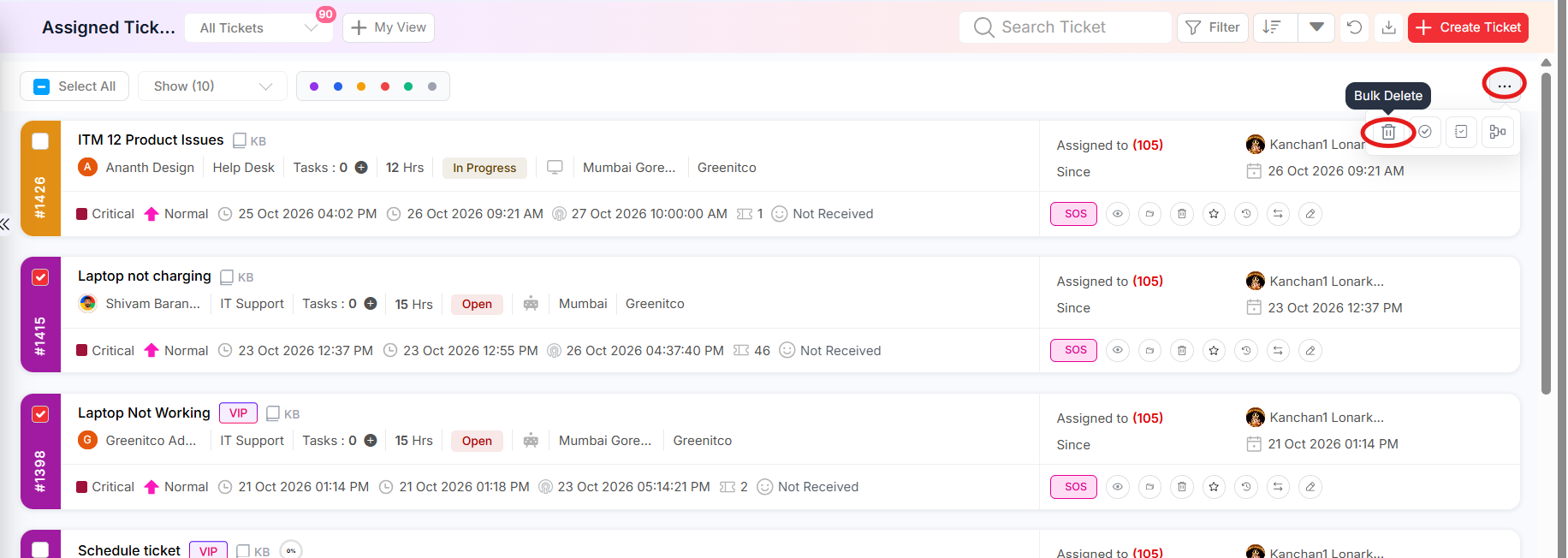
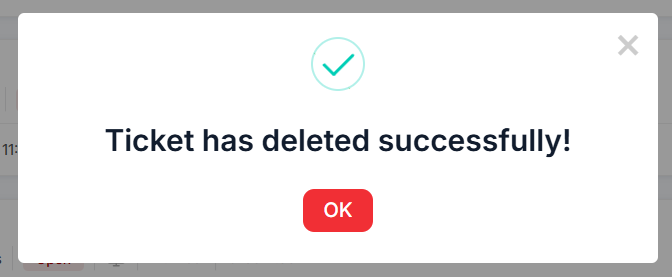
Step 3: Confirm the deletion and review the updated list.
Important: Prefer Mark Spam, Merge or resolving with a comment where possible – these keep a record. Delete only when a ticket has no value as a record.