

Introduction
Your queue is the set of tickets waiting for you or your team. Keeping it under control means picking up unassigned work promptly, balancing the load across the team and handling the most urgent tickets first.
Picking up unassigned tickets
Step 1: Open Sidebar > Ticket > Service Ticket > Not Assigned Tickets.
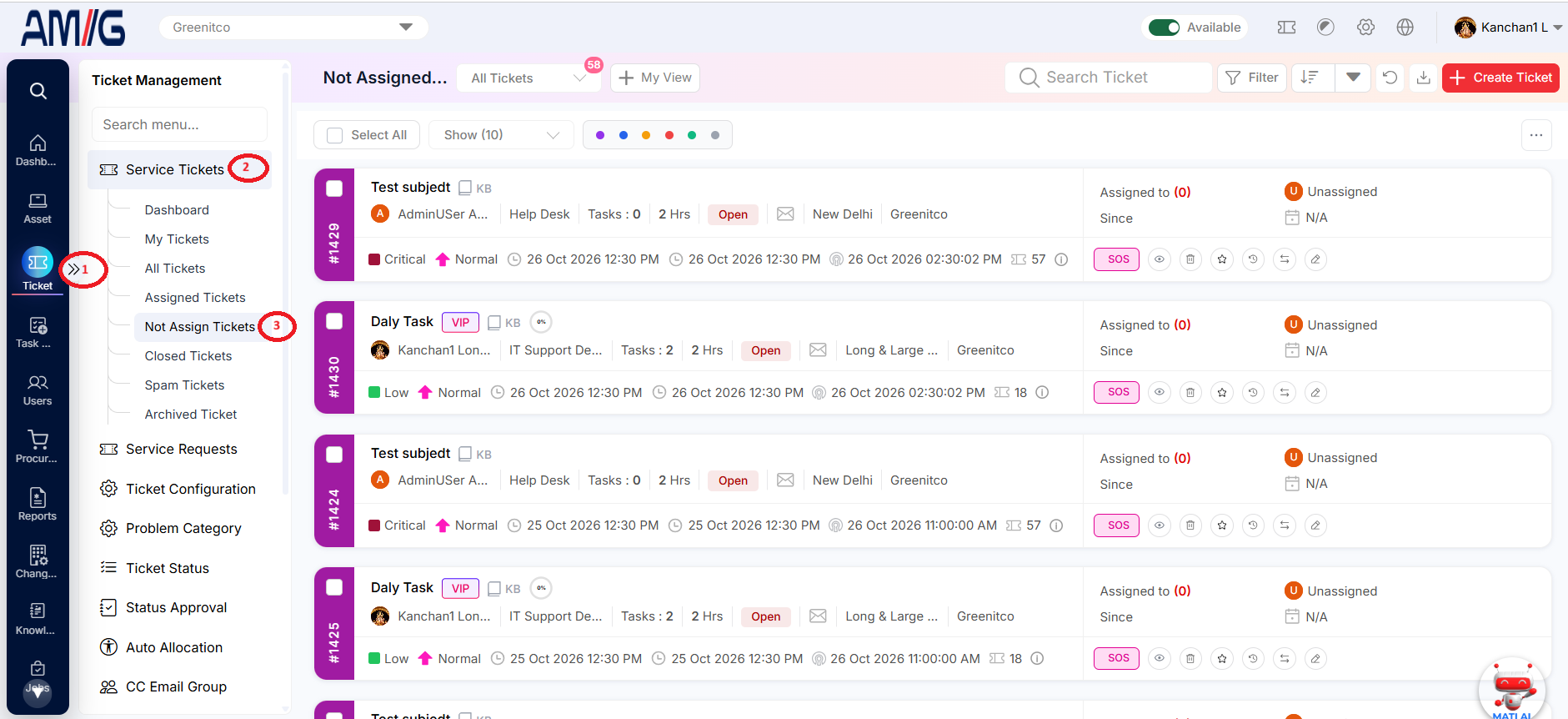 Step 2: Review the Unassigned indicator, priority, status, TAT, requester, department and location to decide what needs an owner first.
Step 3: Open a ticket and Self Assign it, or assign it to a colleague.
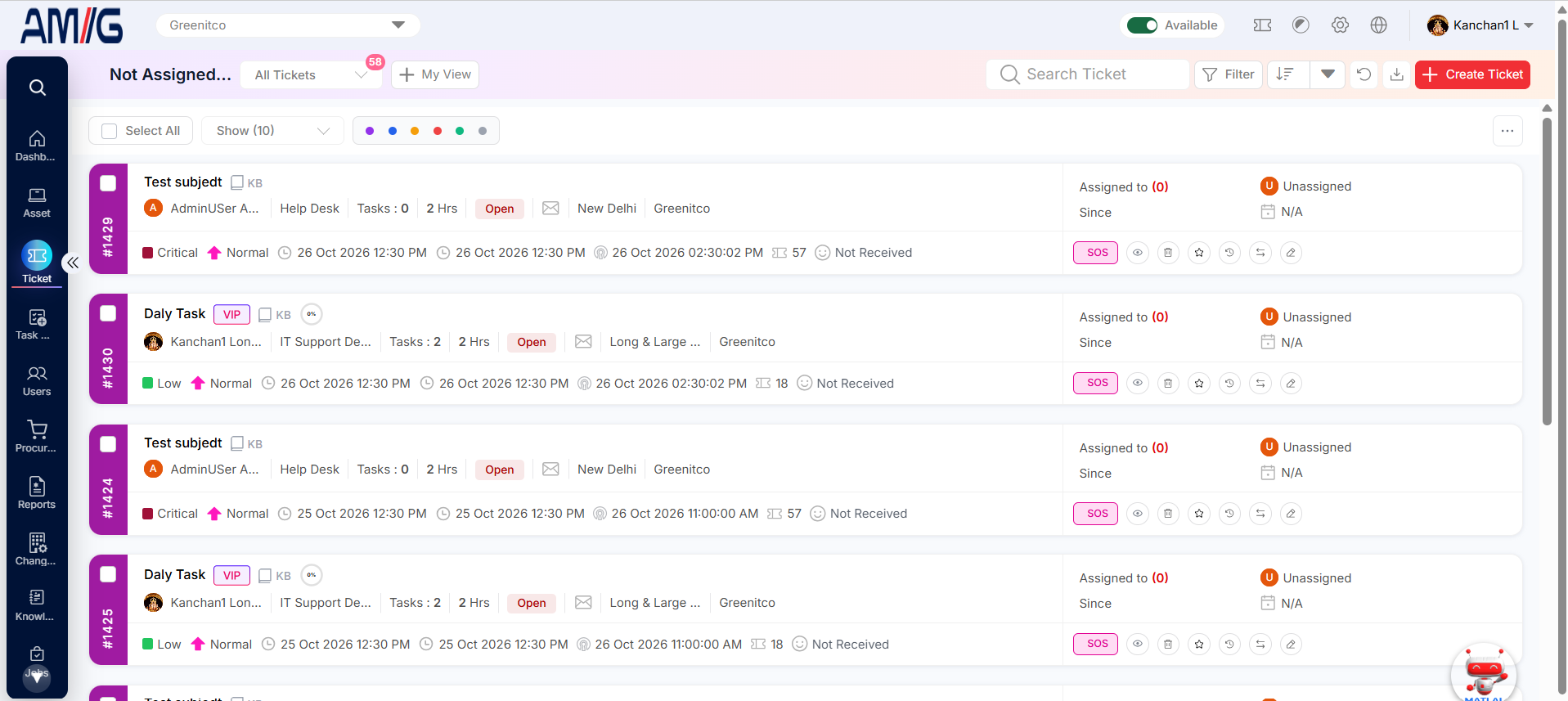
Figure 2.7.1: Not Assigned Tickets list
Assigning several tickets at once (team leads)
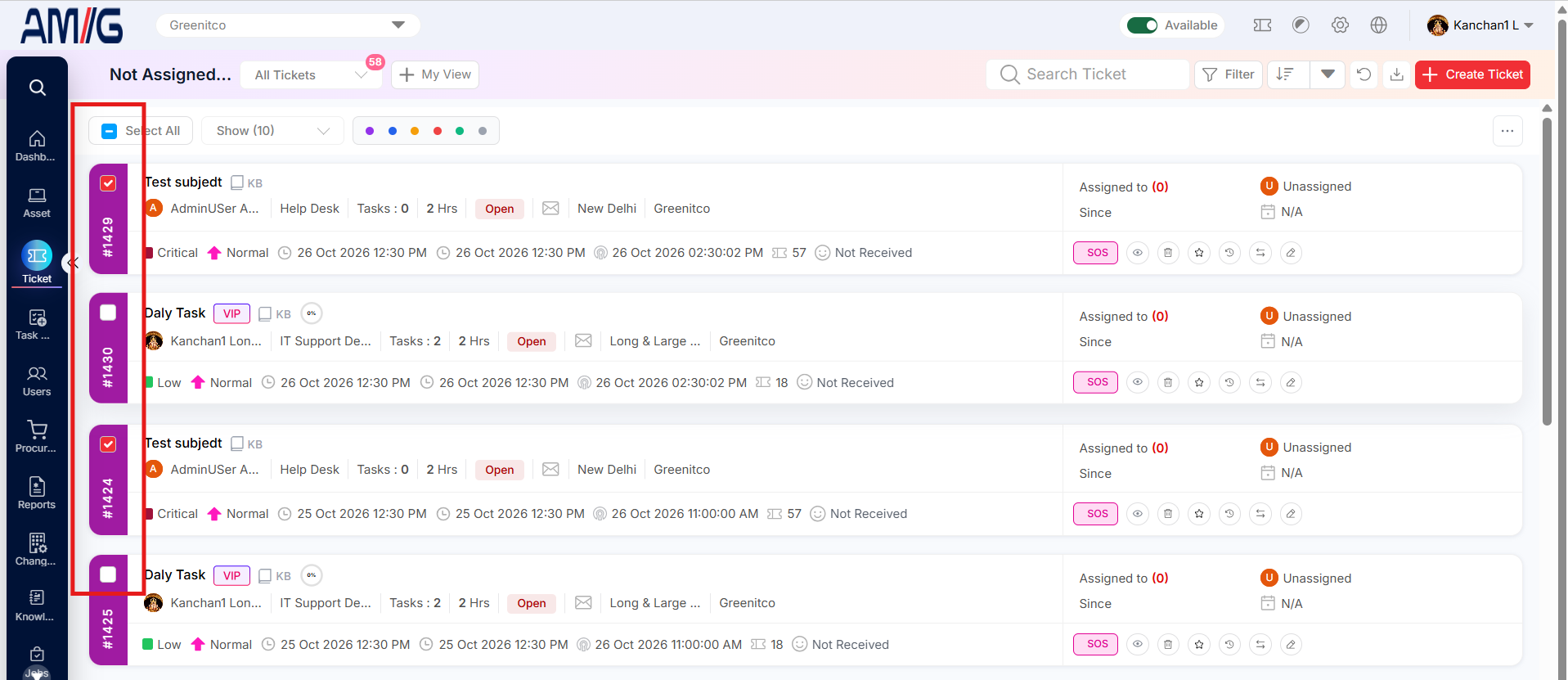
Step 1: Select the tickets, or click Select All.
 Step 2: Click More (...), then Bulk Assign, and select the technician.
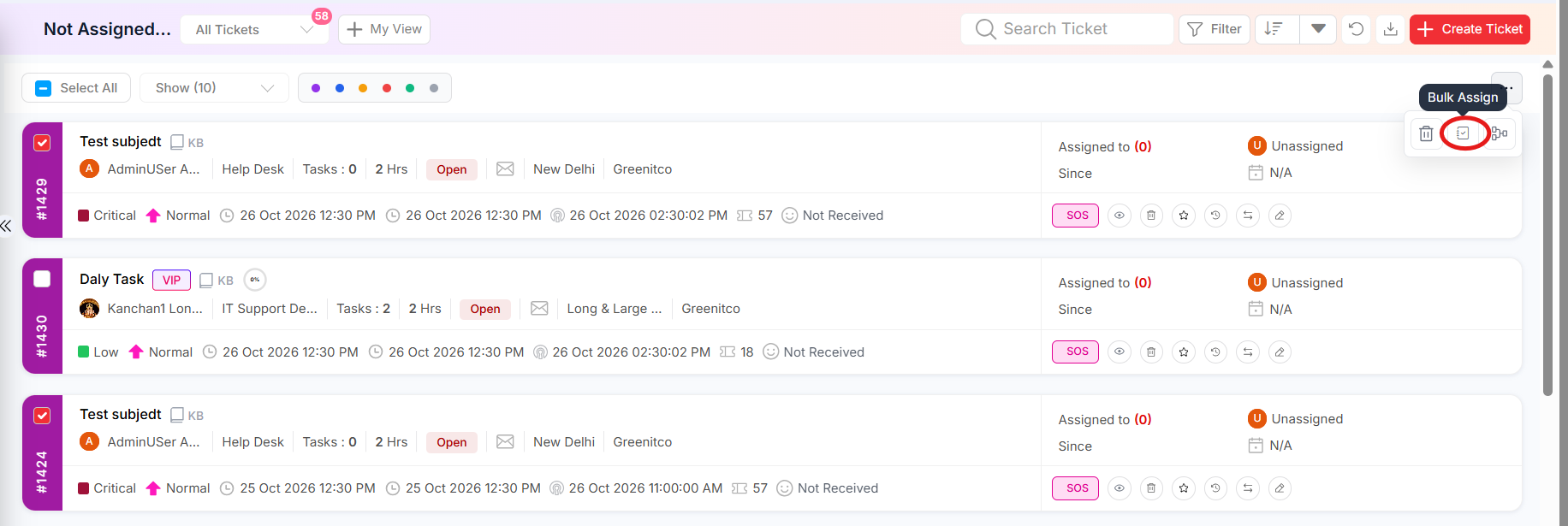 Step 3: Confirm and review the updated list.
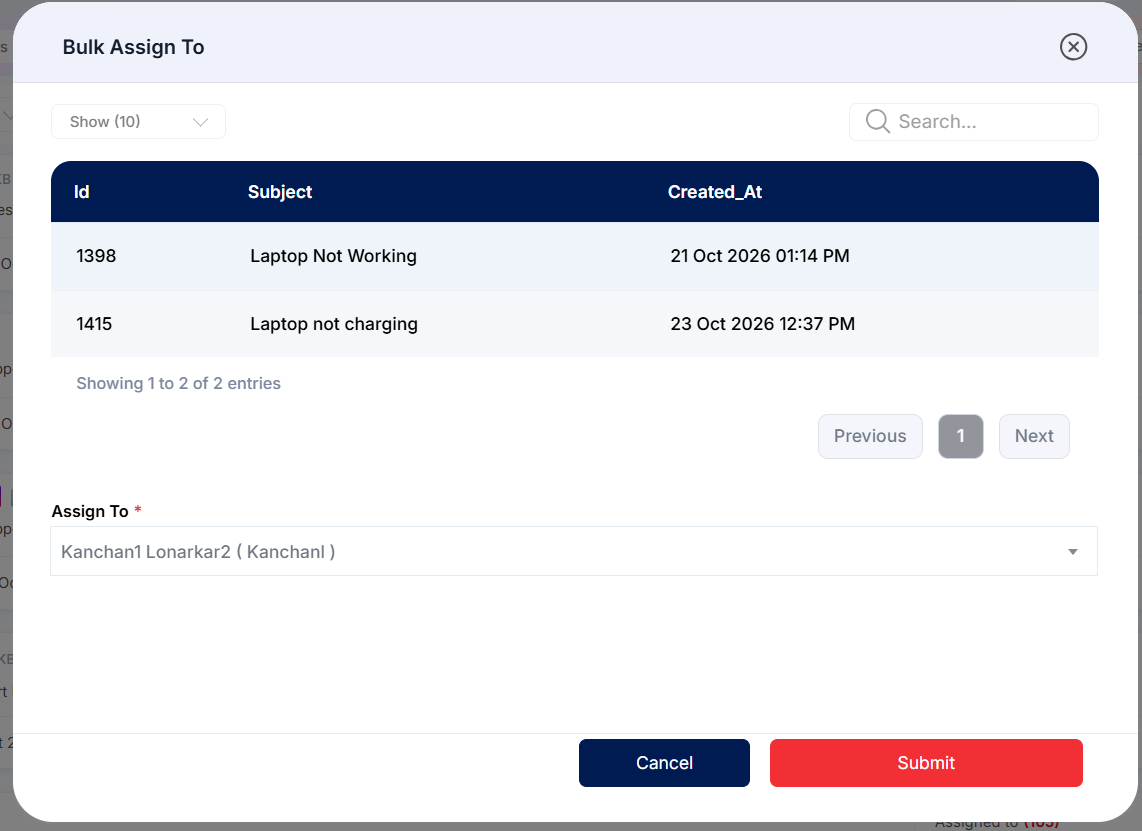
Figure 2.7.2: Bulk Assign dialog
Automatic allocation
Your administrator can place technicians in Auto Allocation groups with ticket limits, so new tickets are assigned automatically. Allocation takes your current status into account – for example, whether you are Active or on Break – so keep your status up to date.
Tip: Each day, sort your Assigned Tickets by TAT Expire and check the Ticket SLA Alerts card on your dashboard. Work the tickets closest to breaching first.