

Introduction
After a ticket is resolved, the user can rate the service and leave a comment. Feedback helps you and your lead understand the user's experience and is used in your dashboard and the Technician Leaderboard.
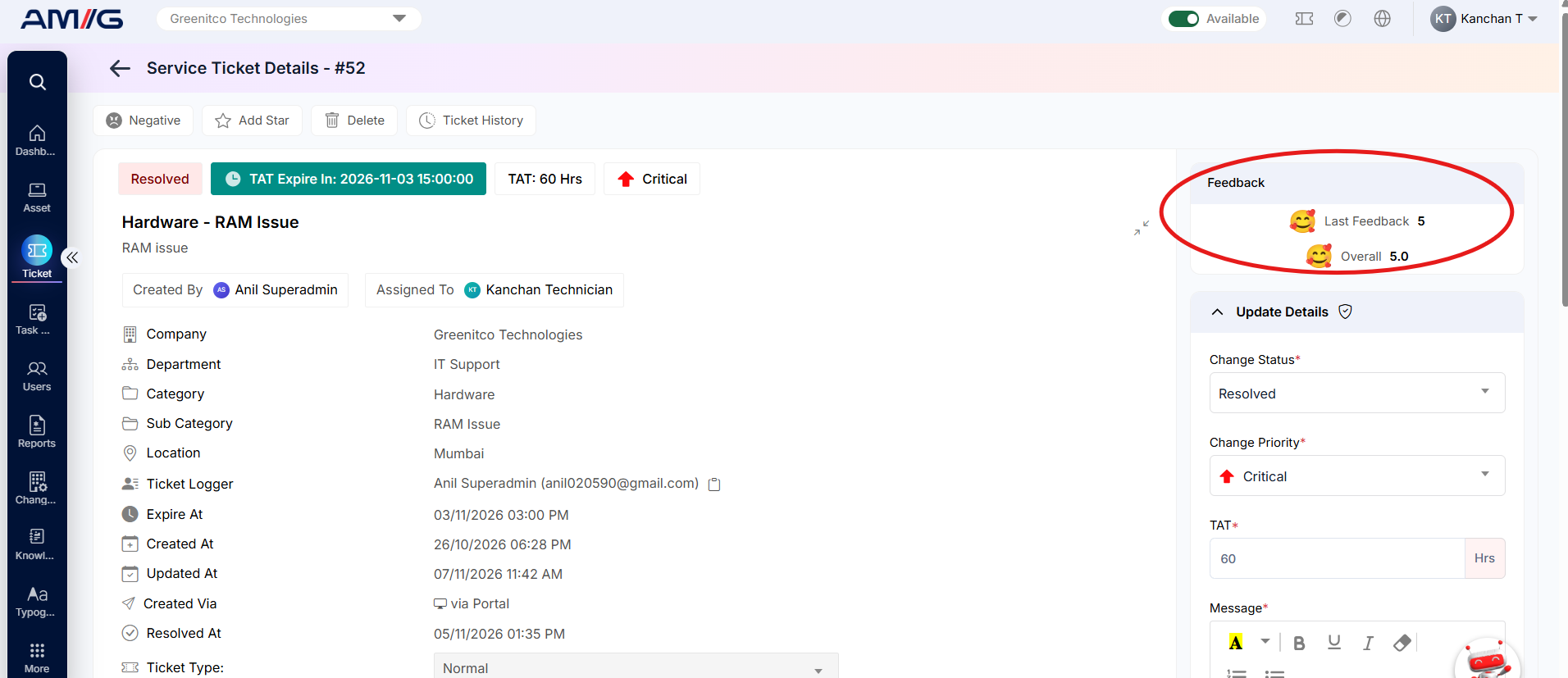
- On the Ticket Details screen, the Customer Feedback panel shows the current feedback and a summary of the latest comment.
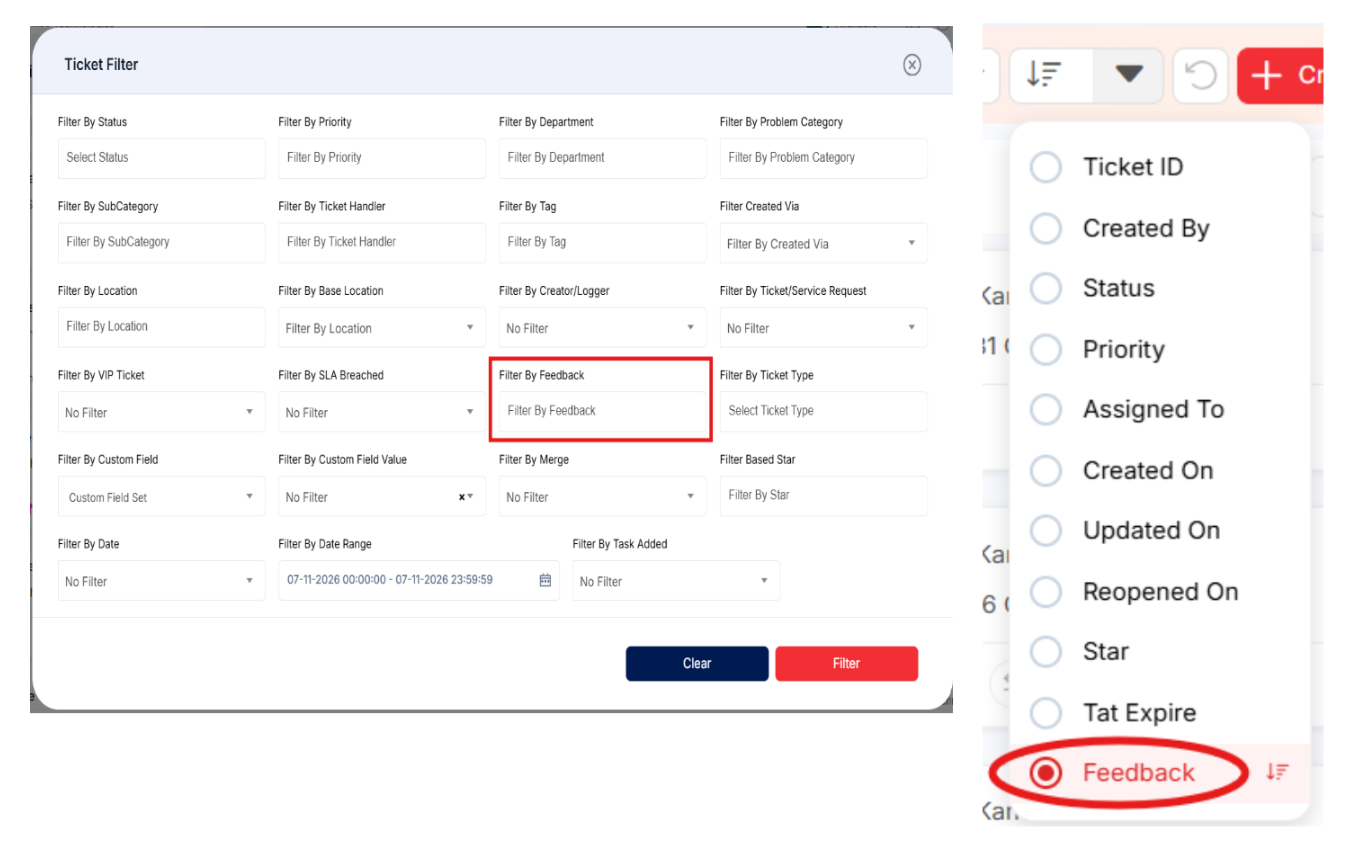
- In the ticket lists, use the Feedback filter to find tickets with a particular rating, or Sort by Feedback.
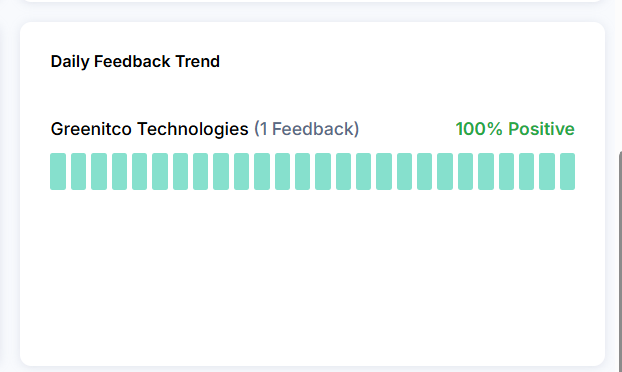
- On your dashboard, the Daily Feedback Trend card shows how your feedback changes over time.
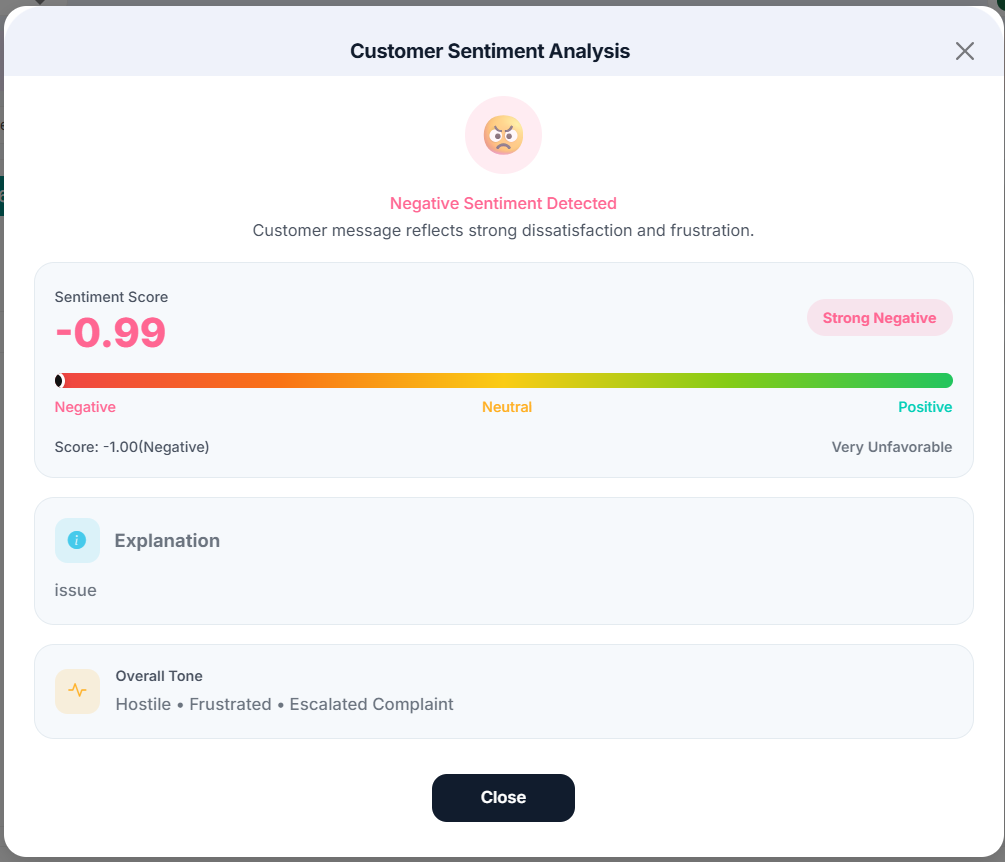
- Use Customer Sentiment to understand the tone of the conversation while the ticket is still open.
Tip: Review negative feedback promptly. A short follow-up comment or call can often turn a poor experience around.