

Introduction
Archived Service Requests provides a list of service requests that have been automatically archived by the system. It allows users to access older request records for reference and review their details whenever needed.
Requests are archived based on the number of days configured in the Auto Archive Ticket after X Days setting under Sidebar > Ticket > Ticket Configuration.
Each archived request is displayed as a card containing the following details:
-
Request Details: The subject and unique request ID.
-
Requester Information: The name of the person who submitted the request.
-
Department and Company: The department and company associated with the request.
-
Submission Date and Time: When the request was created.
-
Approval Requirement: The approval requirements associated with the request.
-
Approval Status: The current status of the request's approval process.
-
Authority Board: The approval authority details associated with the request.
-
Last Updated: When the request was last updated.
This section helps users access and review previously archived service requests while keeping older records separate from active requests
Navigation Path: Sidebar > Ticket > Service Request > Archived Service Requests
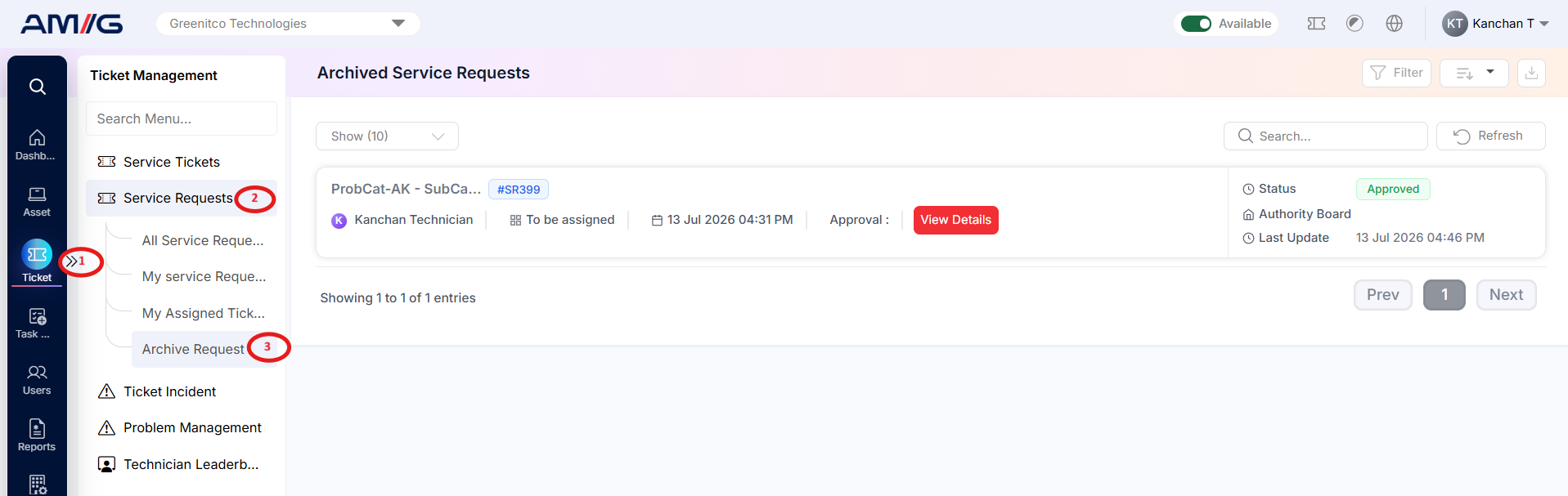
Viewing Archived Requests
Step 1: Open Archived Service Requests.
Step 2: Review the status and authority board on each card. Use Search, Filter, Refresh and pagination as needed.
Step 3: Click View Details to review the request, its approvals and history (section 2.6.3).
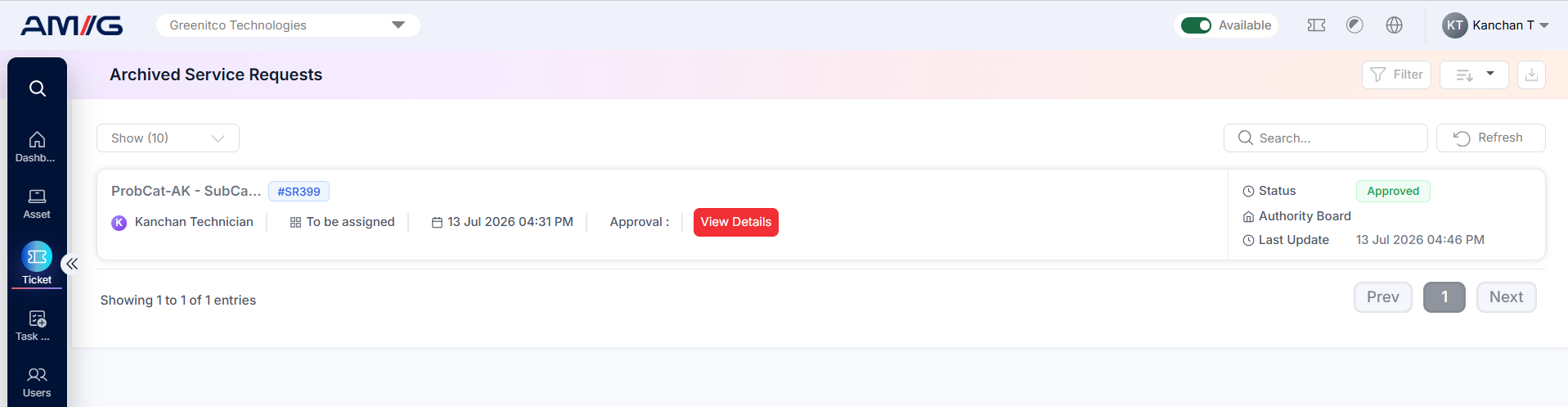
Figure 2.8.3: Archived Service Requests list