

Introduction
The AI Conversion feature allows users to convert a resolved ticket into a knowledge document using AI automation. It analyses the selected ticket and its history to generate an AI-based summary that can serve as the foundation for a knowledge article.
This feature helps capture useful issue details, troubleshooting steps, and resolution information from resolved tickets for future reference. The ticket's department and category are preselected, and users can review the generated summary, choose relevant comments, and include supporting documents before completing the conversion.
Note: The AI Robot icon is available only for tickets marked as Resolved.
Follow the steps below to convert a ticket into a knowledge document.
Step 1: In the ticket list (or the Archived Ticket list), find the resolved ticket and click its AI Robot icon.
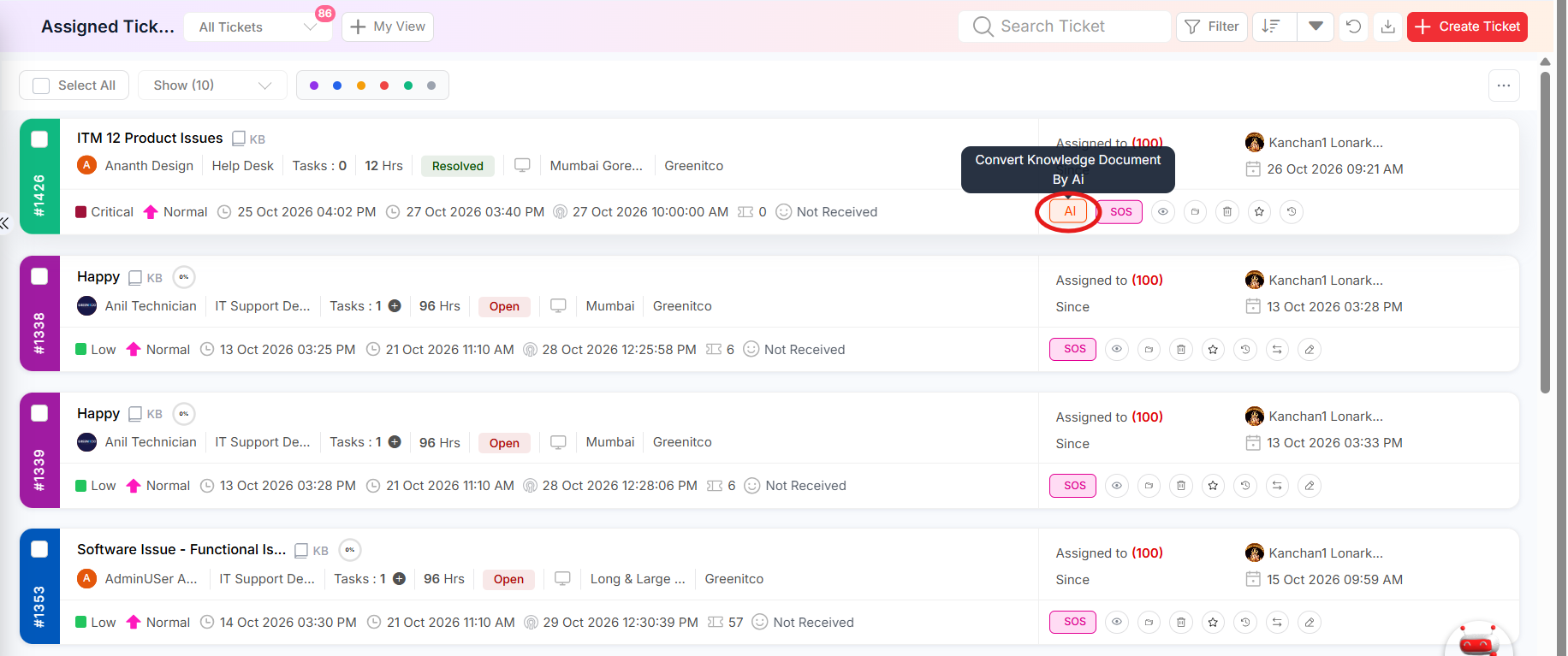 Figure : AI Robot icon on a resolved ticket
Step 2: Review the AI-generated summary. Department and Category are preselected from the ticket. Edit the summary so it clearly describes the issue and the fix.
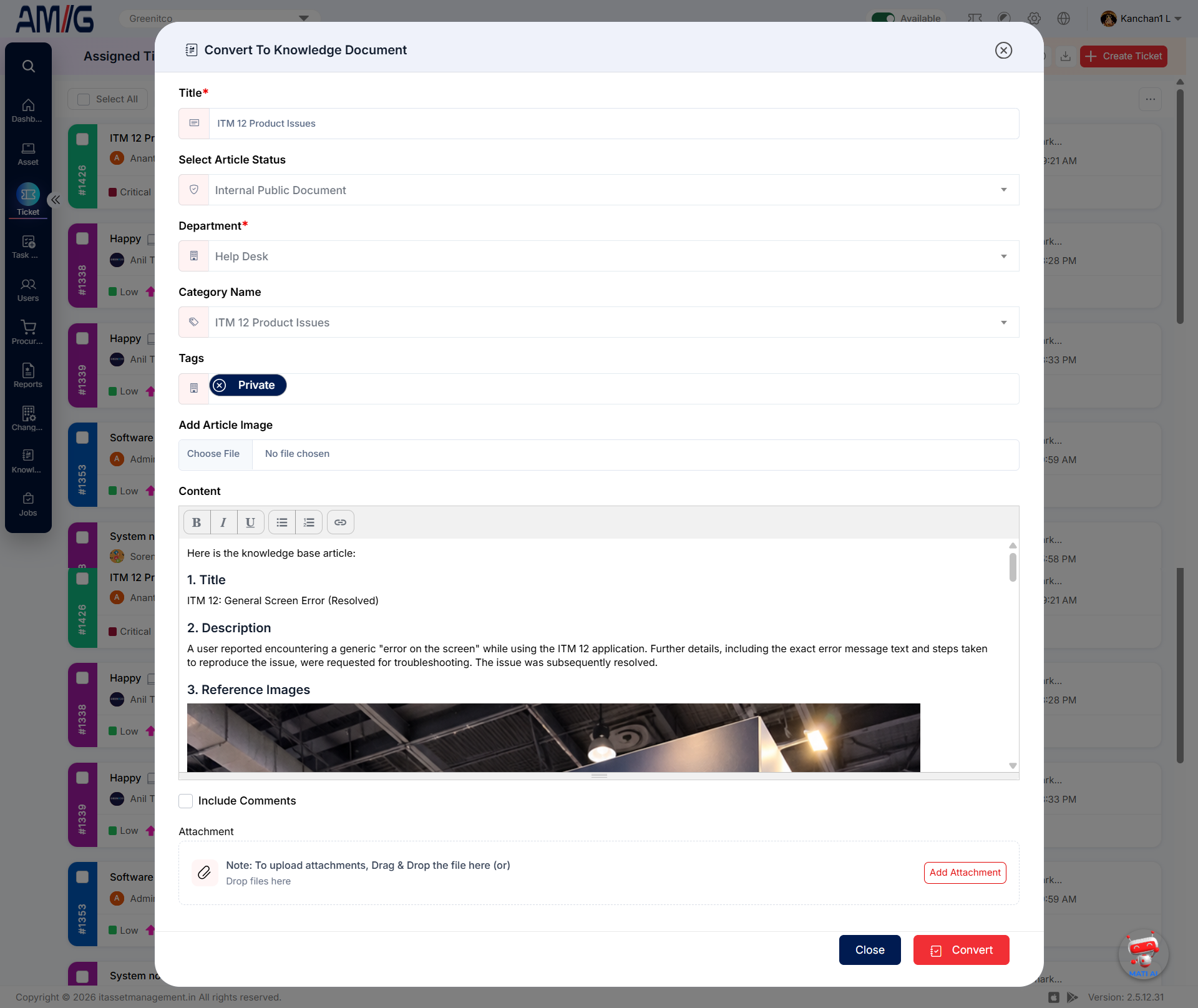
Figure : Convert ticket to knowledge document – AI-generated summary
Step 3: Select Include Comment to show the ticket comments, and choose the ones that contain useful troubleshooting or resolution steps.
Step 4: Upload any extra supporting documents. Attachments already on the ticket are added automatically.
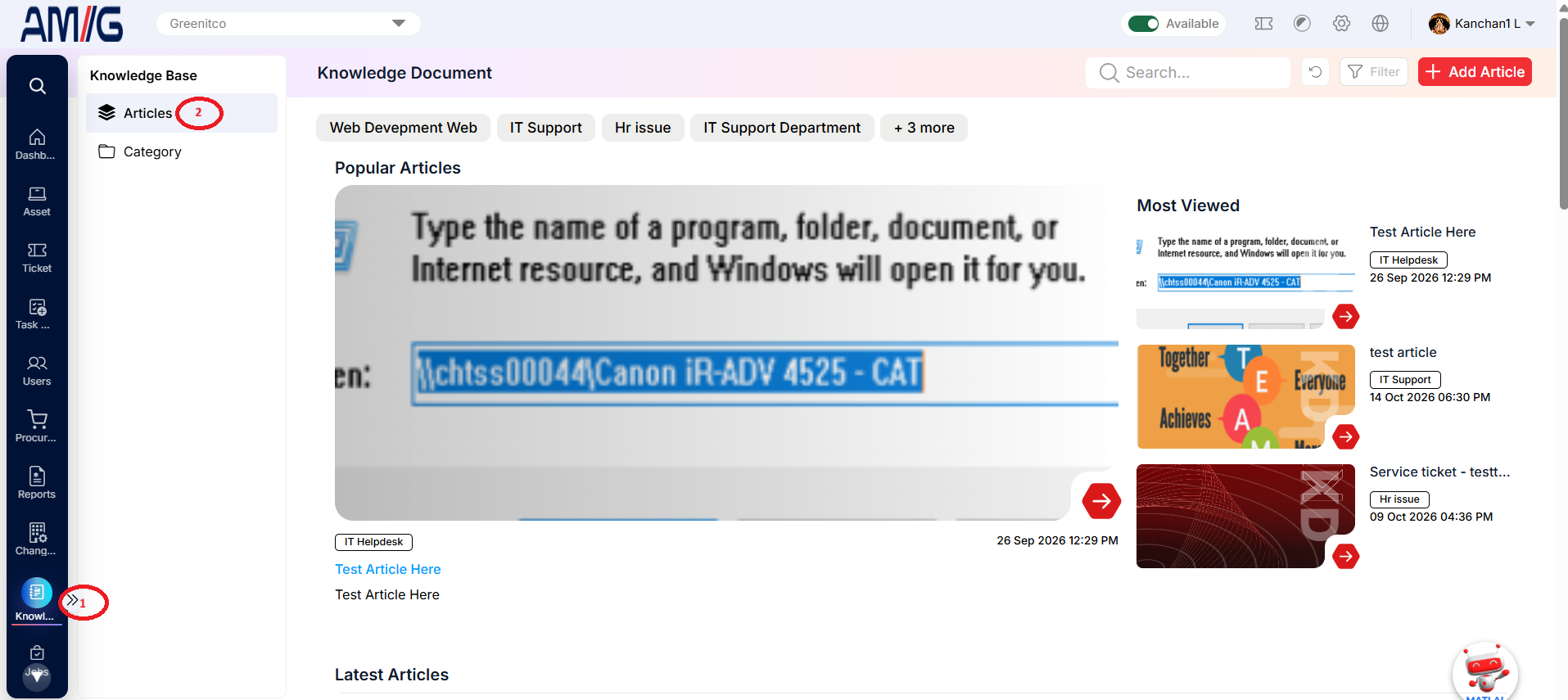
Step 5: Click Convert. The document is created under Sidebar > Knowledge Base > Article.
Tip: Remove names, passwords and other personal details from the summary before converting.