How to Check Out a Component?
Go to the Sidebar Menu >Click On Component >Click on the actions of the particular component > click on Checkout icon.
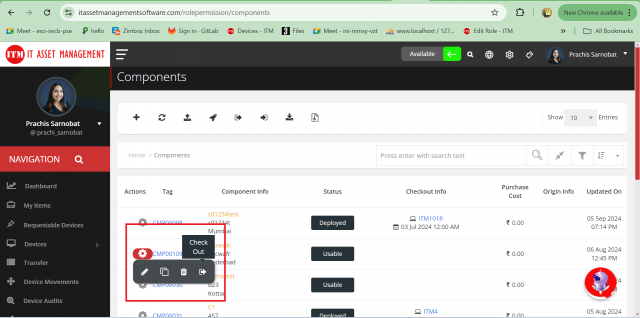
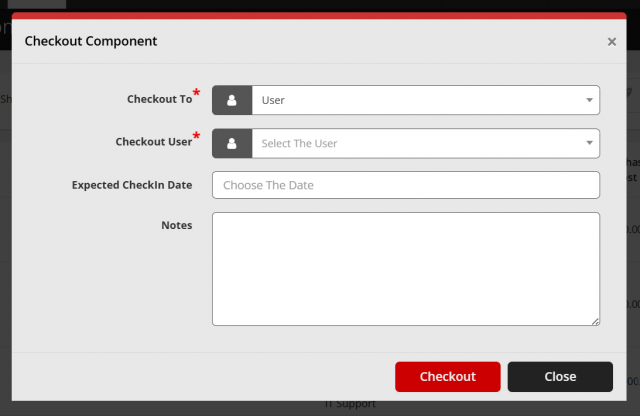
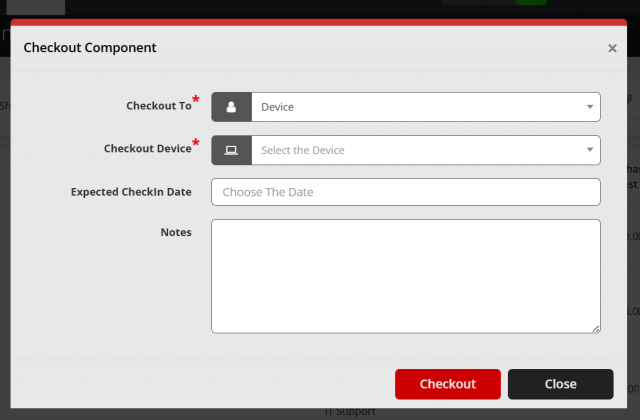
- Component can be checkout to user as well as device
- Choose expected Check in Date if you want and can also add notes
- Click on Checkout to proceed.
We are continuously improving our documentation to ensure it meets your needs. This document will be updated regularly, so please check back for the latest information. If you have any questions or encounter any issues, feel free to reach out to us at support@itassetmanagement.in.