Assigned Plans
Once the device is/are assigned to Plan, the schedule maintenance plan will be visible in Schedule Maintainence menu .
1. My Assigned Plans
-> To see all the devices in schedule maintenance,
Go to left sidebar Schedule Maintenance > Select All Plans
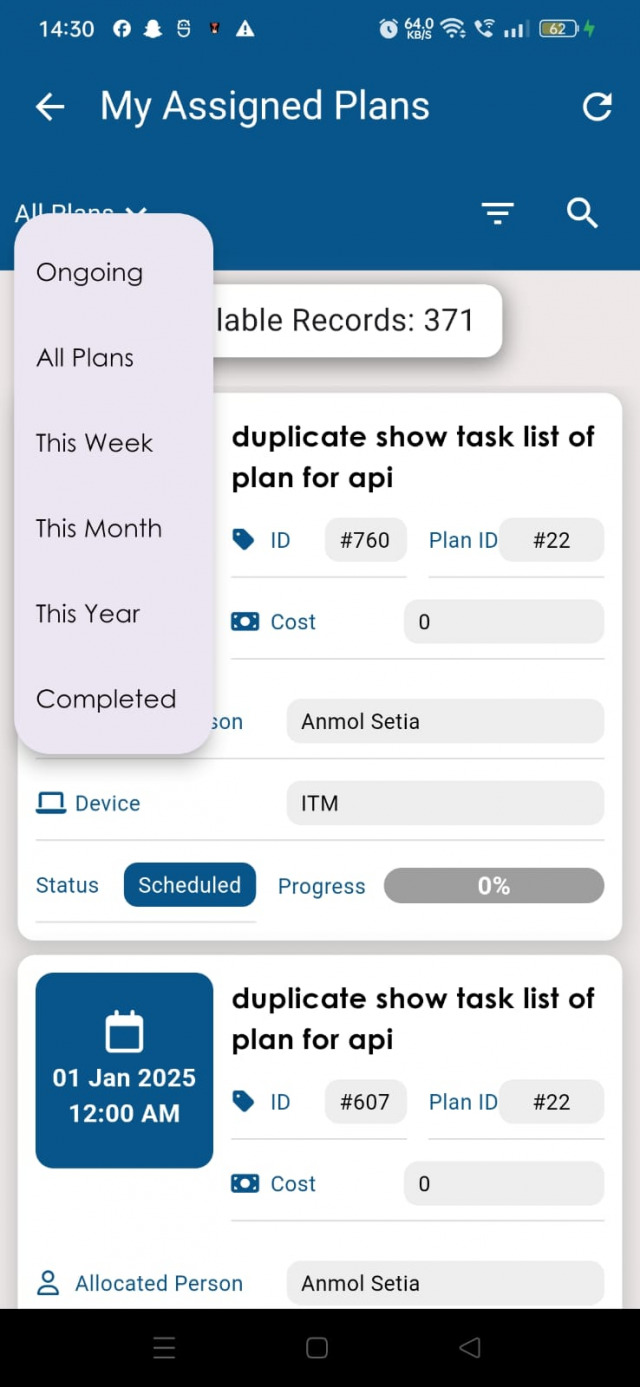
As seen in image above there are 6 tabs defined above which is explained as:
- Ongoing: All the plans which are under maintenance or in delayed status is shown in this tab.
- This Week: All the future plans which are scheduled in the current week is shown in this tab.
- This Month: All the future plans which are schedules in the current month is shown in this tab.
- This Year: All the future plans which are schedules in the current year is shown in this tab.
- Completed: All the plans for which maintenace is done is shown in this tab.
- All Plans: All the plans is shown in this tab.
To perform the schedule maintenance, Just tap on any particluar plan -> Task Details as shown in below image
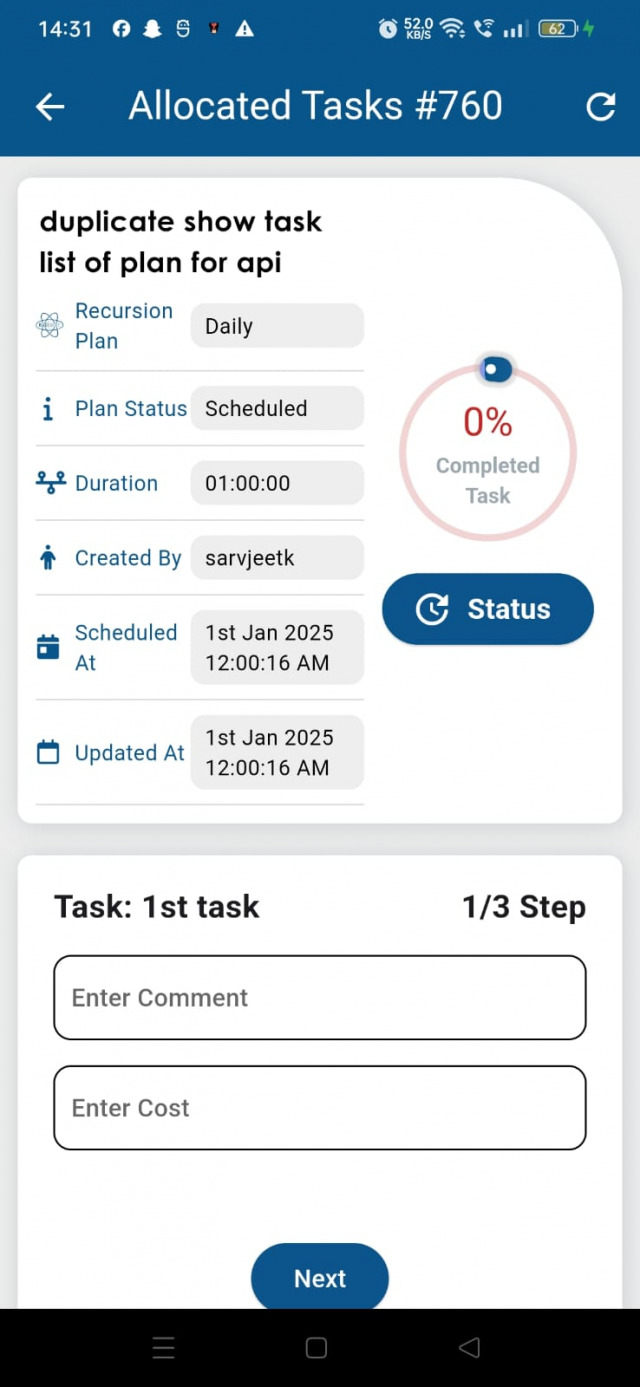
On click of particular Task, it will redirect to task detail page where the task(s) needs to be updated in order to complete the maintenance as shown in below image . As seen the task detail page is divided into 2 sections. First section shows details about Plan and Graph to display progress in task. Second section is where user can update the task in order.