Mac_Agent Uninstallation
IT Asset Management allows you to manage and remove agents when needed.
To Uninstall the Mac Agent
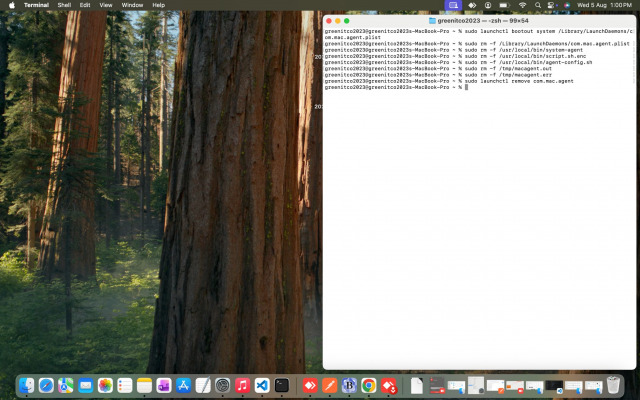
Open the macOS Terminal and run the following commands:
Unload the agent service
** sudo launchctl bootout system /Library/LaunchDaemons/com.mac.agent.plist
Remove the launch daemon configuration
** sudo rm -f /Library/LaunchDaemons/com.mac.agent.plist
Delete agent and scripts
** sudo rm -f /usr/local/bin/system-agent
** sudo rm -f /usr/local/bin/script.sh.enc
** sudo rm -f /usr/local/bin/agent-config.sh
Clear temporary log files
** sudo rm -f /tmp/macagent.out
** sudo rm -f /tmp/macagent.err
Remove the agent from launchctl
** sudo launchctl remove com.mac.agent
We are continuously improving our documentation to ensure it meets your needs. This document will be updated regularly, so please check back for the latest information. If you have any questions or encounter any issues, feel free to reach out to us at support@itassetmanagement.in.