How to check mac agent data in portal
Steps to Verify Mac Agent Data in the Portal
Login to the portal with your credentials.
Navigate to “Network Inventory” from the side drawer.
In the Network Inventory module, tap on Inventory Details.
Here you will see all machine data where the agent has been installed.
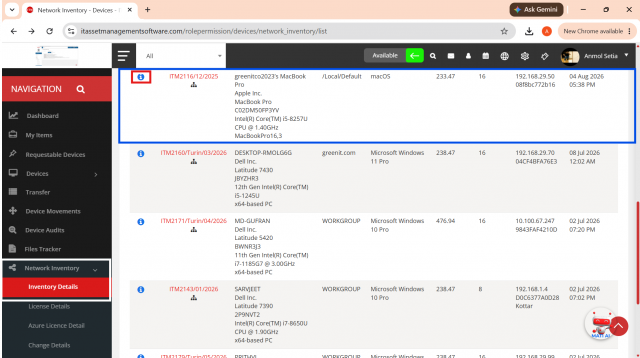
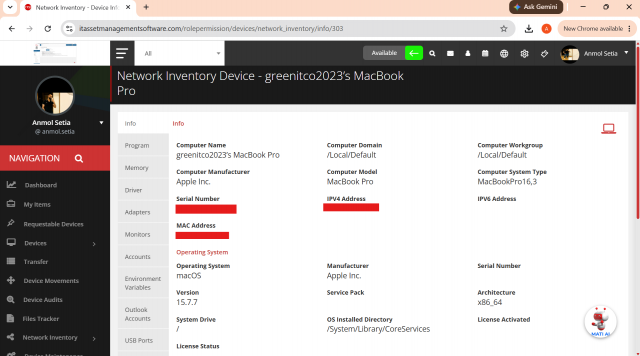
To check details for a specific machine, tap on the “i” (info) button.
You’ll be able to view machine information such as system details, installed programs, memory usage, and more.
We are continuously improving our documentation to ensure it meets your needs. This document will be updated regularly, so please check back for the latest information. If you have any questions or encounter any issues, feel free to reach out to us at support@itassetmanagement.in.