How to manage Software Deployment ?
To add a new software deployment from the list.
To add a new Software
Go to the left sidebar and select Patch Management >Software Deployment > Click on the plus icon > Add Software Deployment > Click on Create.

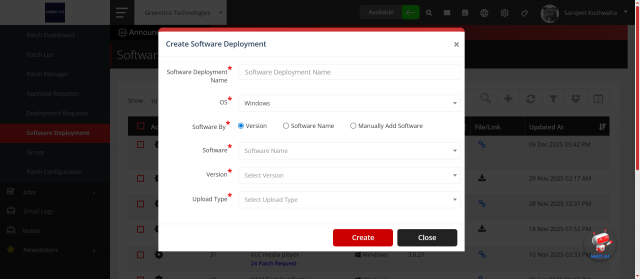
- Software Deployment Name: Enter the Software Deployment Name.
- OS: Select the OS
- Software By: Choose the via added
- Upload Type: Choose the upload type link or file
To edit a software deployment from the list.
To Edit a Software
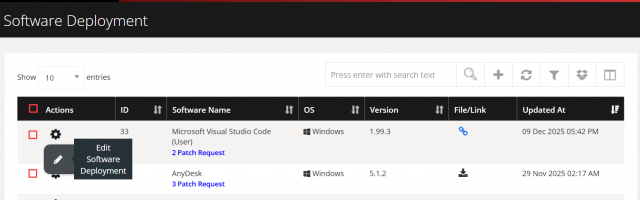
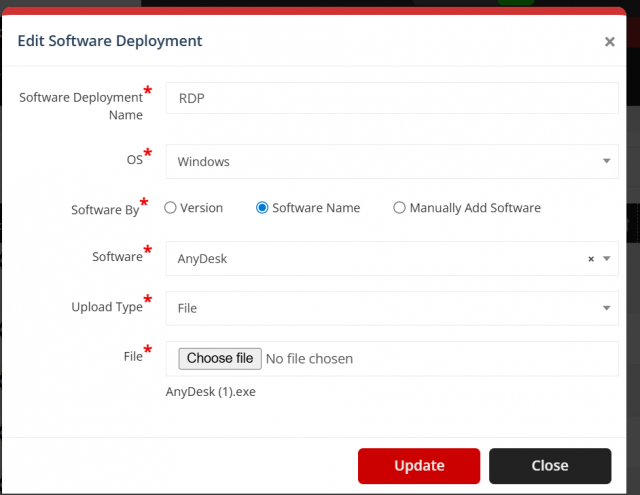
Go to the left sidebar and select Patch Management >Software Deployment > Click on the action control of the particular Device > Click on the pencil icon > Edit Software Deployment > Update.
To remove a software deployment from the list.
To Remove a Software
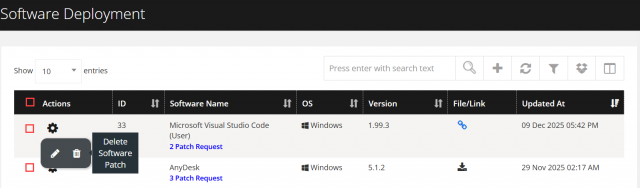
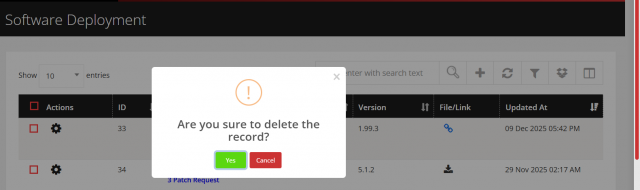
Go to the left sidebar and select Patch Management >Software Deployment > Click on the action control of the particular Software > Click on the trash icon > Click Yes to proceed.
To get data filtered data from software deployment listing
Go to software deployment listing page and click Software-> Filter button you can select any filter from following list
-
Filter By Date:
Select a specific Create and Update Date- Filter By Date Range:
Filter software by range.
- Filter By Date Range:
-
Filter By OS:
Filter softwate based on their specific os. -
Filter By Versions:
Show software available at a particular versions.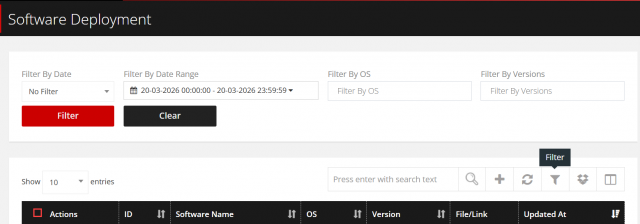
according to need also the no of filter is shown on filter icon and using clear button clear all filter applied.