How to Uninstall the Mac-Agent
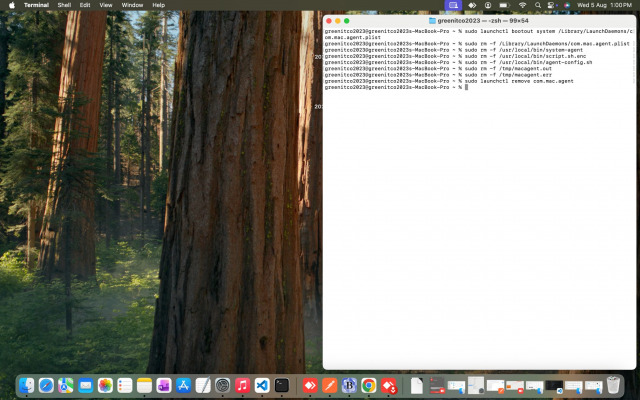
To completely remove the Mac Agent from your system, run the following commands in the macOS Terminal:
Unload the agent service
** sudo launchctl bootout system /Library/LaunchDaemons/com.mac.agent.plist
Remove the launch daemon configuration
** sudo rm -f /Library/LaunchDaemons/com.mac.agent.plist
Delete agent scripts
** sudo rm -f /usr/local/bin/system-agent
** sudo rm -f /usr/local/bin/script.sh.enc
** sudo rm -f /usr/local/bin/agent-config.sh
Clear temporary log files
** sudo rm -f /tmp/macagent.out
** sudo rm -f /tmp/macagent.err
Remove the agent from launchctl
** sudo launchctl remove com.mac.agent
After running these commands, the Mac Agent will be fully uninstalled from your machine.