Can asset images be added to the portal?
Step 1:
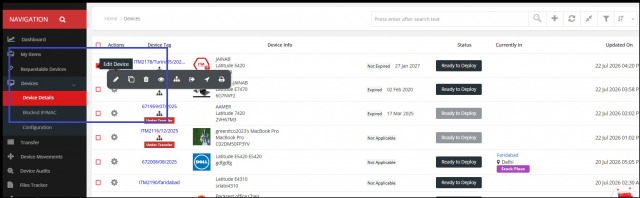
From the left-side menu, click on "Devices" > Select the particular device edit button.
Step 2 :
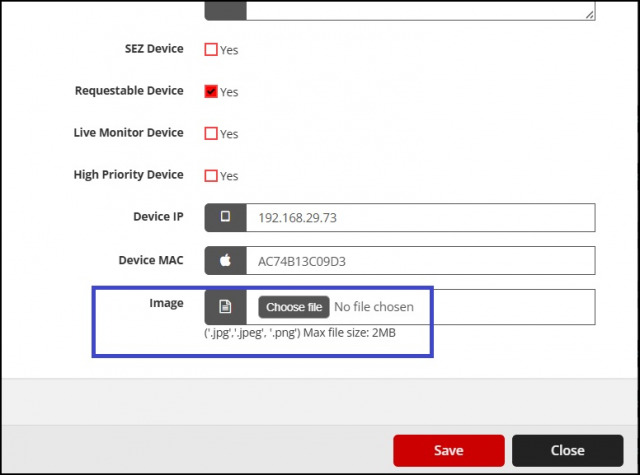
On the bottom of the page, click on image and upload it.
We are continuously improving our documentation to ensure it meets your needs. This document will be updated regularly, so please check back for the latest information. If you have any questions or encounter any issues, feel free to reach out to us at support@itassetmanagement.in.