Admin/Super Admin Access
Admin / Super Admin Guide
Dashboard
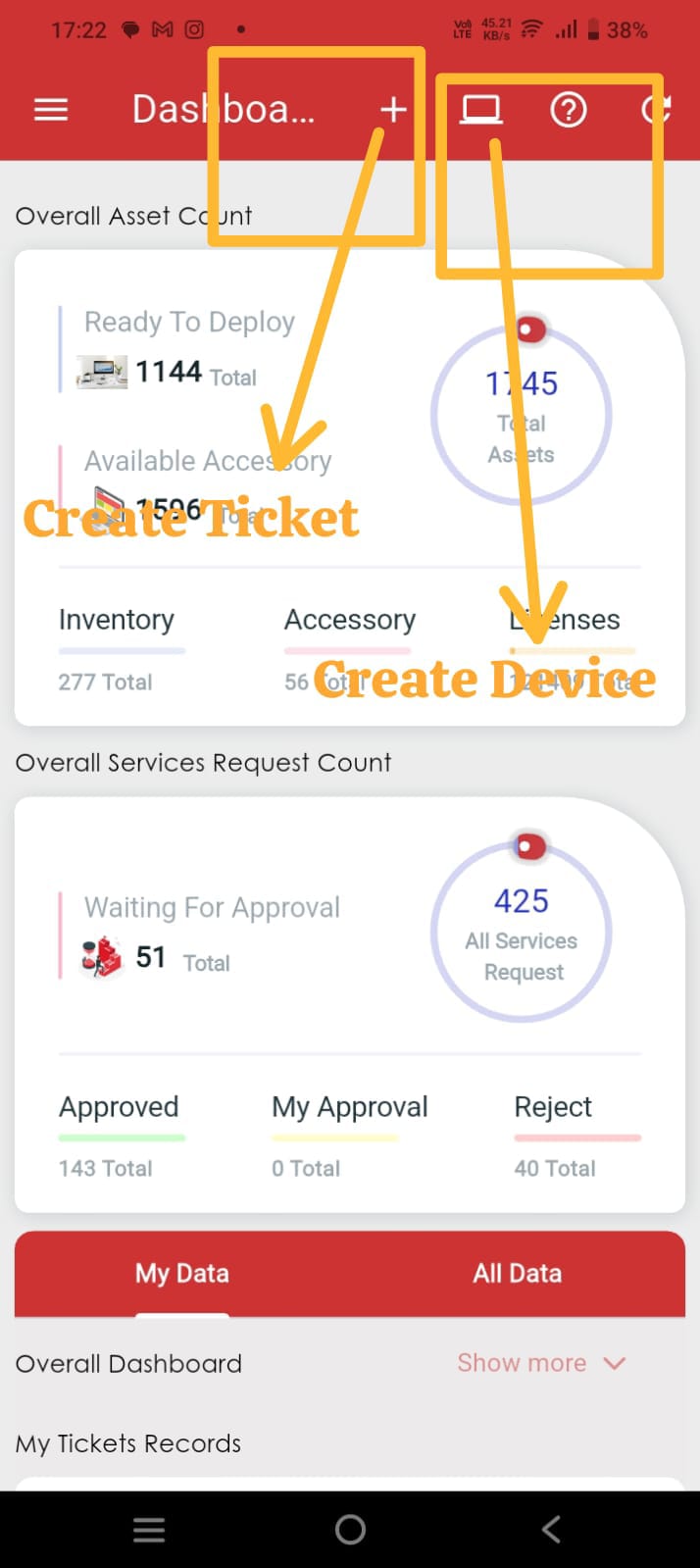
After logging in with an Admin or Super Admin account, you will be redirected to the Dashboard.
The Admin/Super Admin Dashboard provides a comprehensive overview of your IT environment. You can view the total number of:
- Tickets
- Service Requests
- Devices
Side Menu Access
To access the application menu, tap the menu icon in the top-left corner after logging in.
- Sign in to the IT Asset Management (ITM) app using your Admin or Super Admin account.
- Tap the Menu icon.
- View the modules and features available based on your assigned administrative permissions.
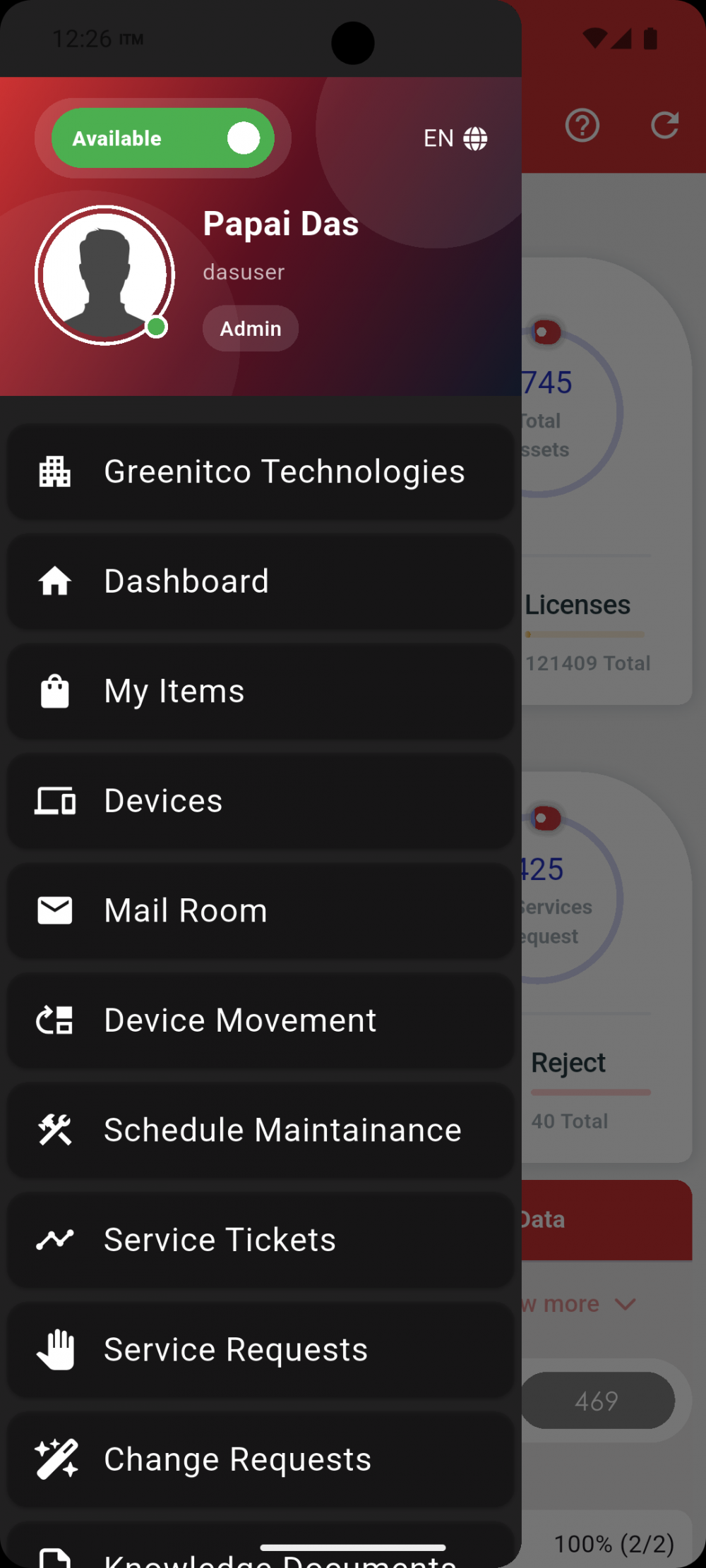
The side menu displays all modules and administrative features available to your Admin or Super Admin account based on the permissions assigned within the ITM Portal.
We are continuously improving our documentation to ensure it meets your needs. This document will be updated regularly, so please check back for the latest information. If you have any questions or encounter any issues, feel free to reach out to us at support@itassetmanagement.in.