Tasks List
The Task List module allows users to view all types of tasks in one place. This includes:
- Ticket Tasks
- Change Management Tasks
- Project Tasks
- Other related tasks
🔹 Steps to Access Task List
Go to the left-side menu > Select Tasks > Click on Task List
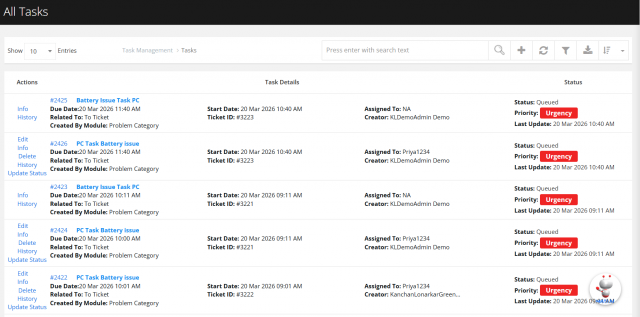
🔹 Note
- Ticket tasks are visible only if you have the required department access.
- If you do not have access the department of tasks, those tasks will not be displayed.
🔹 Download Feature
- You can export the task data into Excel format.
- Click on the Download icon to export the data.

🔹 Filter Feature
You can filter tasks based on your requirements.
- Click on the Filter icon and apply filters such as:
- Filter By Related To (e.g., Ticket Task)

We are continuously improving our documentation to ensure it meets your needs. This document will be updated regularly, so please check back for the latest information. If you have any questions or encounter any issues, feel free to reach out to us at support@itassetmanagement.in.