Why Data of Mac Agent is not showing on portal
Why Mac Agent Data May Not Be Visible
Asset license expired or exceeded
Cause: Your asset license has expired, or the number of installed agents exceeds your licensed asset count.
Solution: Renew your license or upgrade your asset count to restore visibility.
Agent not running
Cause: The Mac Agent service is not active or has failed to start.
Solution: Verify the agent status using:
** sudo launchctl list | grep com.mac.agent
If not present, restart the agent.
Logs indicate errors
Cause: The agent may be running but encountering errors while sending data.
Solution: Check logs in:
** /Library/Logs/MacAgent
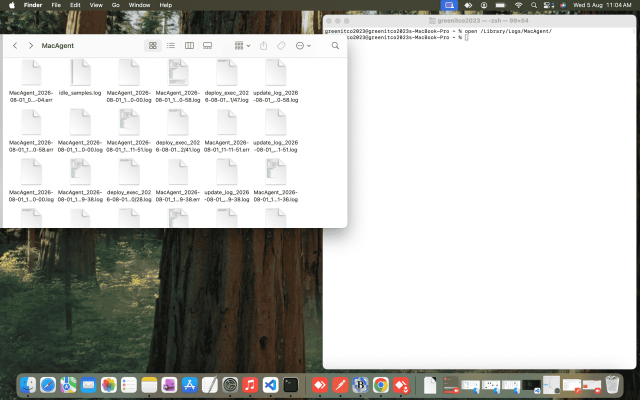
Review for update failures, connectivity issues, or runtime errors.
Network/firewall restrictions
Cause: The agent cannot reach the server due to firewall or proxy settings.
Solution: Ensure your network allows outbound connections to the agent’s server endpoints.
Duplicate or corrupted installation
Cause: Multiple installations or corrupted files prevent proper data sync.
Solution: Fully uninstall the agent, then reinstall the latest version.
System resource issues
Cause: High CPU/memory load may cause the agent to stall and fail to send data.
Solution: Restart the agent service; if the issue persists, reinstall.