Service Request Filter Options
To filter a service request from the list.
To Filter a Service Request List
Go to the left sidebar and select Service Request > Click on the below filter icon > Select dropdown > Filter button.
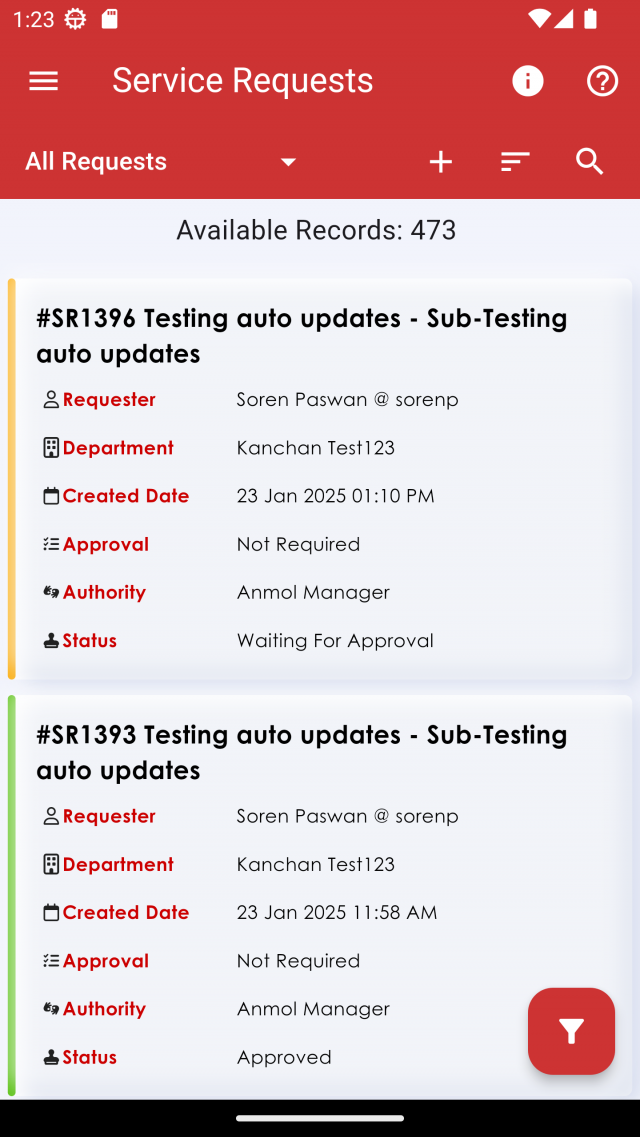
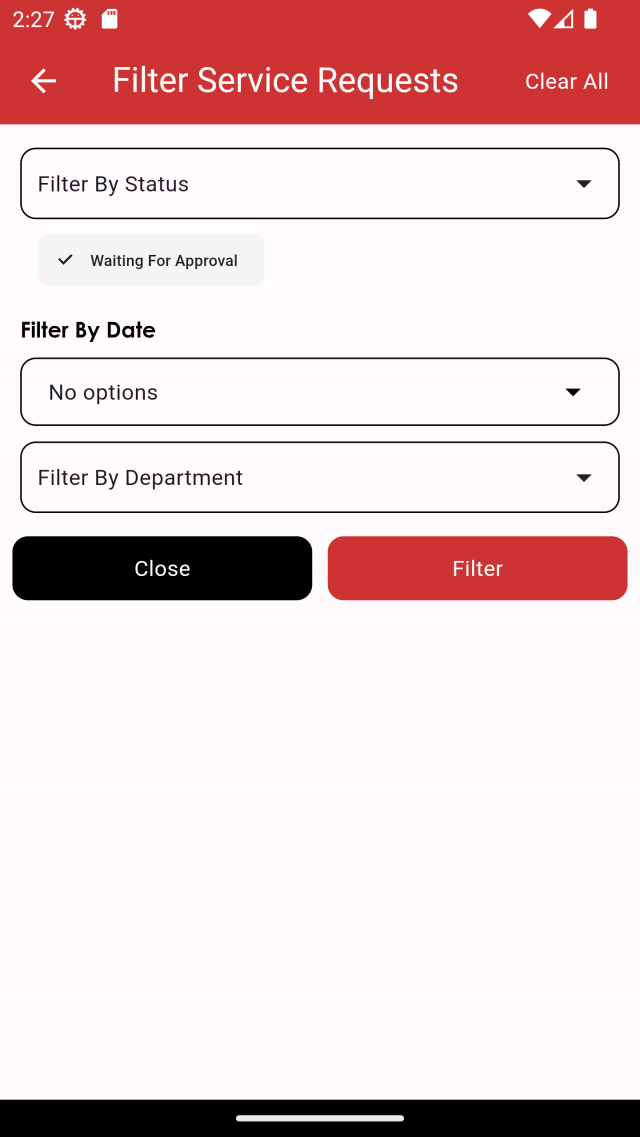
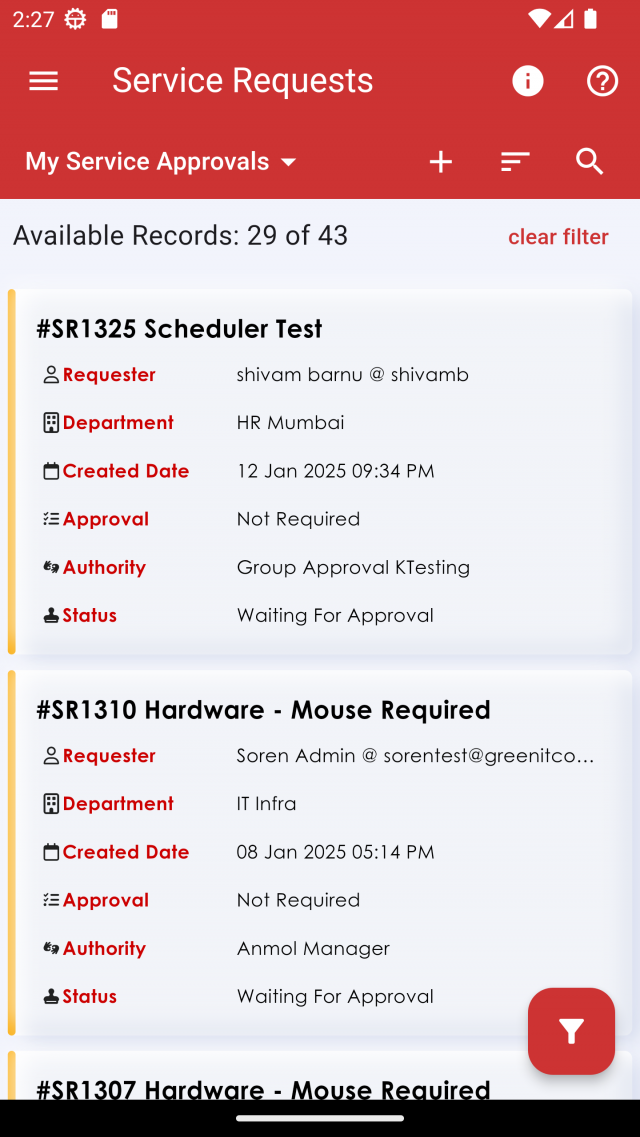
When ticket list will filter, that filtered data will store in filter screen. and on top of service request filter screen and service request list screen there is clear all button. by click on this button filtered data will be clear.
We are continuously improving our documentation to ensure it meets your needs. This document will be updated regularly, so please check back for the latest information. If you have any questions or encounter any issues, feel free to reach out to us at support@itassetmanagement.in.