Auto resolved tickets report
Go to the left sidebar and select Reports > Click on the Service Report > Auto Resolved Tickets Report !!
The Auto-Resolved Tickets Report provides visibility into tickets that are automatically resolved by the system without requiring manual intervention from support agents. It helps management understand the effectiveness of automated resolution mechanisms and monitor the overall efficiency of the ticketing process.
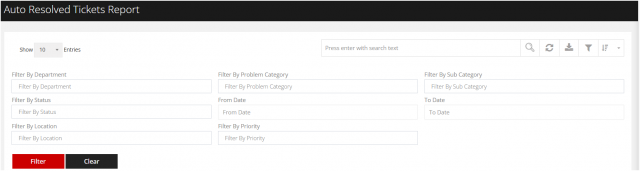
You can filter the reports in different way
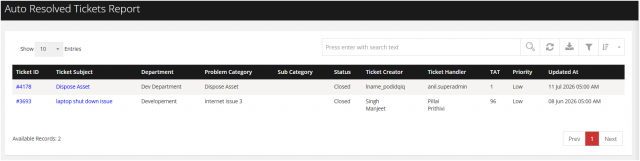
Filter by Department Filter by Problem Category Filter by Sub category Filter by Status Filter from Date to Date Filter by location FIlter by Priority.
We are continuously improving our documentation to ensure it meets your needs. This document will be updated regularly, so please check back for the latest information. If you have any questions or encounter any issues, feel free to reach out to us at support@itassetmanagement.in.