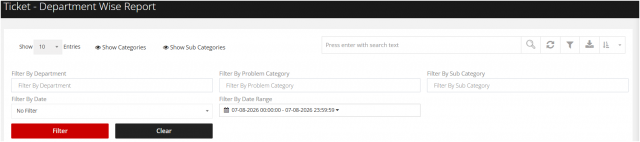
Department wise Report
Go to the left sidebar and select Reports > Click on the Service Report > Department wise Report.**
A Department-wise Report in an IT Asset Management (ITM) tool provides a consolidated view of IT assets, tickets, and resource utilization for each department. It helps management track asset allocation, optimize resources, and ensure accountability.
!!Purpose of Department-wise Report!!
- View all assets assigned to each department.
- Monitor department-wise asset utilization.
- Track active, inactive, and spare assets.
- Analyze ticket volume by department.
- Plan procurement based on departmental requirements.
- Ensure accountability for allocated assets.
- Support internal audits and compliance.
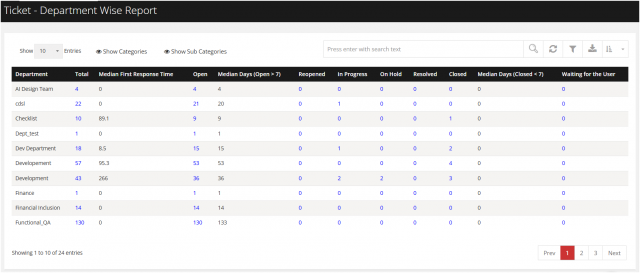
Filter option is given to right side!!
The report includes a filter panel on the right-hand side, allowing users to generate department-specific reports efficiently. Users can filter the data based on Department, Problem Category, Problem Subcategory, Specific Date, or a Custom Date Range, making it easier to analyze and retrieve relevant information as required.