Reports Email Trigger
Go to the left sidebar and select Reports > Click on the Service Report > Reports Email Trigger !!
The Report Email Triggers feature allows administrators to configure automated email notifications for selected reports. Reports can be triggered automatically and shared with defined recipients, such as managers, department heads, administrators, or other designated users.
This feature helps ensure that important ticket and service-management information is delivered to the relevant stakeholders at the required frequency without the need for manual report generation.
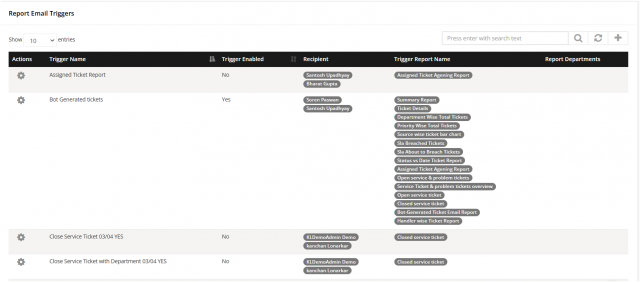
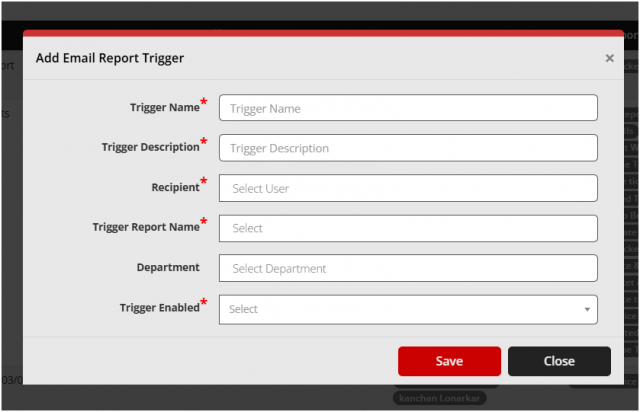
Click on the right side icon ( + ) to add the detail of email trigger
We are continuously improving our documentation to ensure it meets your needs. This document will be updated regularly, so please check back for the latest information. If you have any questions or encounter any issues, feel free to reach out to us at support@itassetmanagement.in.