Technician Log Reports
Go to the left sidebar and select Reports > Click on the Service Report > Technician Log Reports !!
The Technician Log Report should capture the technician's login/activity period, including start date/time, end date/time, active time, inactive time, and break duration. This helps administrators understand technician availability, working hours, and activity patterns.
For example:
Active: Technician is logged in and performing defined activities in the ITM system. Inactive: Technician is logged in but no qualifying activity has been detected for the configured period. Break: Technician has explicitly started a break or the system records a defined break period.
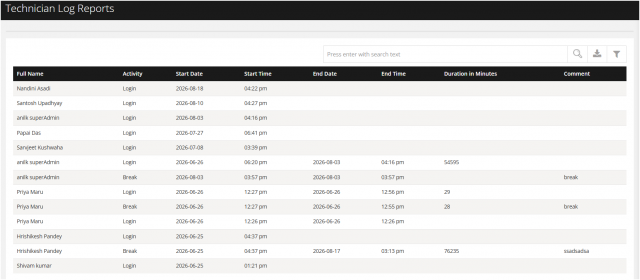
You can filter the reports in different way
1.Filter By Ticket Handler
Technician wise you get the clear status when the technician started and ended work, active/inactive periods, break duration, and total working/activity time.
2 .Fiter From Date to Date
Techician activity for the particular week / Month / Year can be fetched.
