Ticket Handler wise Report
Go to the left sidebar and select Reports > Click on the Service Report > Ticket handler wise Report.**
**
The Ticket Handler-wise Report provides a complete analysis of the tickets assigned to each support technician (ticket handler). It helps managers evaluate workload, monitor performance, ensure SLA compliance, and identify areas for improvement.
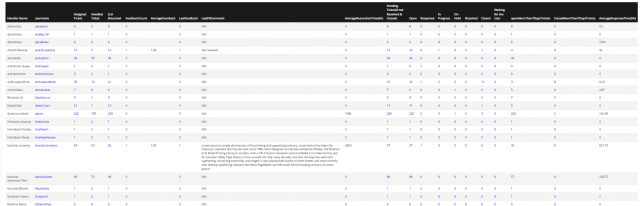
Also You can filter the reports in different way
Available Filters
Filter By Date : Created Date,Resolved Date ,Closed Date,Reopened Date,Updated Date.
Filter by Date Range: Today, Yesterday, Last 7 Days, Last 30 Days, Custom
Filter by Ticket Handler : Select one or multiple technicians
Filter by Location : Different location

We are continuously improving our documentation to ensure it meets your needs. This document will be updated regularly, so please check back for the latest information. If you have any questions or encounter any issues, feel free to reach out to us at support@itassetmanagement.in.