

IT Asset Management (ITAM)
Product: NEXTMEGABYTE (Greenitco ITAM) · Module: IT Asset Management (ITAM) · Audience: Administrator, Technician
NEXTMEGABYTE IT Asset Management (Greenitco ITAM) is an enterprise solution for managing IT and non-IT assets through their entire lifecycle: procurement, deployment, maintenance, audit, reassignment and disposal.
By keeping all asset information in one system, organizations get full visibility of hardware, software, licenses, warranties, users, locations and stock. This improves asset utilization and compliance, reduces operating overhead and supports better decisions.
Asset types in NEXTMEGABYTE
| Asset type | Tracked by | Examples | Guide |
|---|---|---|---|
| Device | Individual record with serial number and asset tag | Laptop, server, printer, AC, furniture | Managing Devices |
| Accessory | Quantity | Keyboard, mouse, headset | Accessories |
| Consumable | Quantity (used up) | Toner, cartridges, cables | Consumables |
| Component | Individual part installed in a device | RAM, SSD, graphics card | Components |
| License | Seats | Microsoft 365, Adobe, antivirus | Licenses |
How assets get into the portal
Assets can be added manually, imported from Excel or discovered automatically from Active Directory, Azure AD / Microsoft Intune, network scans and endpoint agents (Windows, macOS, Linux). See Adding Assets.
Accountability and acceptance
Ownership is managed with structured allocation (check-out and check-in) and digital user acknowledgement. EULA workflows with OTP verification give a secure, auditable record that the user accepted the asset.
Capabilities
- Asset lifecycle management
- Hardware and software inventory (HAM and SAM)
- License management and software metering
- Warranty, AMC and contract tracking
- Preventive maintenance scheduling (CMMS)
- Asset audits and compliance monitoring
- Asset movement and transfer management
- Accessories, consumables and components management
- User and department management
- Multi-location and multi-company support
- Role-based access control (RBAC)
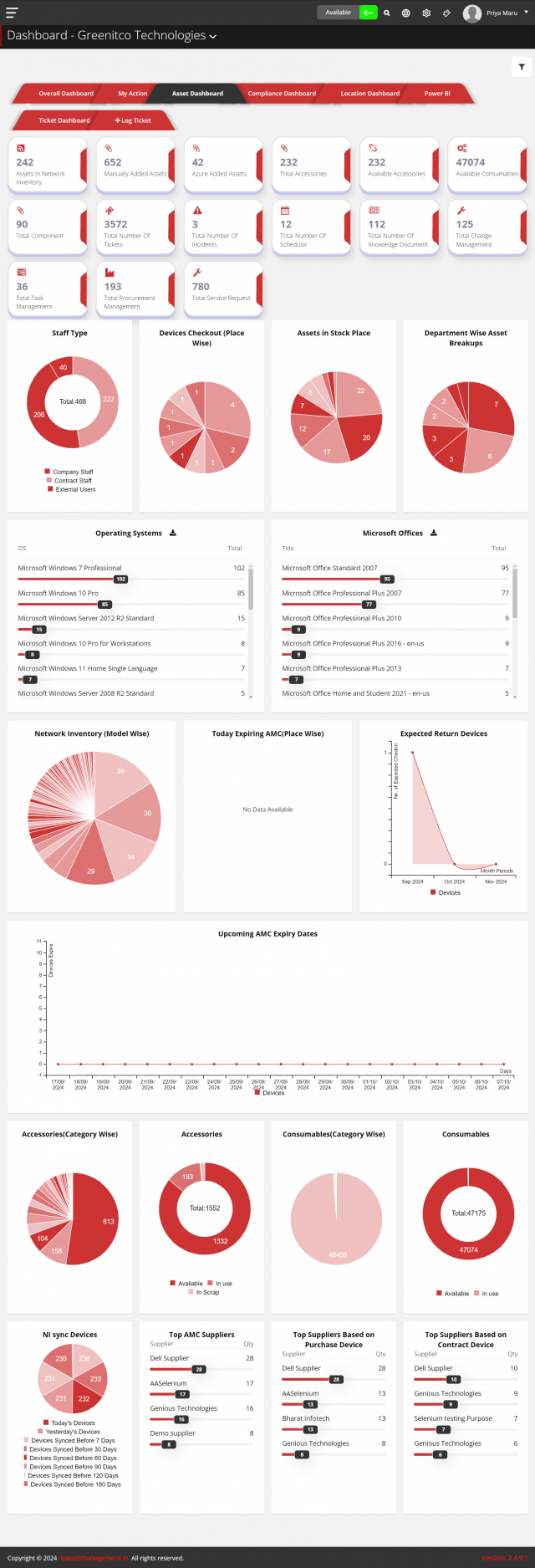
- Dashboards, reports and analytics
- Integrations with HRMS platforms, Google Workspace, Azure AD and Microsoft 365
Asset audits and location-wise views
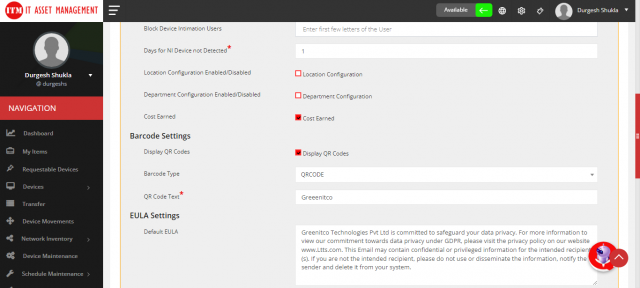
- Asset audit: record audits on each device's Audit tab (verifier, rating, audit date and 1–15 photos). Filter devices by audit confirmation status (Accepted, Rejected, Pending). Virtual audits let auditors inspect assets and verify documents remotely, with an audit trail and compliance alerts.
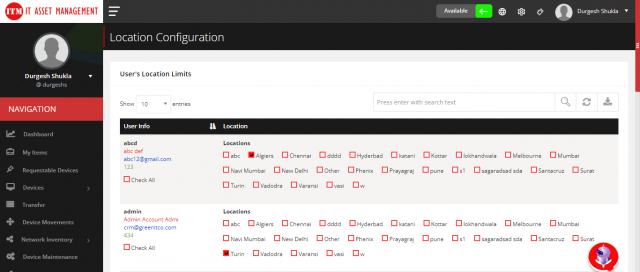
- Location-wise assets: view and report assets by location, with location-based tagging, regional audits, location-specific thresholds and alerts when assets move between locations.
Key benefits
- Centralized asset repository
- Complete asset lifecycle tracking
- Automated asset discovery
- Improved compliance and audit readiness
- Reduced asset loss and shadow IT
- Better license and warranty control
- Stronger user accountability
- Multi-location, enterprise scalability
- Comprehensive reporting and analytics
- Integration with existing business systems
Guides in this section
| Guide | Covers |
|---|---|
| Asset Configuration | Manufacturers, categories, models, status labels, depreciation, device types, allocation types, asset tag format |
| Adding Assets | Manual entry, Excel import, agents, AD, network scanner, Azure / Intune |
| Managing Devices | Filter, view, edit, check out, check in, bulk update, labels, dispose, sell |
| Asset Transfer | Moving assets between locations and RFID movement tracking |
| Accessories, Consumables, Components, Licenses | Quantity-tracked items and software licenses |
| Stock Thresholds | Low-stock alerts |
| Network Inventory | Discovered hardware and software, blacklisted software, scan configuration |
| Scheduled Maintenance | Maintenance plans, tasks, allocation and approvals |
| Self-Service | Requestable devices and My Items |
| Asset Reports | All Assets Summary |