

Introduction
The HVAC Tickets Report provides a detailed overview of HVAC-related service tickets, with a particular focus on ticket turnaround time (TAT) and ageing. It helps management monitor how long tickets have remained open or pending and identify tickets that have been on hold or awaiting action for an extended period.
The report displays important ticket information, including ticket creation details, current status, assigned handler, TAT, TAT expiry, resolution details, and ageing. This allows users to understand how long a ticket has been active, track its progress, and identify delays in handling or resolution.
By reviewing the ageing and turnaround time of tickets, management can identify long-pending HVAC issues, prioritize tickets that require immediate attention, follow up with assigned technicians, and monitor whether tickets are being addressed within the expected timelines.
Overall, the report provides visibility into the ageing and handling of HVAC tickets, helping management take timely corrective actions, reduce ticket backlogs, and improve maintenance response and resolution efficiency.
Navigation Path: Sidebar > Reports > Service Ticket > HVAC Tickets Report
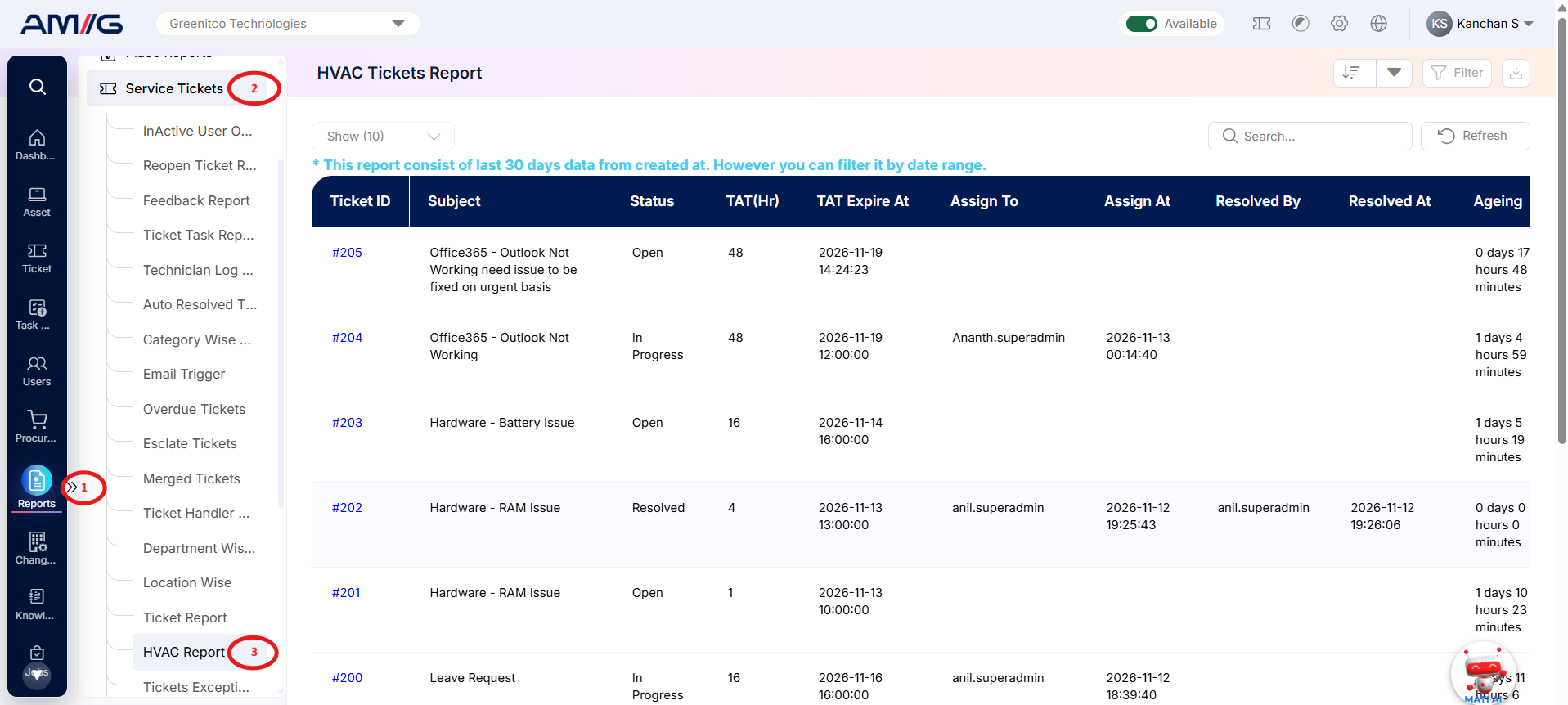
Note: By default the report shows the last 30 days of data, based on Created At. Use the date range filter to see a different period.
Viewing the Report
Open HVAC Tickets Report from Sidebar > Reports > Service Ticket > HVAC Tickets Report. The report opens as a list.
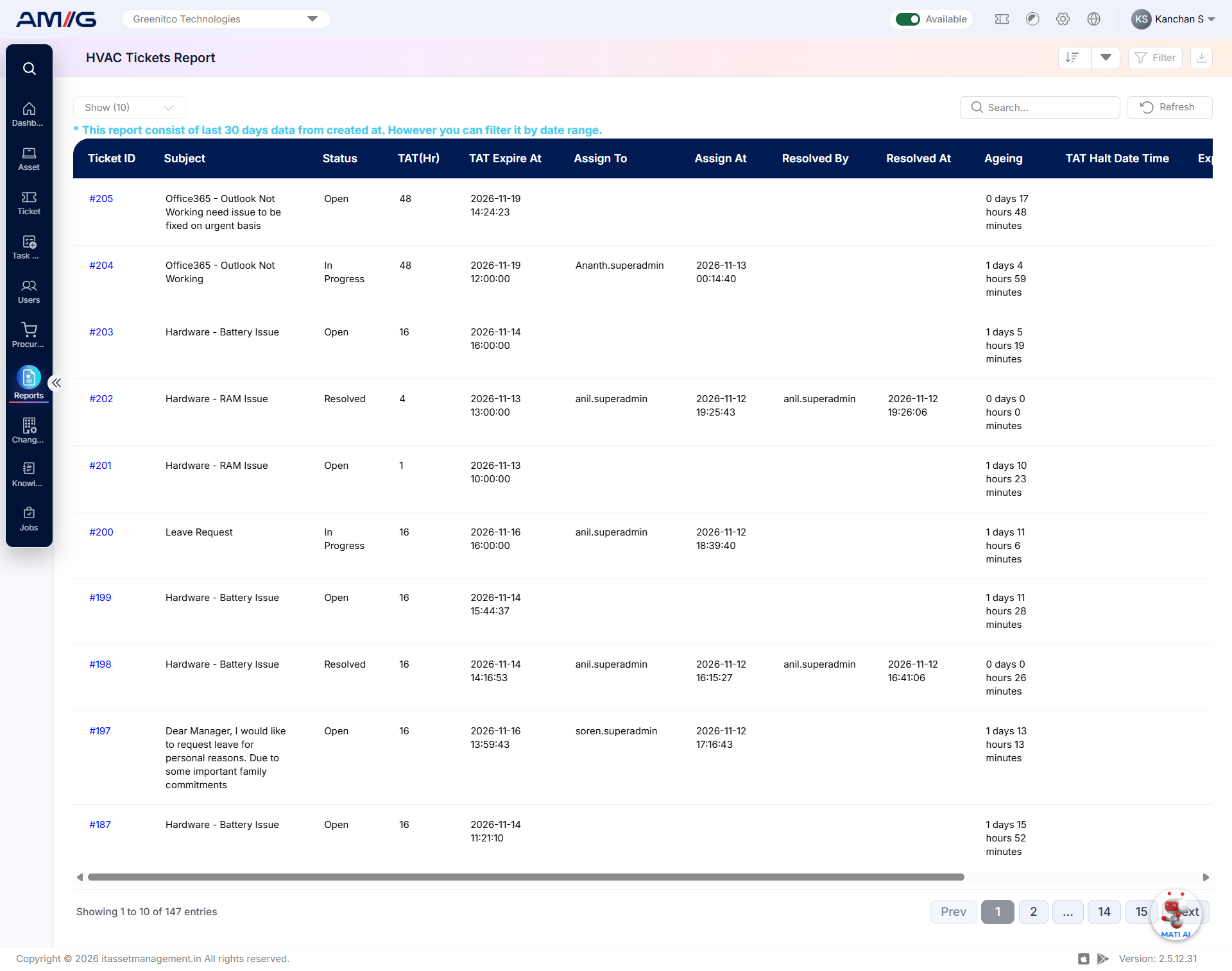
Figure 2.7.1: HVAC Tickets Report – report listing
Table 2.7.1: Report columns
| Column | What it shows |
|---|---|
| Ticket ID | Displays the unique identification number assigned to the HVAC ticket, allowing users to identify and track individual tickets. |
| Subject | Displays the subject or title of the ticket, providing a brief description of the reported HVAC issue. |
| Status | Displays the current status of the ticket, indicating its present stage in the ticket lifecycle. |
| TAT (Hr) | Displays the turnaround time (TAT) for the ticket in hours, helping users monitor the time associated with ticket handling or resolution. |
| TAT Expire At | Displays the date and time when the defined TAT for the ticket is expected to expire. It helps identify tickets approaching or exceeding their expected turnaround time. |
| Assign To | Displays the name of the technician or ticket handler assigned to the ticket. |
| Assign At | Displays the date and time when the ticket was assigned to the respective technician or ticket handler. |
| Resolved By | Displays the name of the technician or user who resolved the ticket. |
| Resolved At | Displays the date and time when the ticket was marked as resolved. |
| Ageing | Displays how long the ticket has remained active or pending, helping users identify tickets that have been open for an extended period. |
Filtering the Report
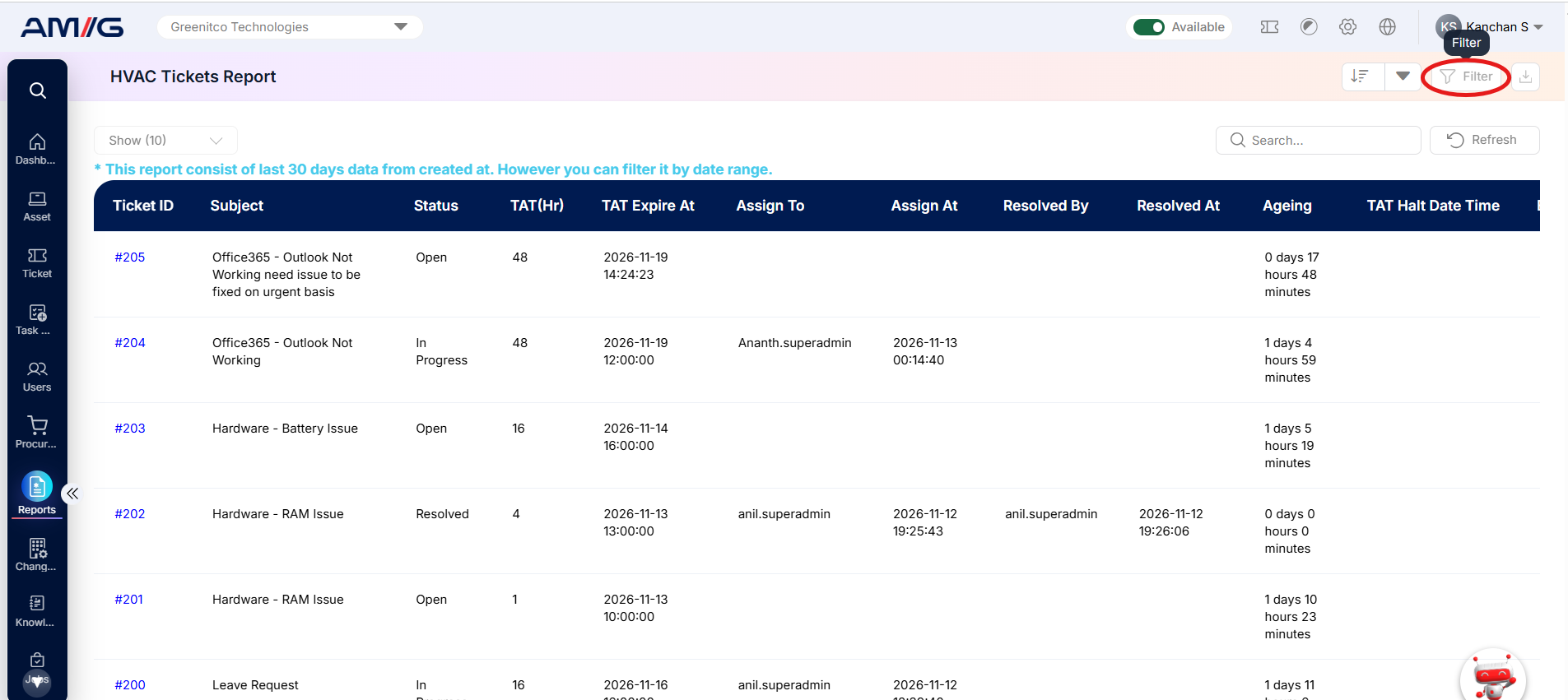
Step 1: Click Filter at the top-right of the report. The filter panel opens.
 Step 2: Choose the values you need in one or more of the filters listed below.
Step 3: Click Filter (or Apply Filter) to update the report. Click Clear to remove all filters.
Table 2.7.2: Available filters
| Filter | What it does |
|---|---|
| Department | Filters HVAC tickets based on the selected department. |
| Problem Category | Filters tickets according to the selected problem category. |
| Sub Category | Narrows down the report to tickets associated with the selected problem subcategory. |
| Location | Displays tickets associated with the selected location. |
| Base Location | Filters tickets according to the selected base location configured in the system. |
| Ticket Handler | Displays tickets assigned to the selected technician or ticket handler. |
| Status | Filters tickets based on their current status, such as Open, In Progress, On Hold, Resolved, or Closed. |
| Date | Filters report records based on the selected date criteria. |
| Date Range | Displays tickets recorded within the specified start and end dates. |
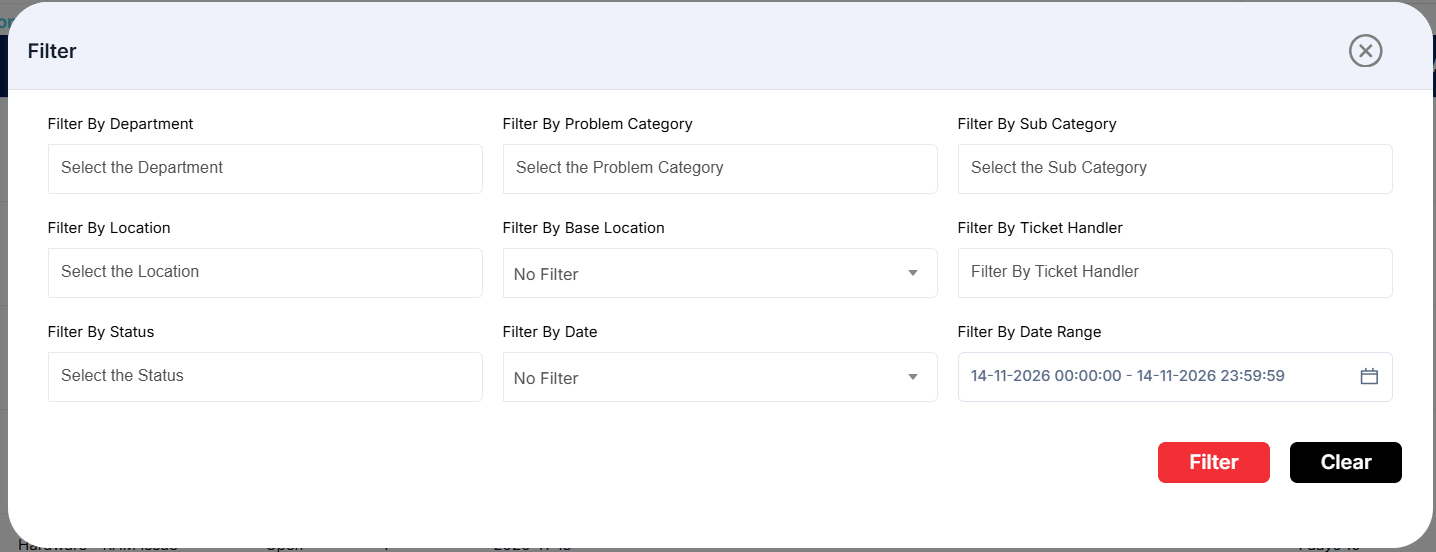
Figure 2.7.2: HVAC Tickets Report – filter panel
Sorting the Report
Click the Sort button at the top-right corner of the report to view the available sorting options. Select the desired column to arrange the ticket records accordingly.
The available sorting options include:
- Ticket ID
- Status
- TAT Expire At
- Assign To
- Ageing
- TAT Halt Date
The sorting options also include additional release-date fields, allowing users to organize ticket records based on relevant TAT halt and release timelines. This helps management review tickets according to their turnaround time, assignment details, ageing, and related date fields.
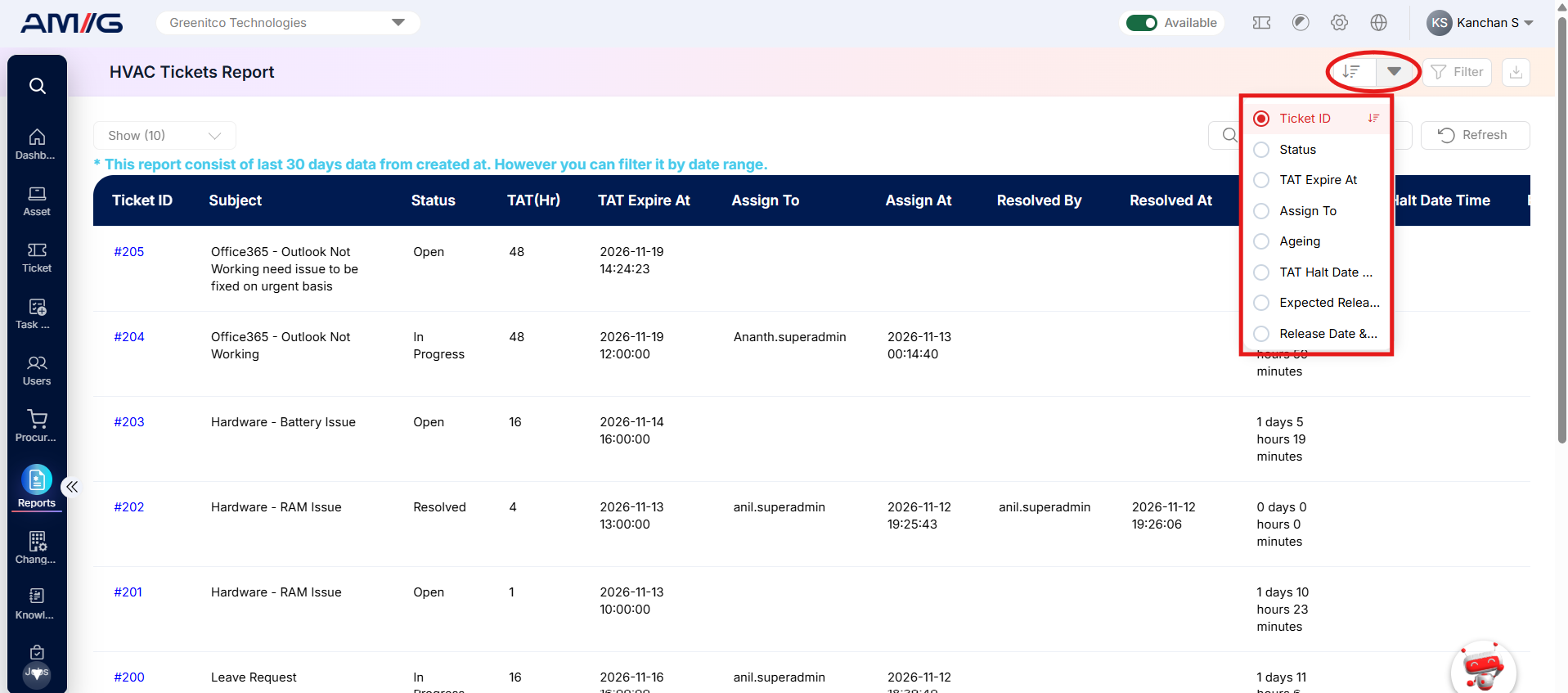
Figure 2.7.3: HVAC Tickets Report – sort options