Parcels: Add, List and Manage
Product: NEXTMEGABYTE (Greenitco ITAM) · Module: Mailroom Management (ESM) · Audience: All users
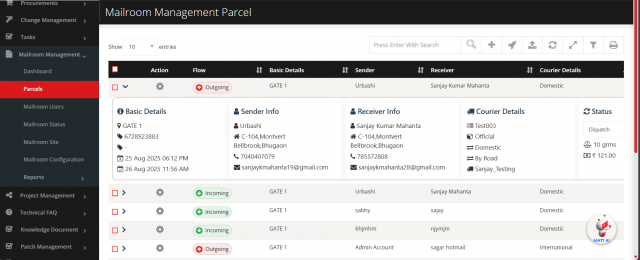
Parcel lists
| List | Shows |
|---|---|
| My Parcels | Incoming and outgoing parcels you created |
| Parcel Listing | All incoming and outgoing parcels you can access |
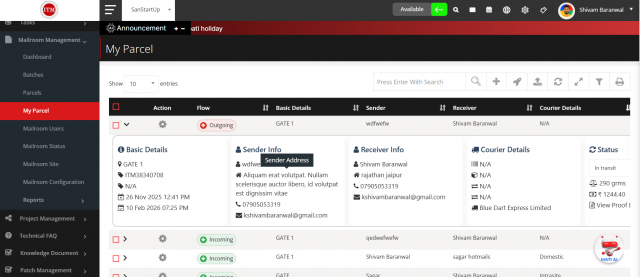
Toolbar: search, Add, Bulk Action (update status, generate a batch ID for several parcels, print labels in bulk), Import (Excel or CSV), refresh, expand or collapse all rows, filters and Print Bulk Batch PDF.
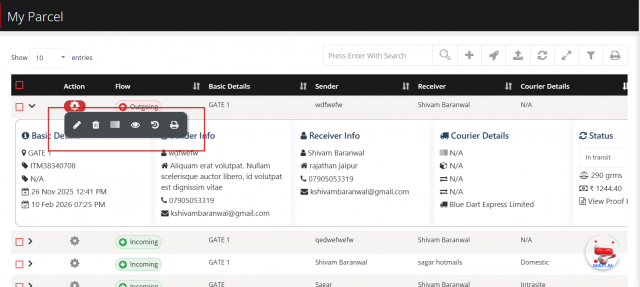
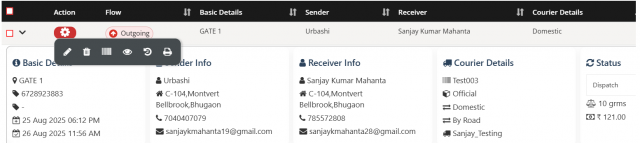
Row actions: edit, delete, print label, view info, history and print PDF (parcel slip).
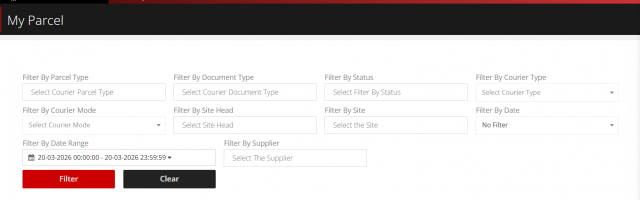
Filters: parcel type (incoming, outgoing), document type (document, non-document), status, courier type (personal, office), courier mode (air, surface, express, standard), site head, site, date, date range and supplier.
Add a parcel
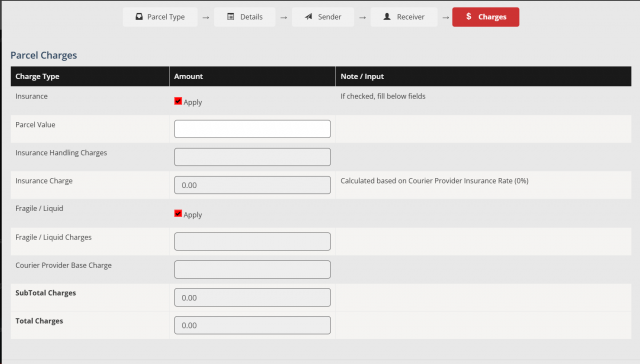
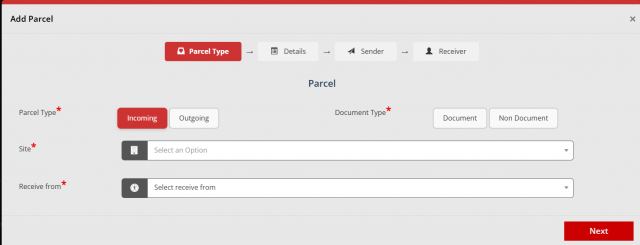
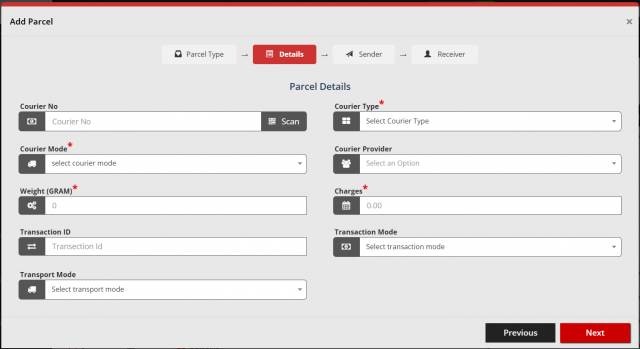
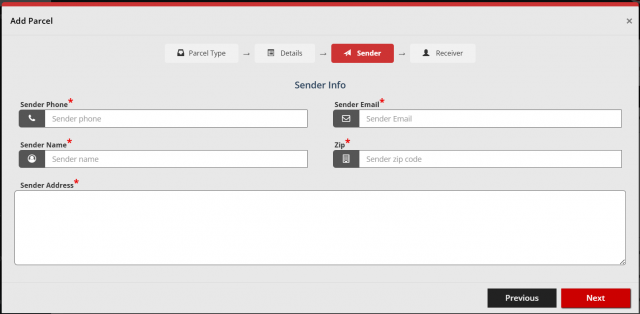
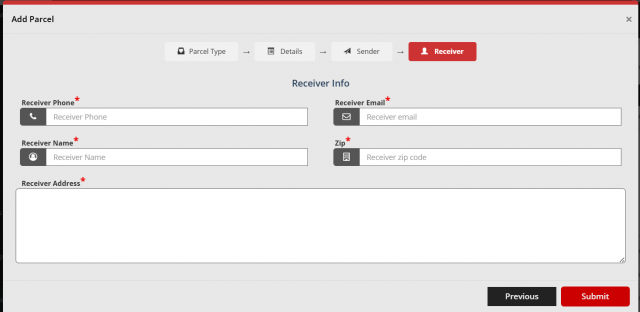
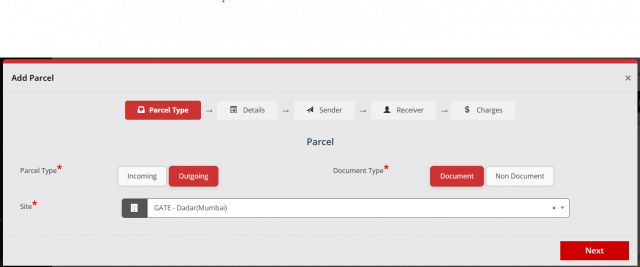
Select Add. The form has 4 steps for incoming parcels and 5 steps for outgoing parcels. Use Next and Previous to move between steps, then Submit.
| Step | Fields |
|---|---|
| 1. Parcel Type | Parcel type (incoming or outgoing), document type, site, receive from |
| 2. Details | Courier number (can be scanned), courier type, courier mode, courier provider, weight (grams), charges, transaction ID, transaction mode, transport mode |
| 3. Sender Info | Phone, email, name, postal code, address |
| 4. Receiver Info | Phone, email, name, postal code, address |
| 5. Charges (outgoing only) | Optional insurance (parcel value, insurance handling charges, insurance charge calculated from the provider's insurance rate), optional fragile/liquid charges, courier provider base charge, subtotal and total (calculated automatically) |
All steps are mandatory except the insurance and fragile options.