Introduction
Ticket Types allow you to classify tickets based on the kind of issue or request being handled. This section helps you create and manage ticket types that technicians can select while processing tickets, making it easier to organise, track, and analyse tickets across your organisation.
For example, tickets can be classified as Bug, Feature, or Issue. These types can be used by different departments to categorise tickets according to their purpose.
Using this section, you can:
-
Create Ticket Types: Define classifications that match your organisation's requirements.
-
Associate Companies and Departments: Configure a ticket type for a specific company and, if required, restrict it to a particular department.
-
Configure Required Fields: Specify which fields should be available for particular ticket types, where supported by the configuration.
-
Manage Status: Set a ticket type as Active or Inactive to control its availability.
-
Classify and Filter Tickets: Allow technicians to select a ticket type from the ticket details page and filter tickets by type for easier tracking and reporting.
These settings help standardise ticket classification, improve ticket reporting, and provide better insights into the types of issues handled by your organisation.
📍 Navigation:
Sidebar › Ticket › Ticket Types
Viewing the Ticket Types List
The Ticket Types list displays each type’s name, department, company, status, and row actions. Use Search to locate a record or Refresh to reload the list. A download control is also available.
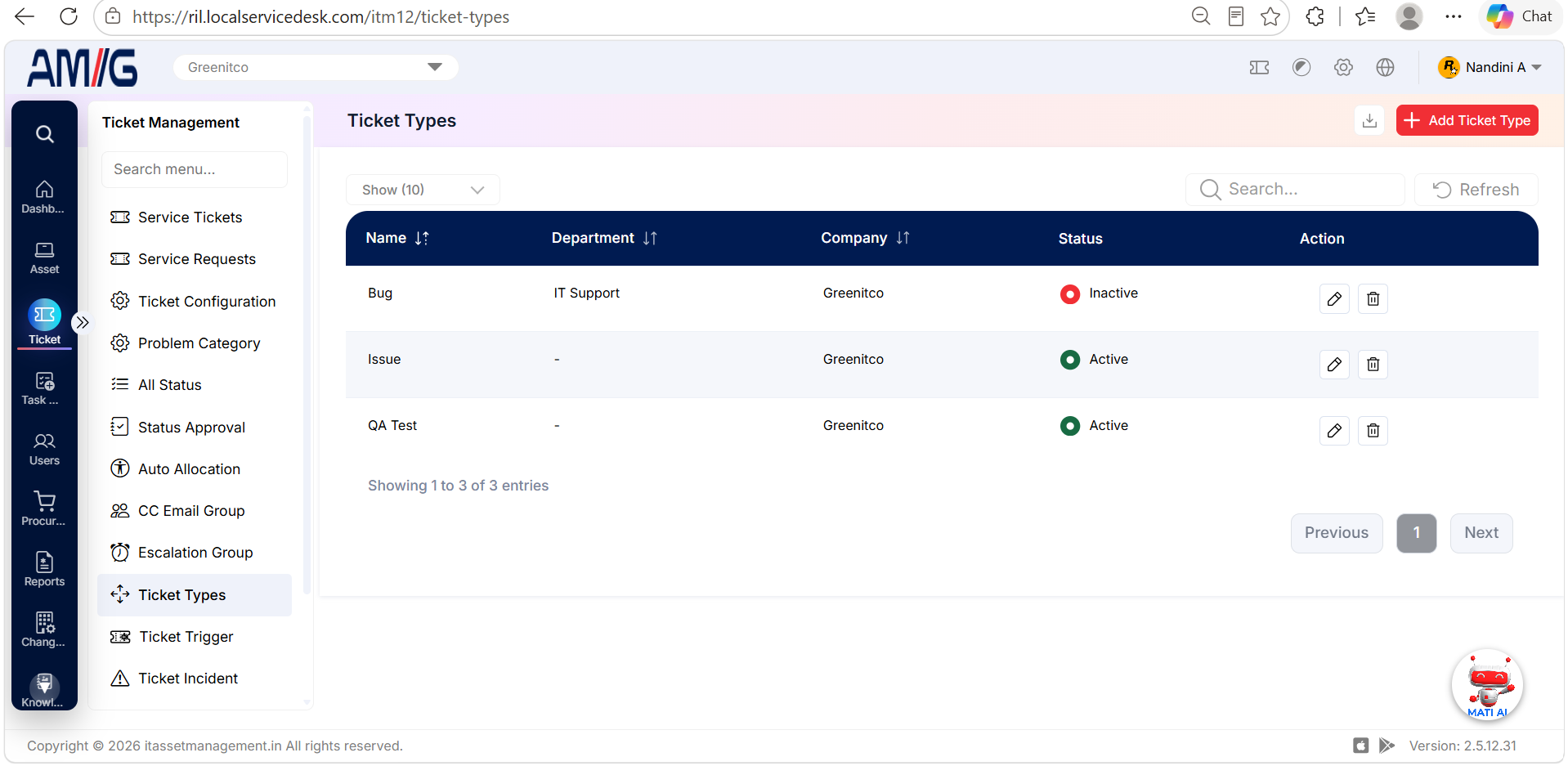 Ticket Types List
Ticket Types list columns
| Column | Description |
|---|---|
| Name | Name of the ticket type. |
| Department | Department associated with the type, if specified. |
| Company | Company the type belongs to. |
| Status | Indicates whether the type is active or inactive. |
| Action | Edit and Delete controls. |
Creating a Ticket Type
Step 1 → On the Ticket Types screen, click Add Ticket Type.
Step 2 → Enter the ticket type name and select the company.
Step 3 → Select a department if required, then choose the status.
Step 4 → Click Save to create the ticket type, or Cancel to close the form without saving.
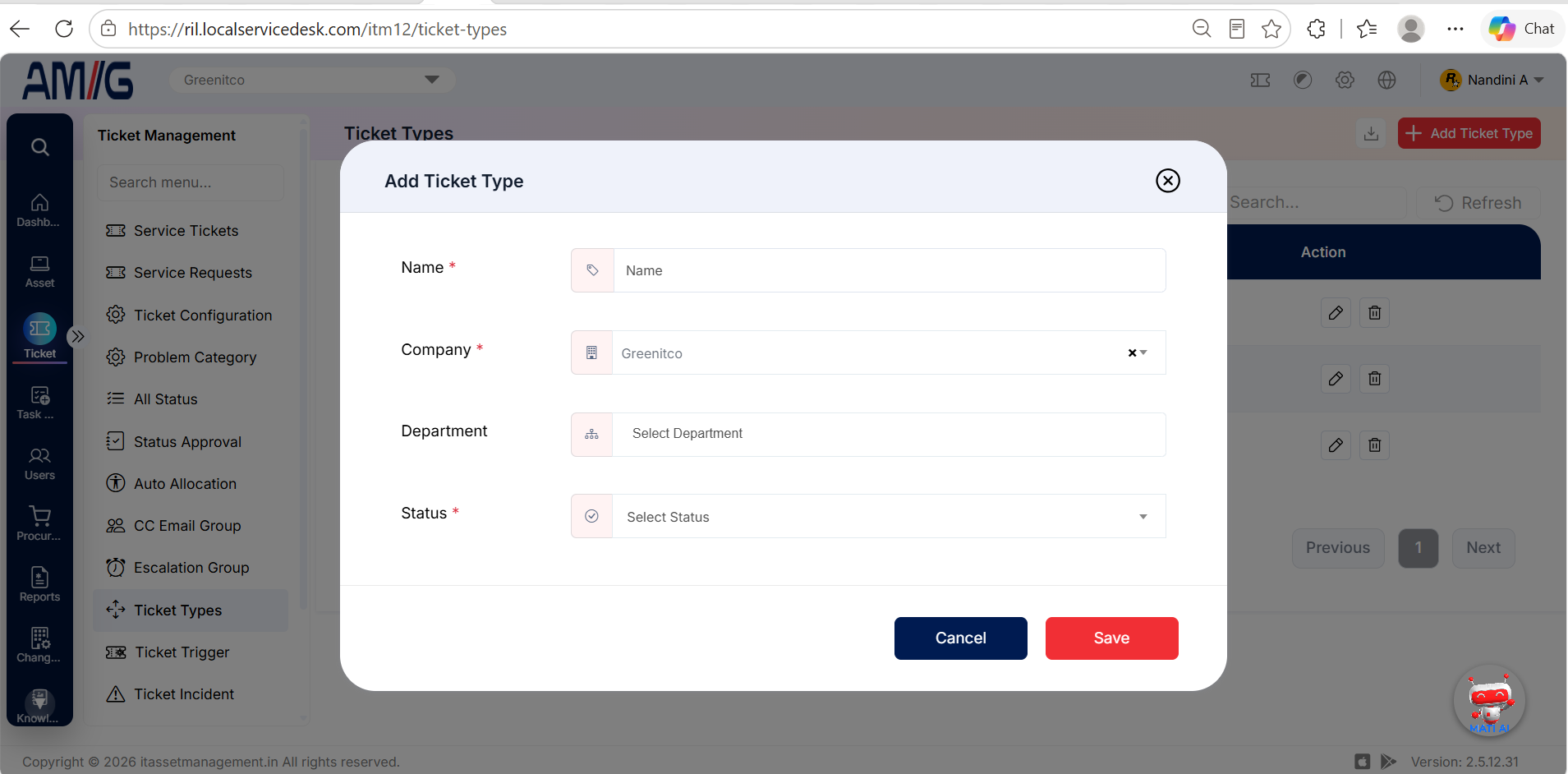 Add Ticket Type Form
Ticket Type fields
| Field | Description |
|---|---|
| Name | Enter a name for the ticket type. Required. |
| Company | Select the company the ticket type belongs to. Required. |
| Department | Optional department. When a department is selected, the ticket type is available only for tickets in that department. |
| Status | Set the ticket type to Active or Inactive. Inactive types are not available in the ticket details dropdown. Required. |
Managing Existing Ticket Types
Edit a ticket type
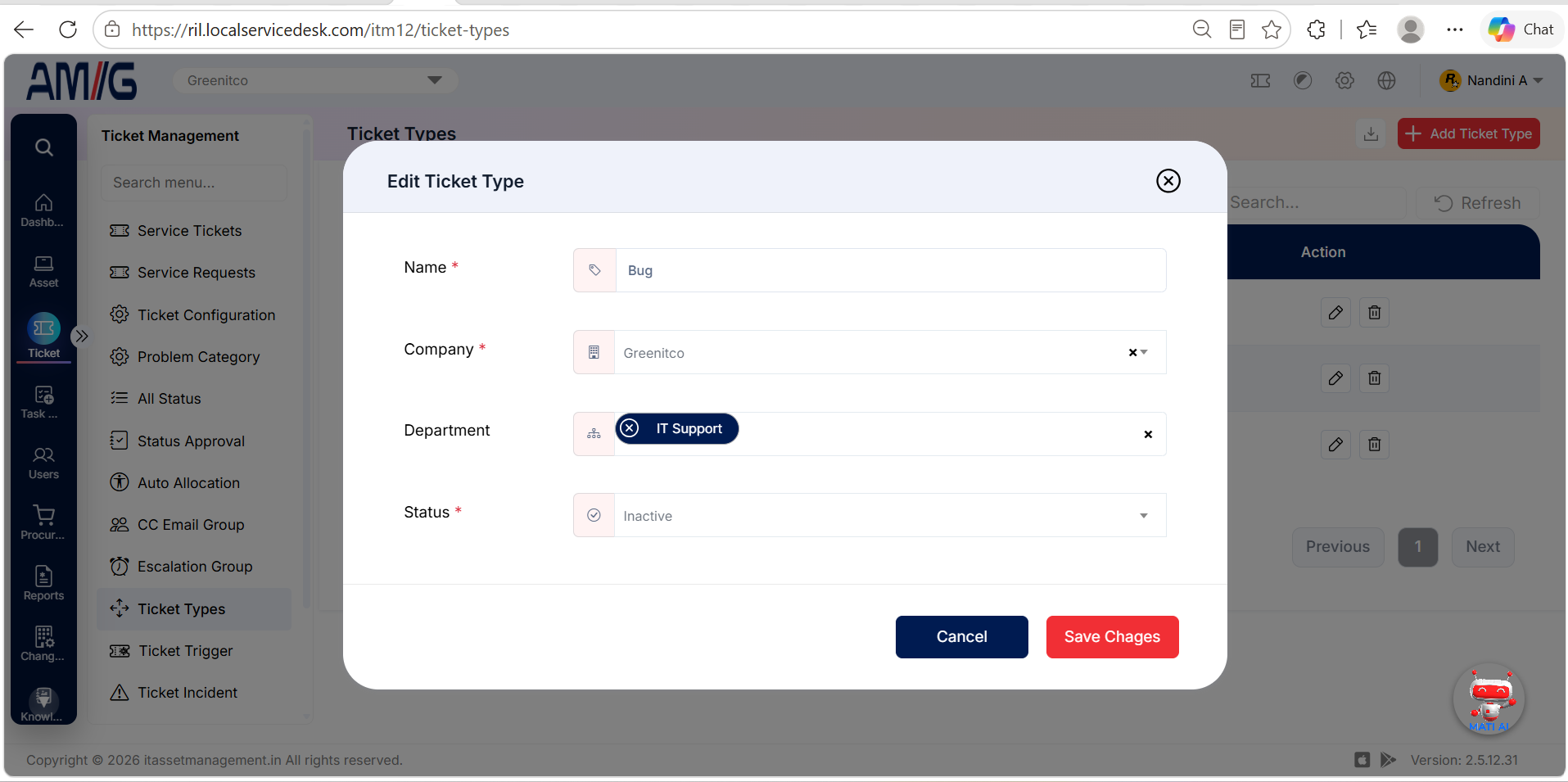
Step 1 → Find the ticket type in the list and click its Pencil (Edit) icon.
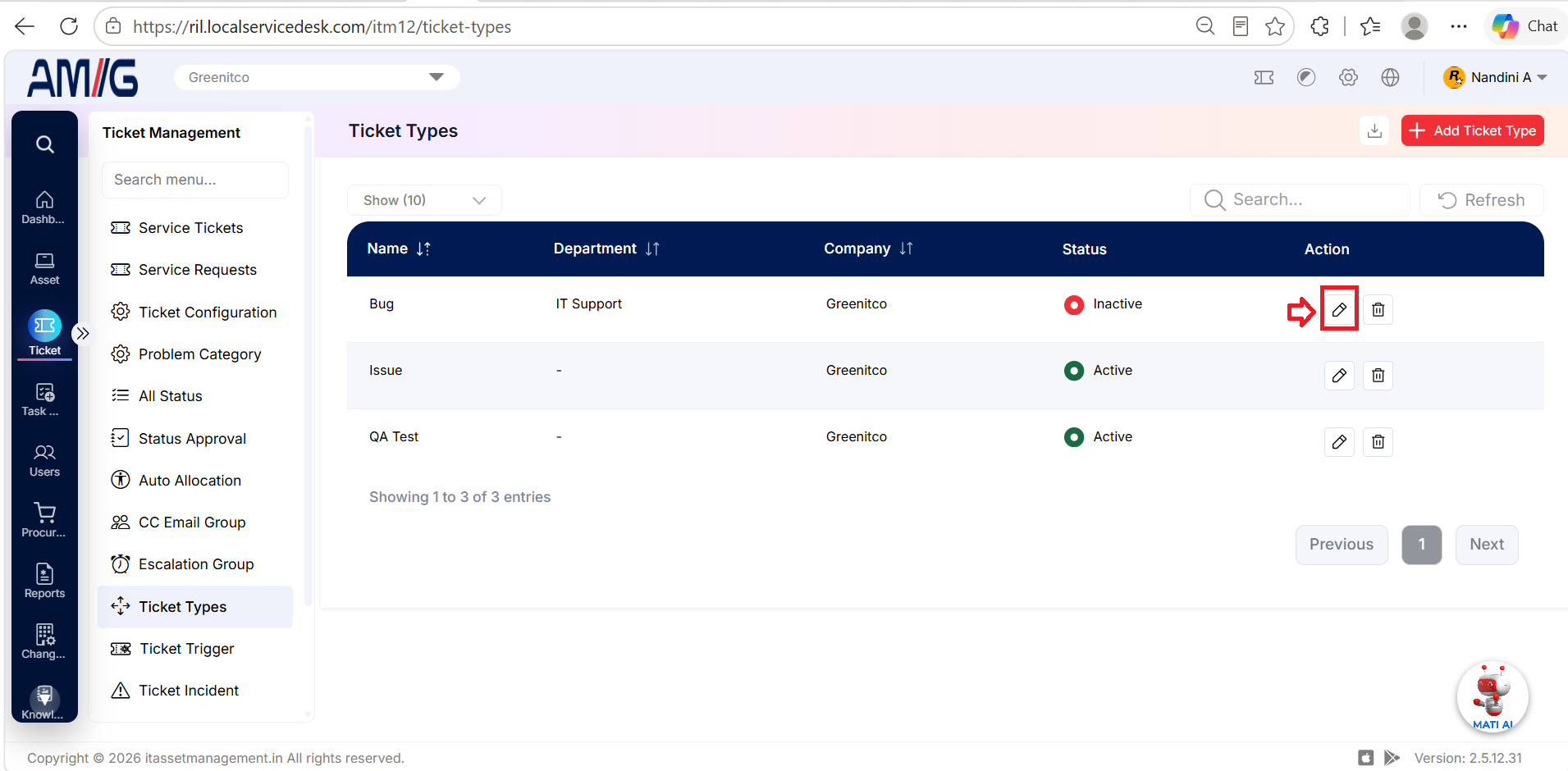
Step 2 → Update the name, company, department, or status as needed, then click Save.
Delete a ticket type
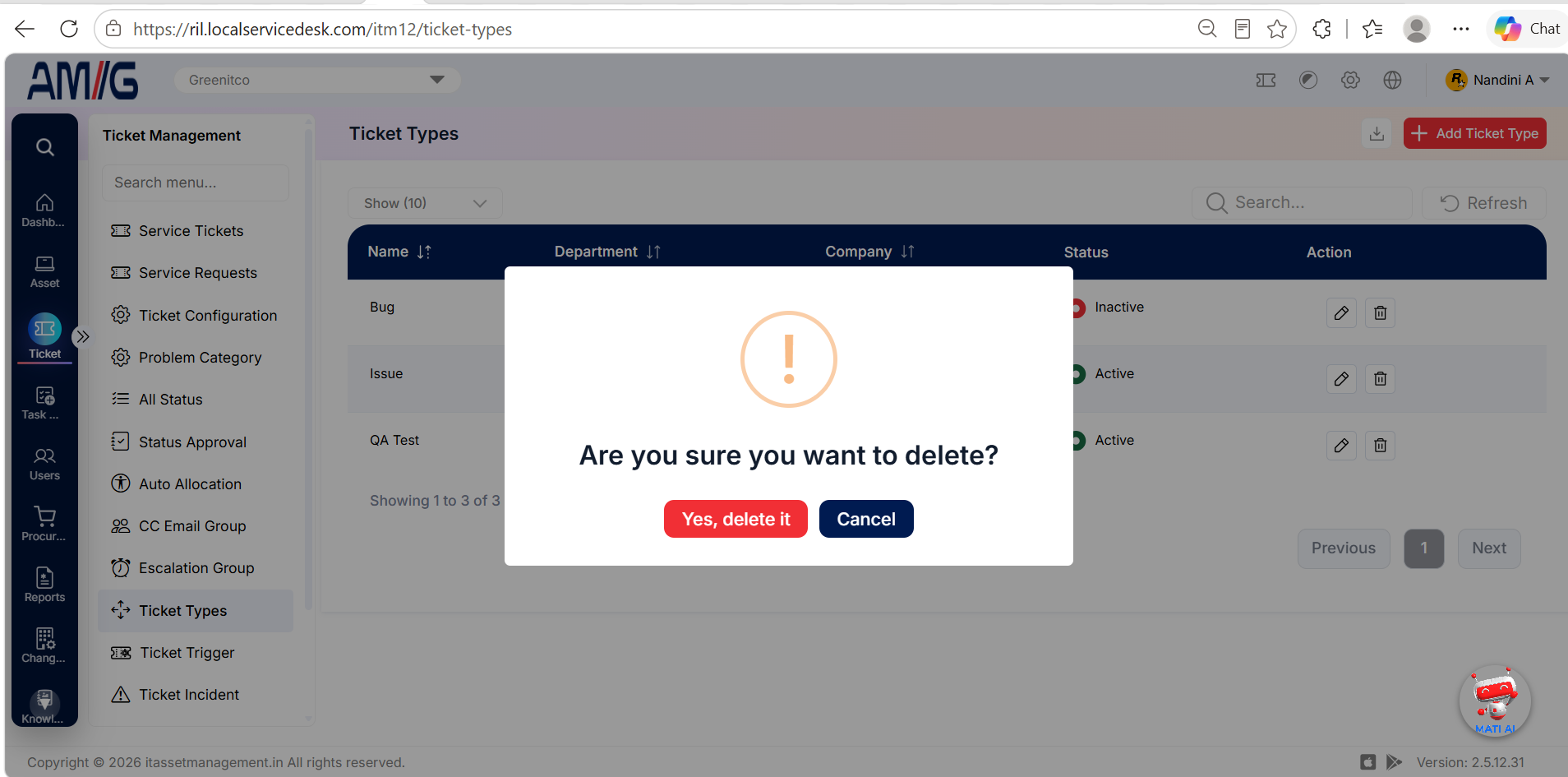
Step 1 → Locate the ticket type and click the Trash (Delete) icon.
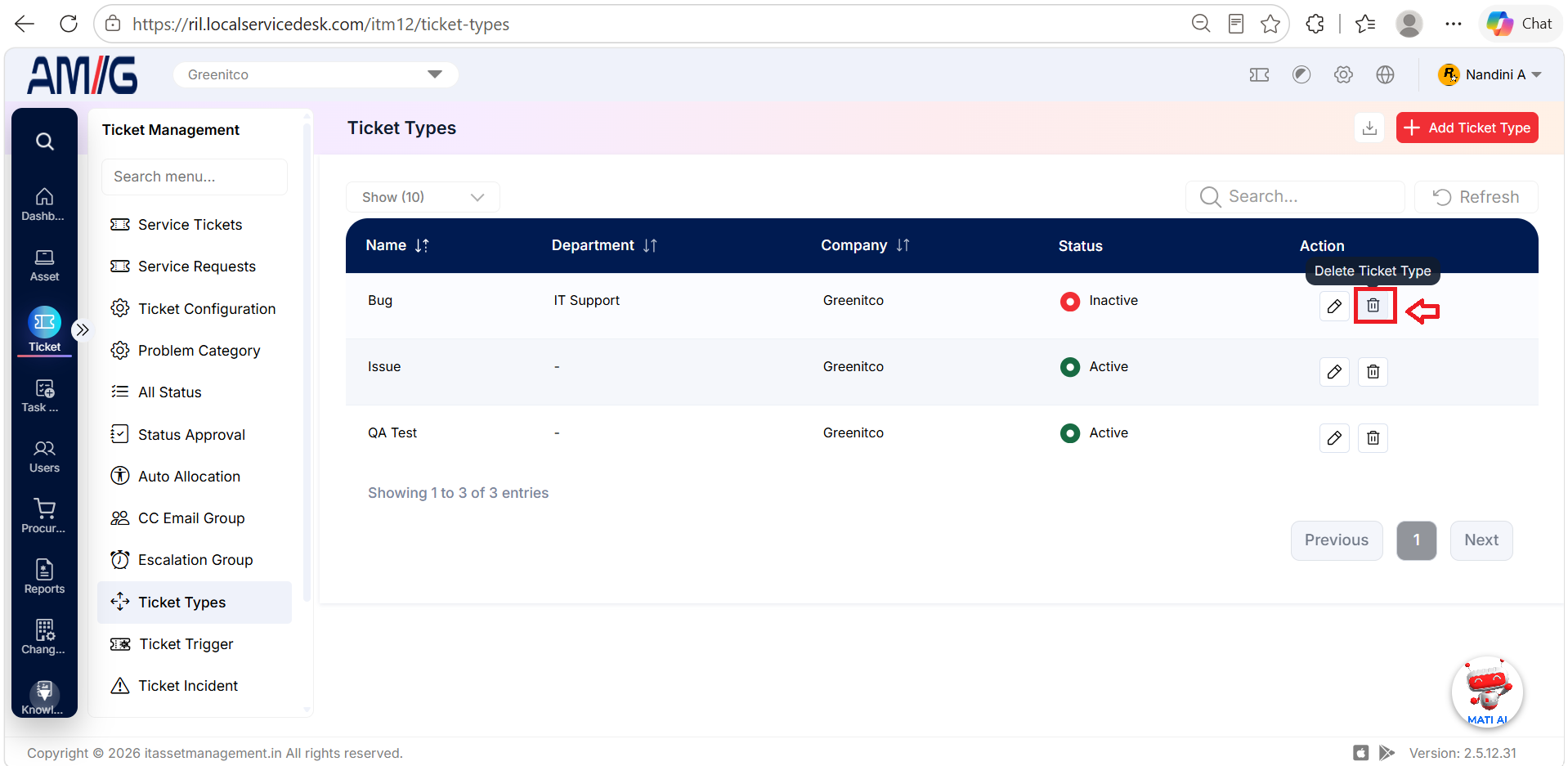
Step 2 → Review the confirmation prompt and confirm deletion if the ticket type is eligible for removal.