

Asset Transfer and Device Movements
Product: NEXTMEGABYTE (Greenitco ITAM) · Module: IT Asset Management (ITAM) · Audience: Administrator, Technician
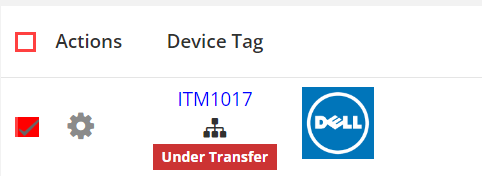
Asset transfer moves devices from one location to another with a structured request, a responsible user, notifications and a complete audit trail. While a transfer is in progress, the devices are marked Under Transfer.
Start a transfer
You can select devices for transfer in two ways:
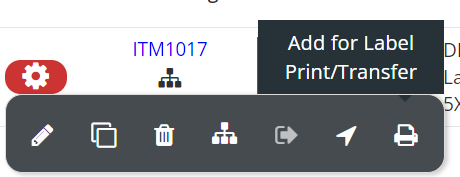
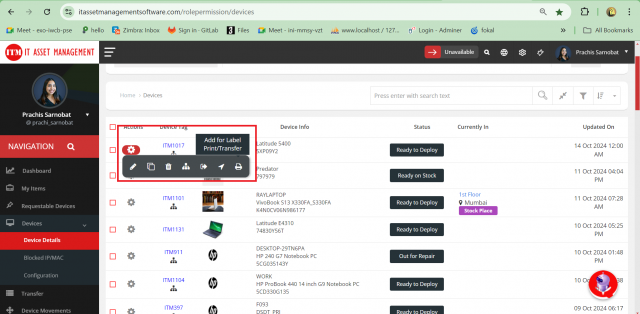
- One device: in Devices → Device Details, open the device's action menu and select Transfer.
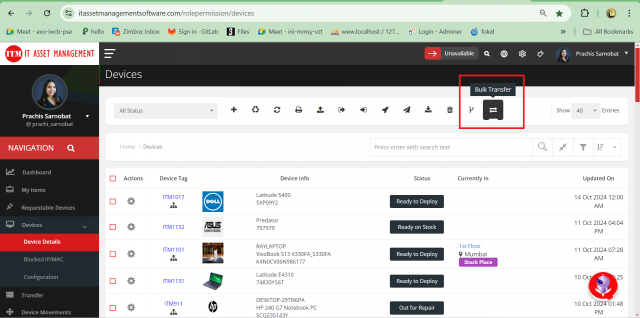
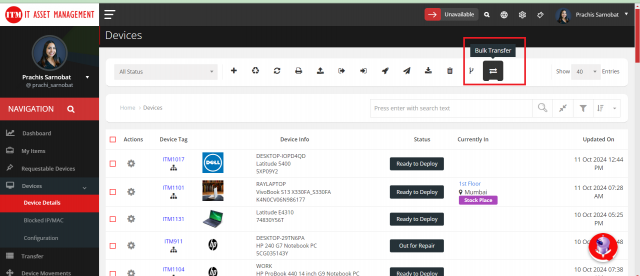
- Many devices: in Devices → Device Details, select the devices with the check box and select Bulk Transfer.
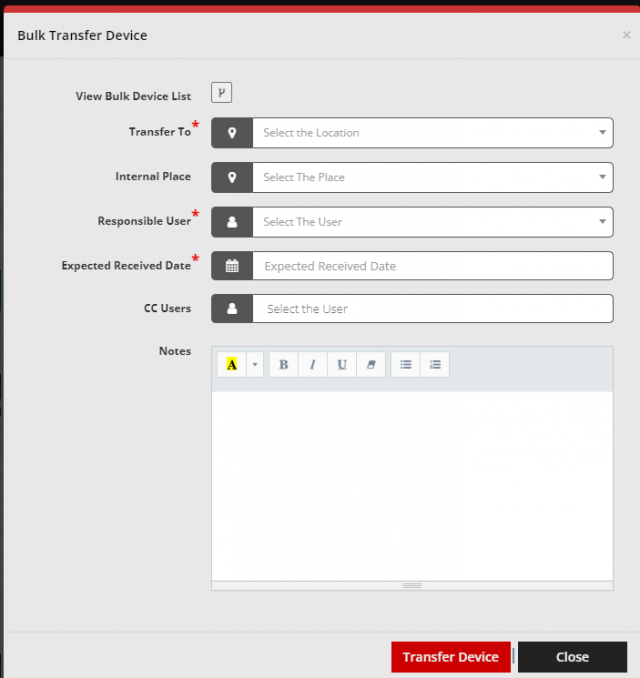
Fill in the transfer form
| Field | Description |
|---|---|
| View Bulk Device List | The devices selected for transfer |
| Transfer To | The destination location. All selected devices must belong to the same current location |
| Internal Place | The internal place at the destination |
| Responsible User | The user responsible for the transfer |
| Expected Received Date | When the devices should arrive |
| CC Users | Users to notify |
| Notes | Additional information |

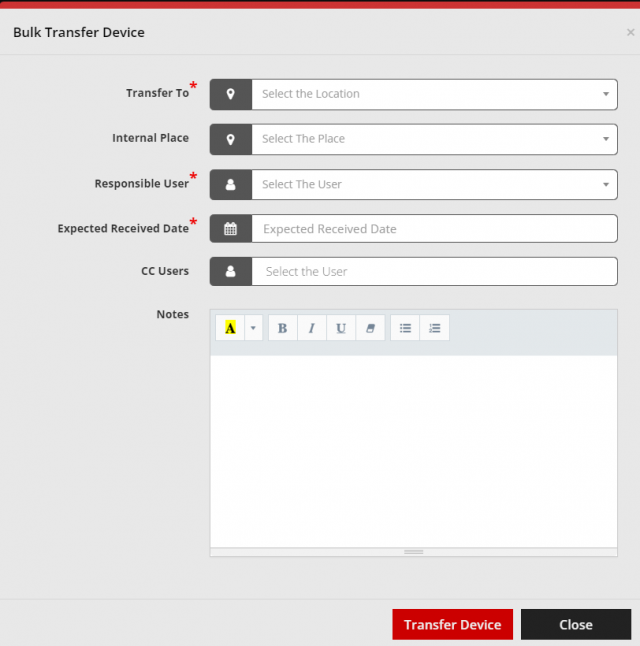
Select Save to create the transfer.
View and manage transfers
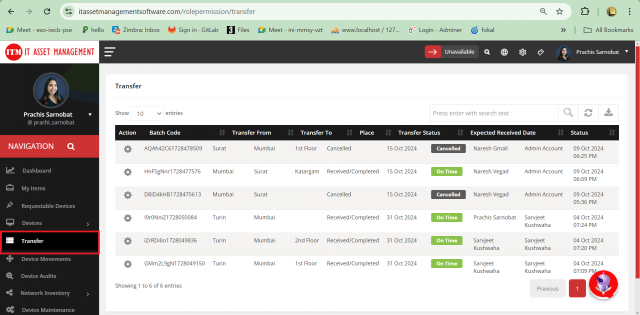
Menu path: left side menu → Transfer
| Action | How |
|---|---|
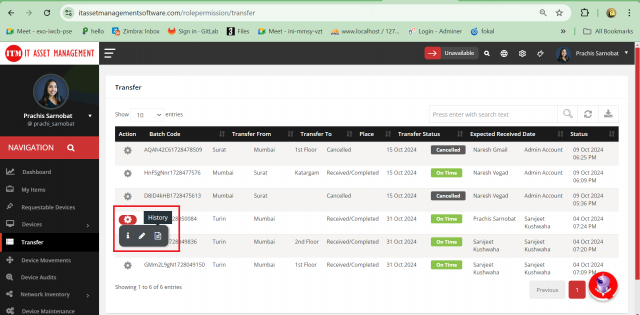
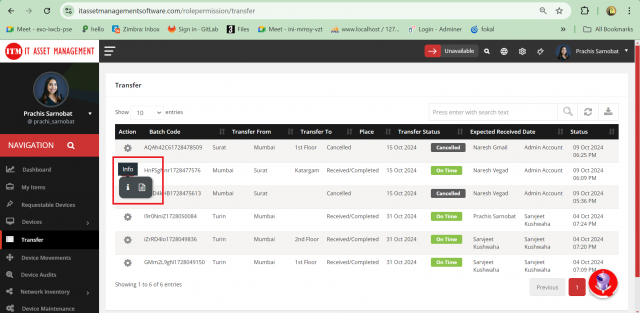
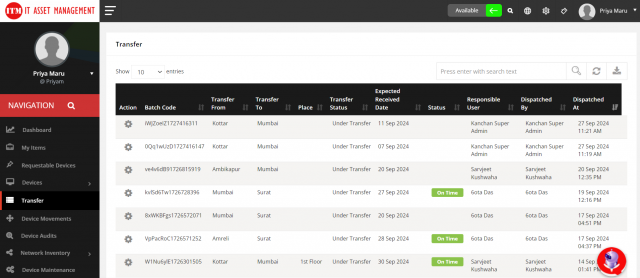
| View transfers | Open Transfer. Download transfer reports from the list |
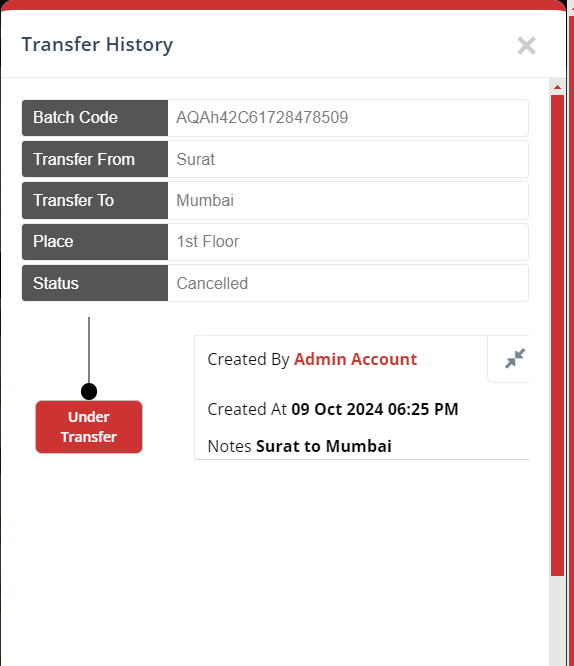
| View transfer history | Select History (file icon) to see every action and change, including who made it |
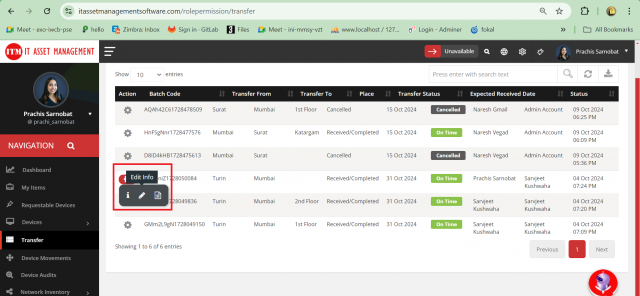
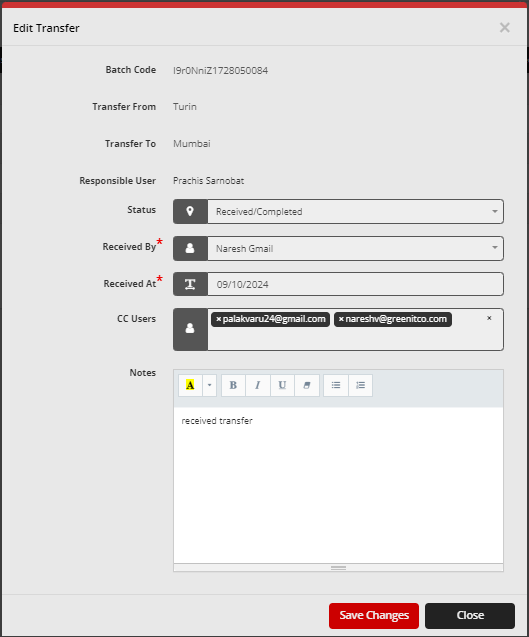
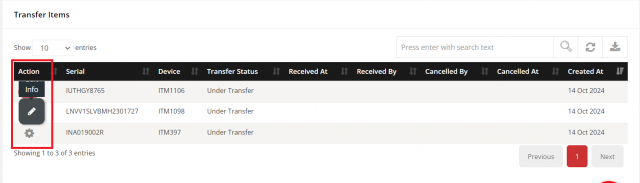
| Edit a transfer | Select Edit (pencil icon). Responsible users can change recipient details, transfer date and other information at any stage |
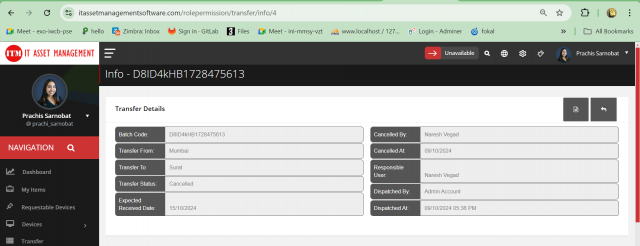
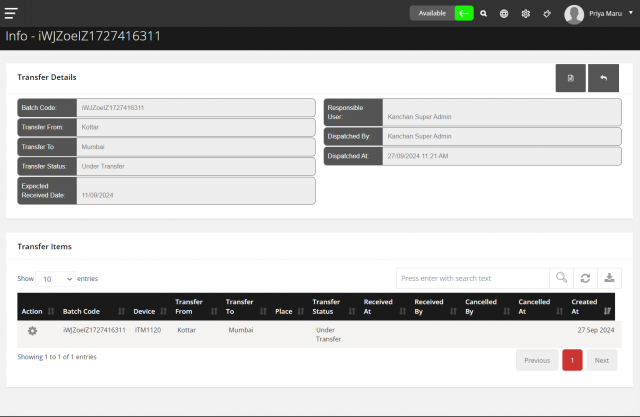
| View transfer information | Select Info (info icon) for a full overview. You can edit specific items from this page |
RFID-based device movement tracking
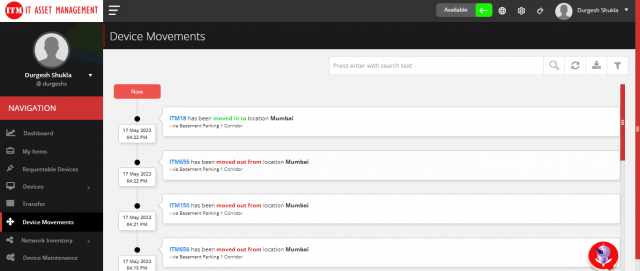
With RFID integration, device movements are tracked automatically. RFID readers identify tagged assets, update their location in real time, trigger automatic check-in and check-out, alert on unauthorized movement and keep a history of movements for reporting. RFID movement tracking integrates with asset transfer management.
Related pages
- Permission Reference: TransferRead, TransferAdd, TransferEdit, TransferDownload