Requestable Devices
Product: NEXTMEGABYTE (Greenitco ITAM) · Module: IT Asset Management (ITAM) · Audience: User, Administrator
Requestable devices are ready-to-use devices that any user can request, like borrowing from a library. Typical examples are projectors, cameras, spare laptops, test equipment and conference devices.
Make a device requestable (administrator)
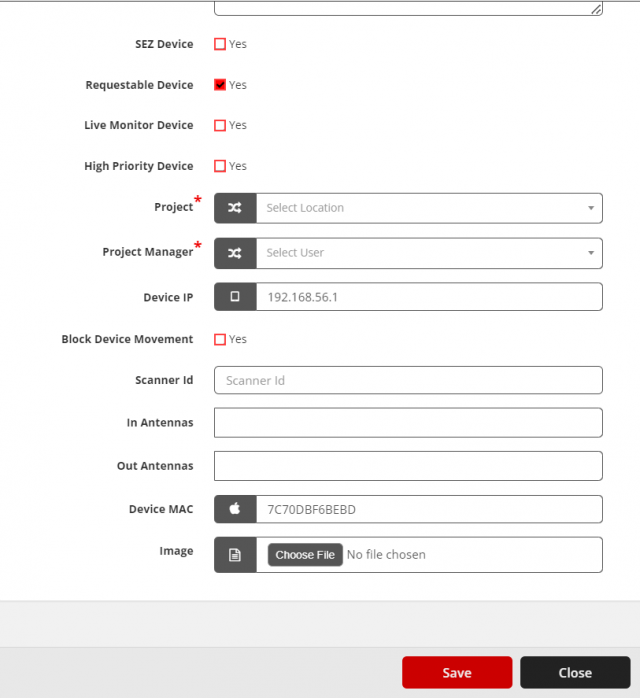
- Open Devices → Device Details, open the device's action menu and select Edit (pencil icon).
- Select the Requestable Device check box.
- Select Save. The device appears in the requestable device list.
Request a device (user)
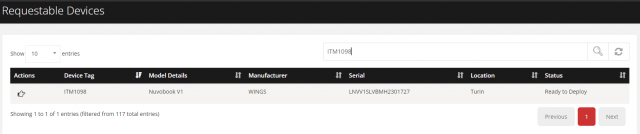
- Open Requestable Devices in the left side menu.
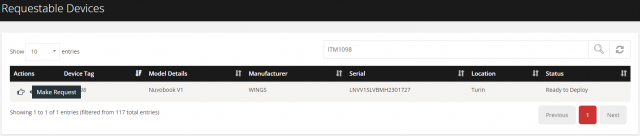
- Select Make Request (hand icon) for the device.
- Select Yes to confirm.
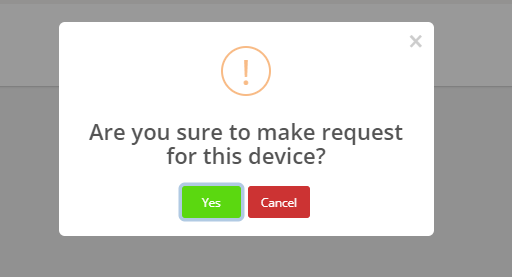
The request appears on the device's Requests tab for the administrator to process.