Asset Reports
Product: NEXTMEGABYTE (Greenitco ITAM) · Module: Reports and Analytics · Audience: Administrator, Technician
Menu path: Reports → Device Reports
| Report | Shows | Main filters |
|---|---|---|
| Device AMC Report | Devices under AMC with status and expiry | Vendor, expiry date, category |
| Device Depreciation Report | Asset value depreciation over time | Date, category, asset |
| Device Expense Report | All device expenses, including maintenance and repairs | Date range, expense type, device |
| Sold Device Report | Sold devices with sale details | Date, buyer, category |
| Dispose Report | Disposed or decommissioned devices | Disposal date, method, category |
| Blacklisted Software | Devices with restricted software | Software, device, user |
| Department Wise Devices Report | Devices by department | Department |
| User Department Wise Devices Report | Devices of users grouped by department | Department |
| Device Purchase Aging Report | Devices by purchase year and status | Date range, category, location |
| Assets RFID | Assets mapped to RFID tags | Asset details |
| NI Asset Not Detected To Network | Discovered assets that are offline or not detected | Last seen, location, device type |
| Device with MSOffice / Device with MSOffice User | Devices (and their users) with Microsoft Office installed | Version, device type, user, department |
| Category Wise Device Report | Devices by category | Category |
| Place Wise Device Report | Devices by place, building or floor | Place |
| Device Audit Confirmation Report | Device audit status and confirmations | Audit status, date |
| Device Checkout Accept Report | Device checkouts accepted by users | User, date, status |
| Deleted Device Report | Deleted devices, for audit and recovery | Deletion date, category |
| Expected Return Devices Report | Devices due for return | Return date, user |
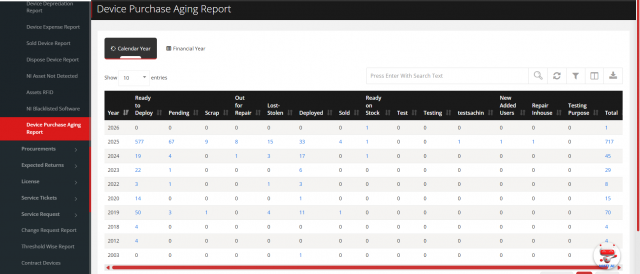
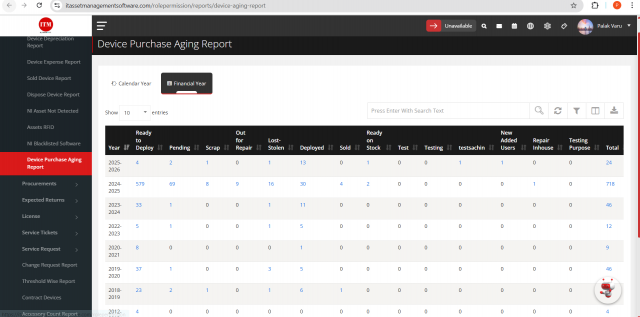
Device purchase aging report
Shows the number of devices by status for each purchase year, by Calendar Year or Financial Year (for example April 2024 – March 2025).
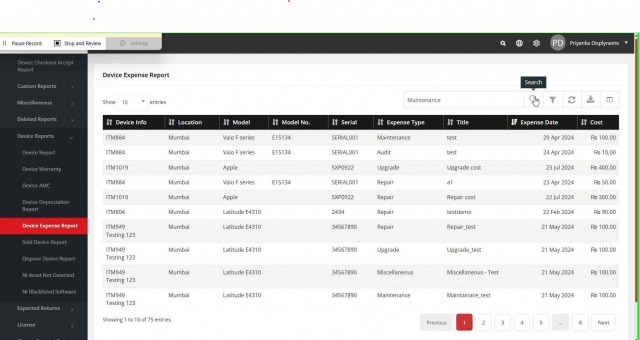
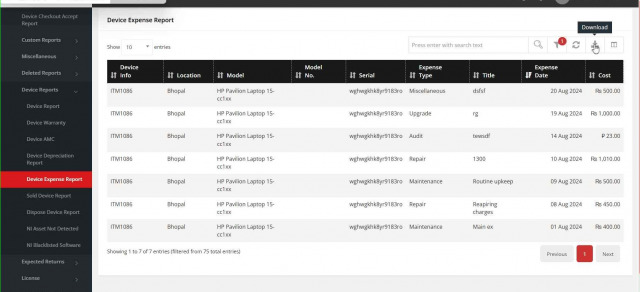
Device expense report
Menu path: Reports → Device Reports → Device Expense Report (or search for it in the side menu)
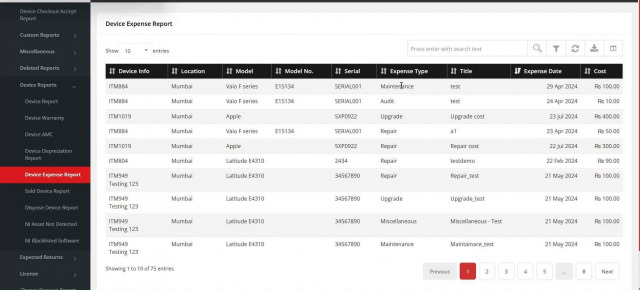
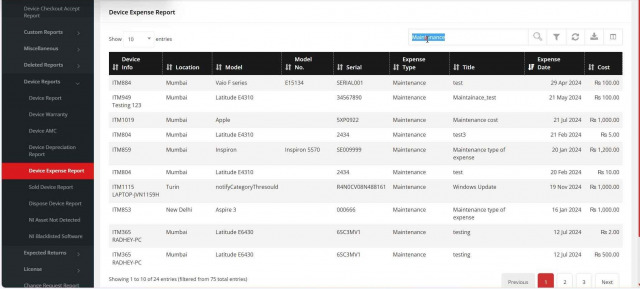
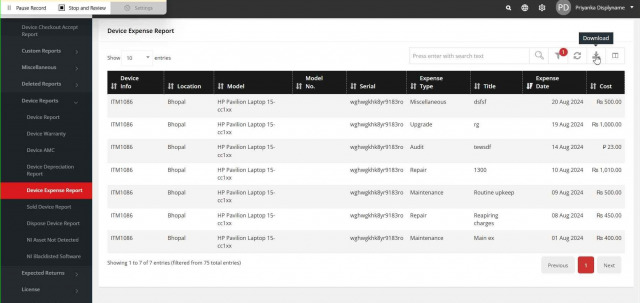
- Search by text, for example maintenance.
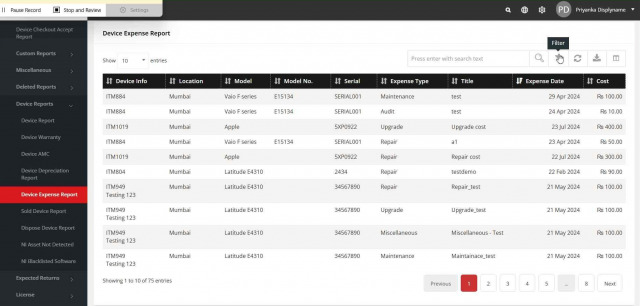
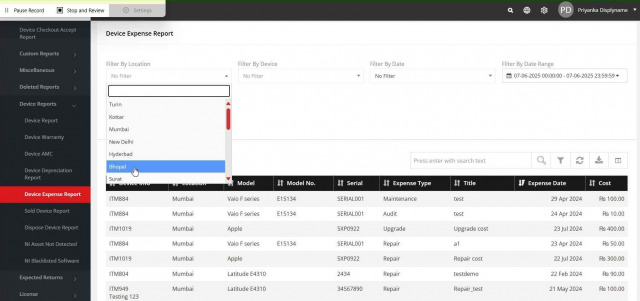
- Filter with the filter icon.
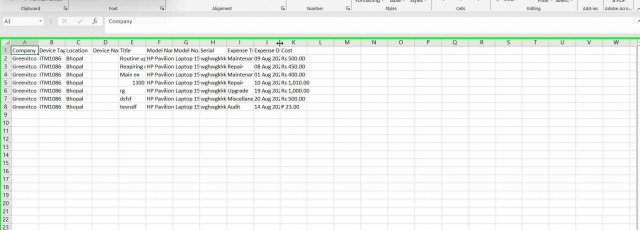
- Download to Excel.
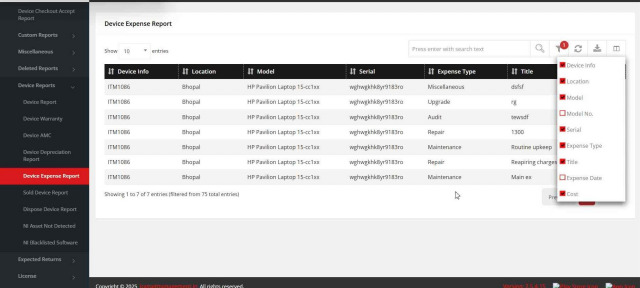
- Choose columns with the last toolbar icon.
Activity report
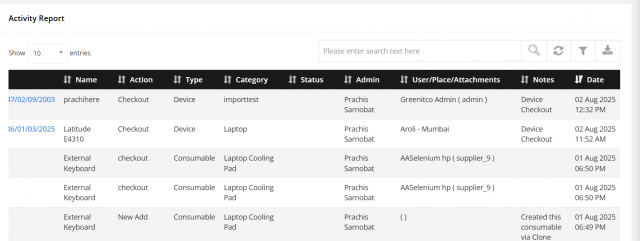
Menu path: Reports → Activity Report
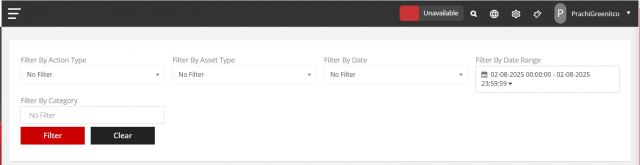
Shows the history of actions (add, check in, check out and others) on accessories, consumables, licenses and devices. Filter by action type, asset type, date, date range (with time, for example 02-08-2025 00:00:00 to 23:59:59) and category, then download.
Procurement item report
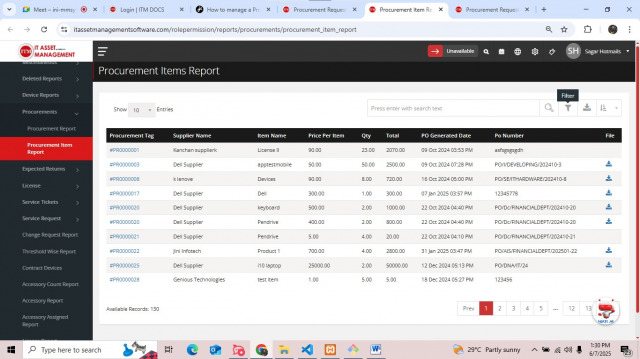
Menu path: Reports → Procurements → Procurement Item Report. Search, filter and download procurement items.