Parcel Batches
Product: NEXTMEGABYTE (Greenitco ITAM) · Module: Mailroom Management (ESM) · Audience: All users
A batch groups parcels handed over to one courier vendor.
Create a batch
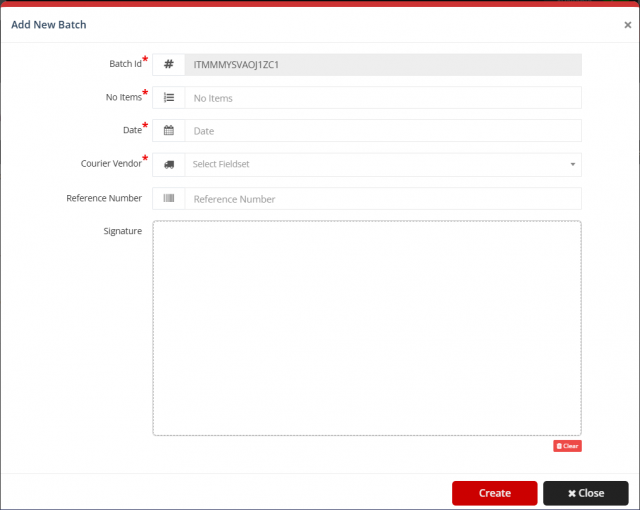
Select Add New Batch and fill in:
| Field | Description |
|---|---|
| Batch ID | Generated automatically (read-only) |
| No. of Items * | Maximum number of parcels in the batch; you cannot add more |
| Date * | Batch date |
| Courier Vendor * | The vendor; the batch is linked to this vendor only |
| Reference Number | Optional external reference |
| Signature | The vendor's digital signature as proof of handover; select Clear to redo it |
Select Create. Parcels can be added only to the selected batch, up to its item limit.
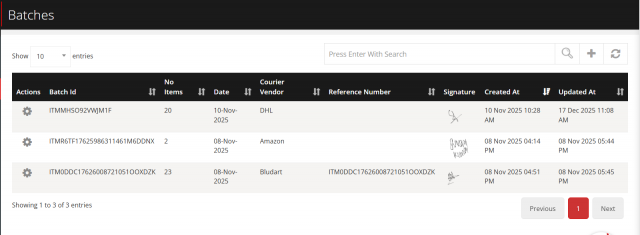
Batch list
Columns: actions, batch ID, number of items, date, courier vendor, reference number, signature, created at and updated at. The list supports search, sorting, pagination, page size and refresh.