

Introduction
Disposal is the final stage of a device's lifecycle. When a device reaches end-of-life, is beyond economical repair, or is no longer needed by the organization, it must be removed from active inventory through a formal disposition process. Rather than simply deleting the record, disposition captures how the device left the organization—whether it was disposed (scrapped), recycled, donated, or sold—along with the supporting evidence (certificates, receipts, approvals).
This operation protects the organization legally, environmentally, and financially: it ensures data is wiped, e-waste is handled responsibly, assets are written off correctly, and the audit trail is complete.
Menu path: left side menu → Assets → Asset Details → asset action menu
Dispose, recycle, donate or sell an Asset
- Find the asset in the device list.
- Open the action menu and select Dispose.
- Choose the action (dispose, recycle, donate or sell) and fill in the form.
- Select Save, then select Yes in the confirmation.
- A message confirms that the asset was disposed, recycled, donated or sold.
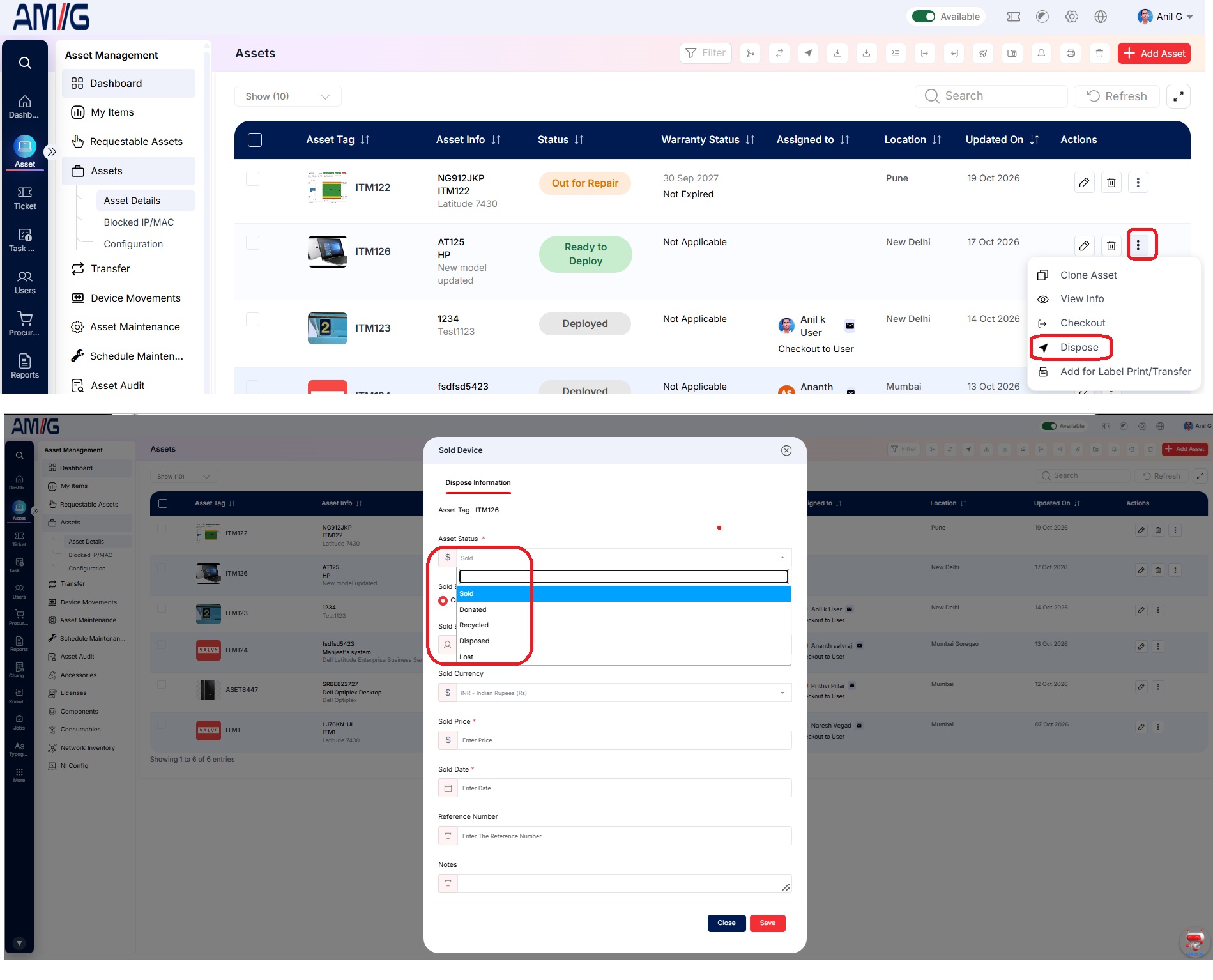
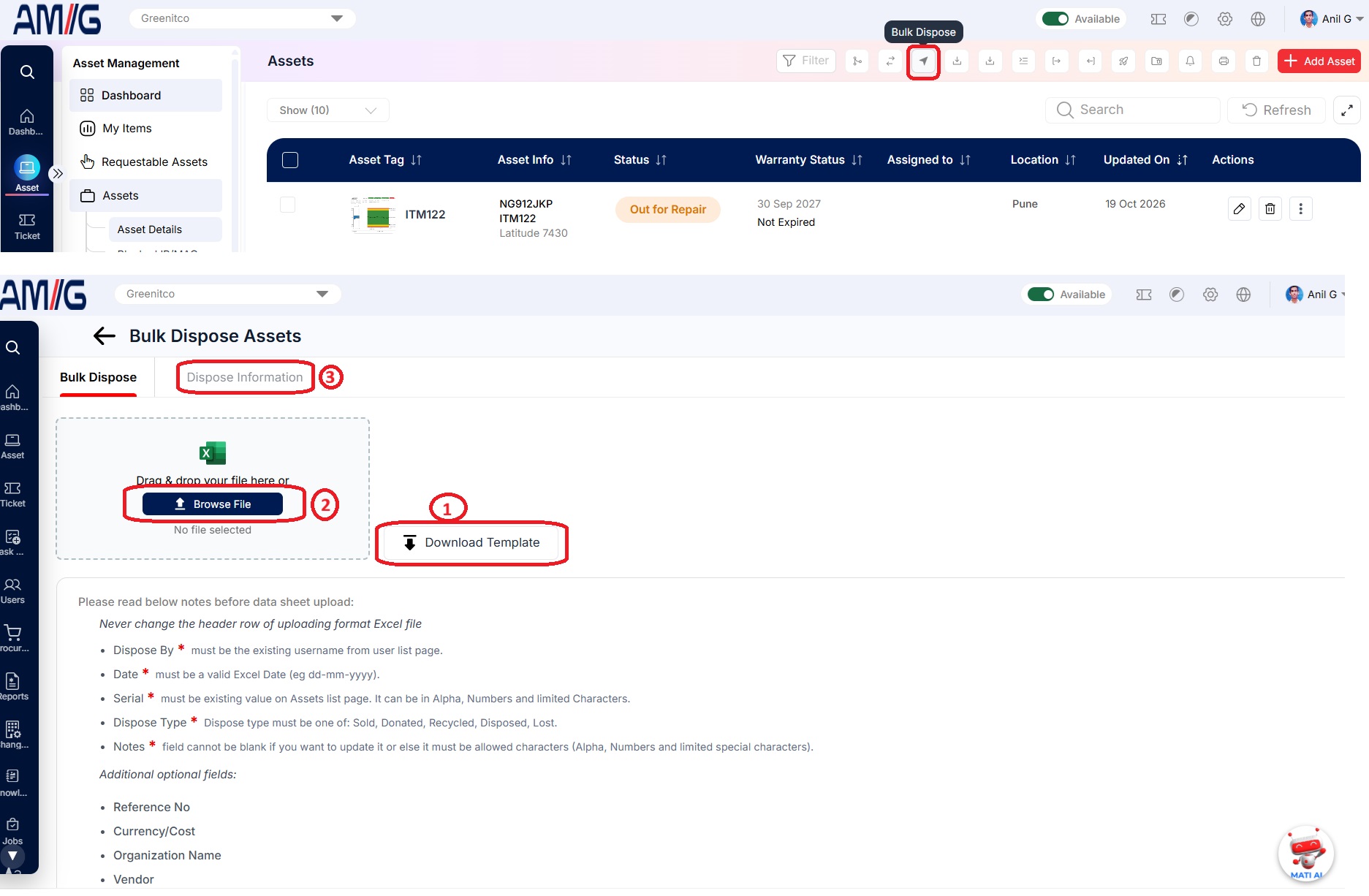
Record resale (sold) details
- Open the device's action menu and select Resale (location-arrow icon).
- Enter the details and select Save.
| Field | Description |
|---|---|
| Sold Done By | The user who sold the device |
| Sold Date | Date of sale |
| Sold Currency | Currency of the sale price |
| Sold Price | Sale value |
Sold devices cannot be edited, deleted, checked in or checked out. Only a Super Admin can restore a sold device. Other users can only clone it to add a similar device.
Restore a disposed device
- Find the device in the device list.
- Open the action menu and select Restore Dispose Device.
- Select Yes in the confirmation. A message confirms the device was restored.