Introduction
A role is a collection of permissions, while a permission is an individual access control that determines whether a user can perform a specific action, such as viewing a report, creating a record or deleting a location.
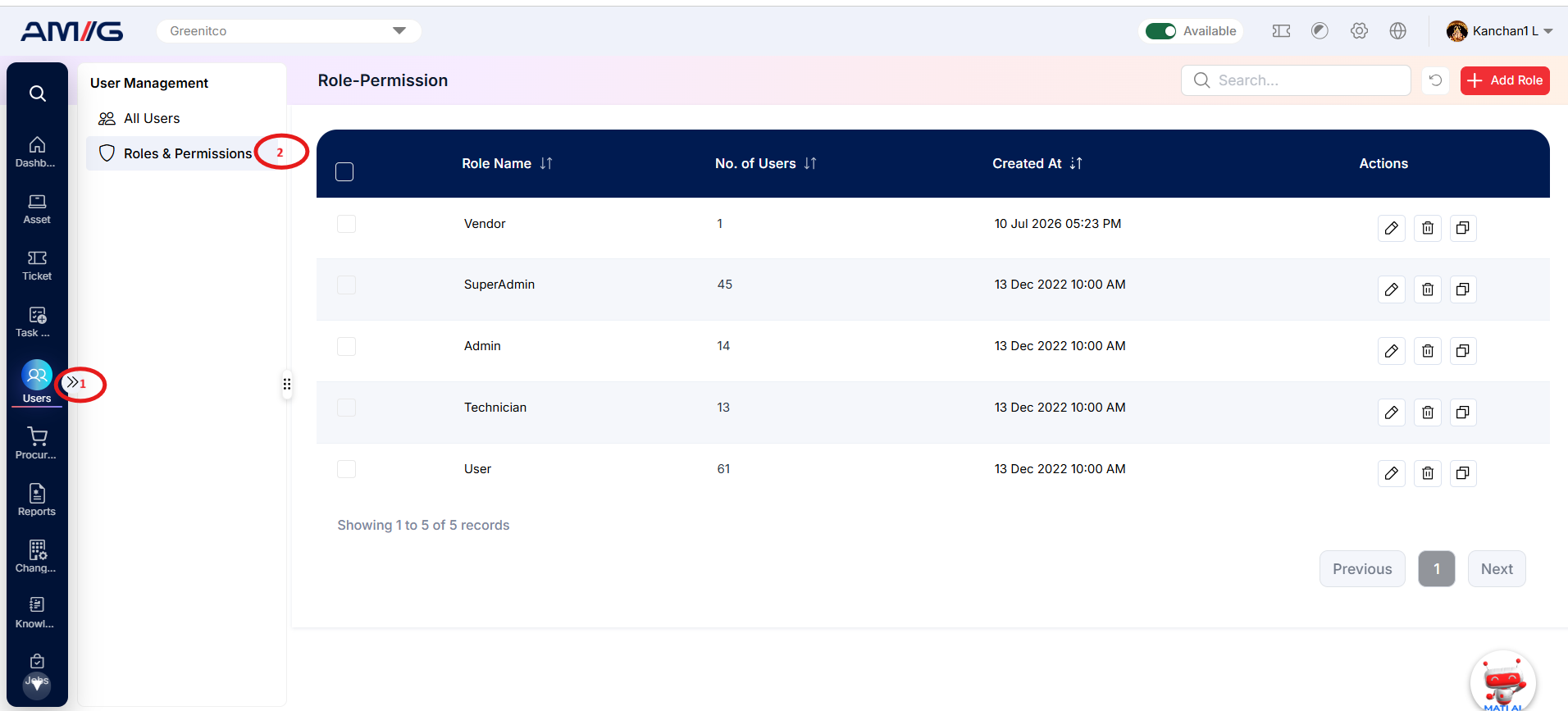
The Roles & Permissions section enables administrators to control what users can access and which actions they can perform within AMG. This functionality implements Role-Based Access Control (RBAC), allowing administrators to define permissions for different roles based on users' responsibilities.
Each role contains a set of permissions that administrators can enable or disable as required. These permissions determine which modules, menus and features are visible and accessible to the end user.
Instead of configuring permissions for every user individually, administrators can define them once through a role, such as Technician, Asset Manager or Administrator, and assign that role to the relevant users. All users assigned to the same role receive the permissions configured for that role.
If an administrator modifies a role's permissions, the updated access settings automatically apply to all users assigned to that role.
Navigation Path: Sidebar > Users > Roles & Permissions