Azure AD and Microsoft Intune Device Sync
Product: NEXTMEGABYTE (Greenitco ITAM) · Module: IT Asset Management (ITAM) · Audience: Administrator
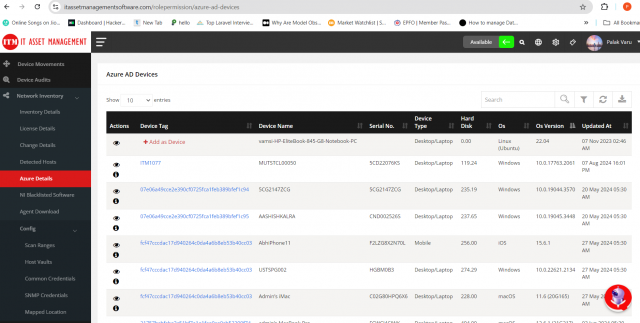
NEXTMEGABYTE can synchronize devices from Microsoft Azure AD (Microsoft Entra ID) and Microsoft Intune. Synchronized devices are listed in Network Inventory.
To connect your Microsoft tenant to NEXTMEGABYTE, contact your NEXTMEGABYTE administrator or Greenitco Support.
View Azure devices
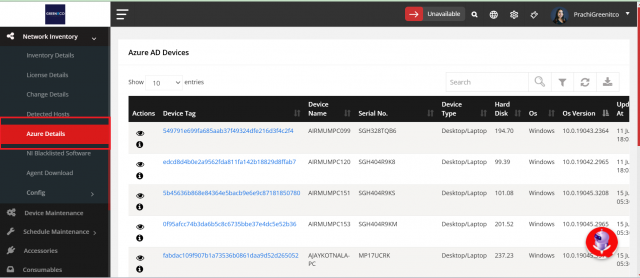
- Open Network Inventory → Azure Devices (also shown as Azure Details).
- The list shows device name, serial number, device type, hard disk, operating system and OS version.
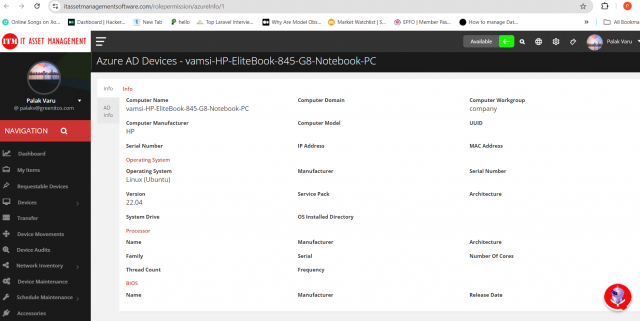
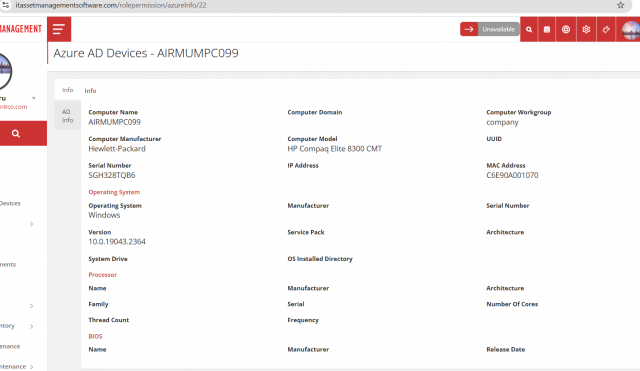
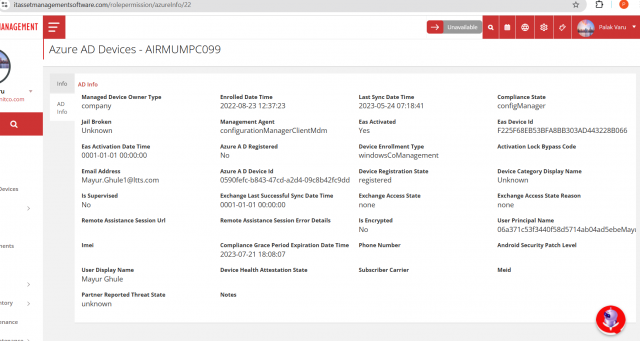
- Select View (eye icon) in the Action column to see all details fetched from Azure.
- Use the Info and AD Info tabs to view the device and Azure AD details.