

Need to add someone who is very similar to an existing user – same company, department and role? Use Clone User. It copies the existing details so you only change what is different.
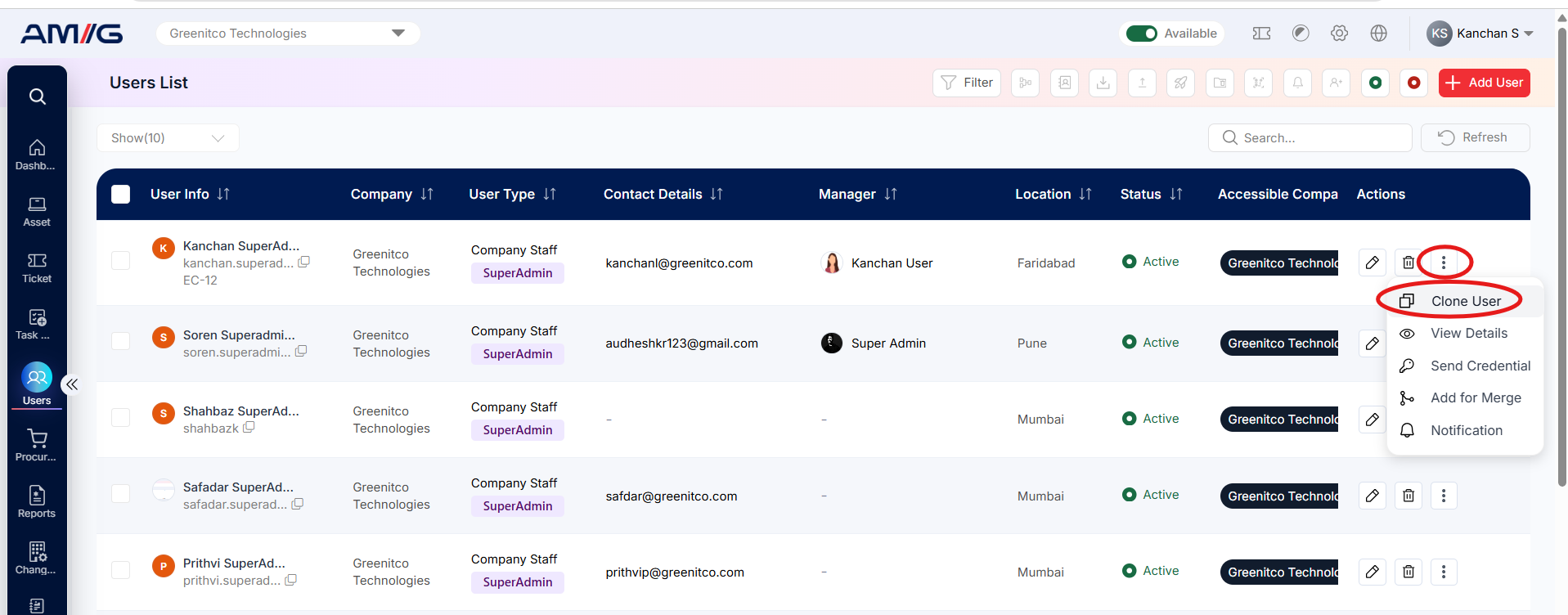
Step 1: Find the user you want to copy in the Users List.
Step 2: Open the three-dot menu (⋮) and select Clone User.
Step 3: Change the fields that should be different for the new person.
Step 4: Open the User Permissions tab and check the settings.
Step 5: Click Create User.
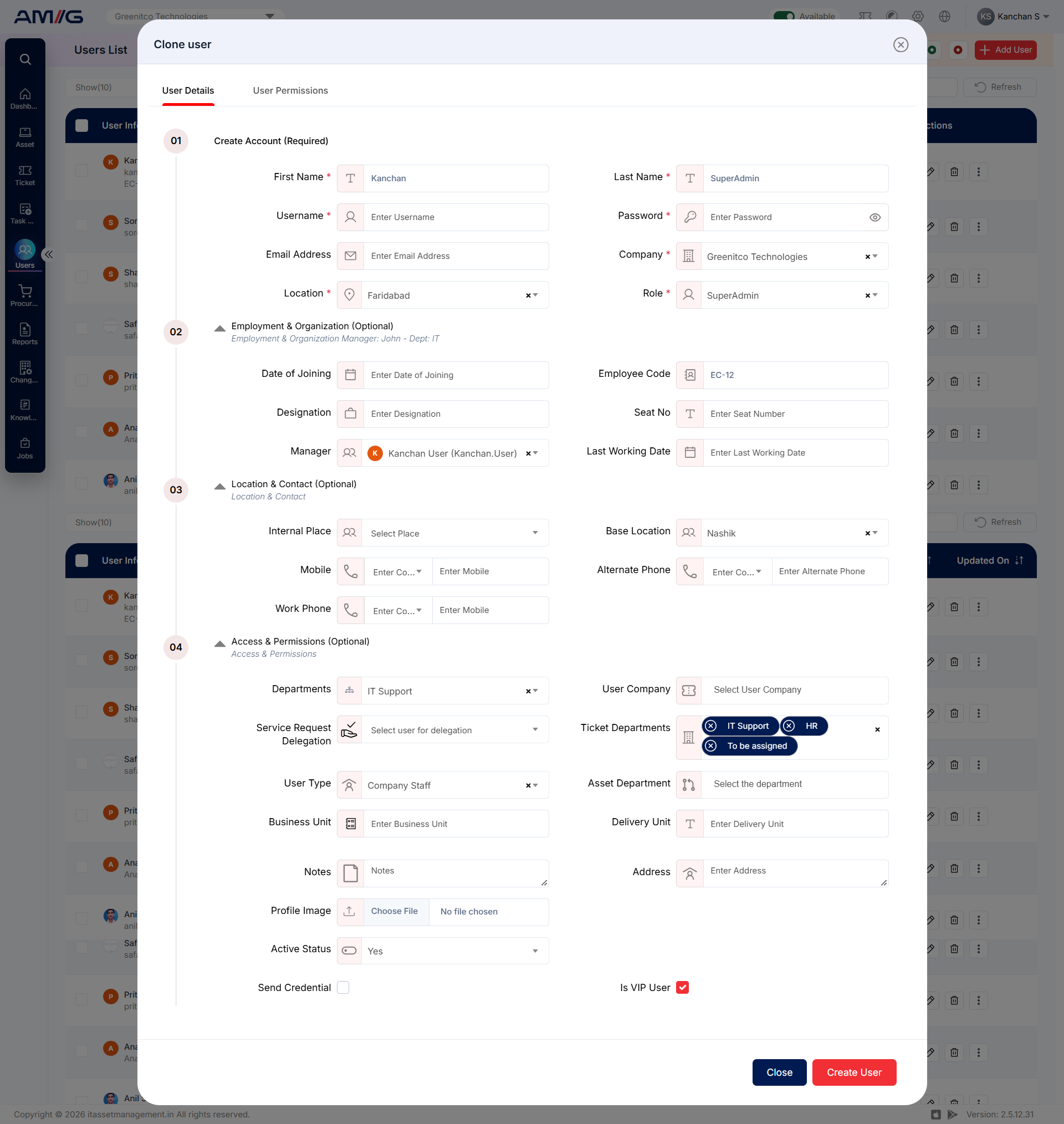
Figure: Clone User – details copied from the existing user
Important: Always change the username, password and email address of the cloned user, and double-check the company, location and role.