

User-Based Permissions
Product: NEXTMEGABYTE (Greenitco ITAM) · Module: Users and Access Control · Audience: Administrator
User-based permissions let administrators give one user more or less access than their role provides.
Menu path: left side menu → User (user icon) → All Users
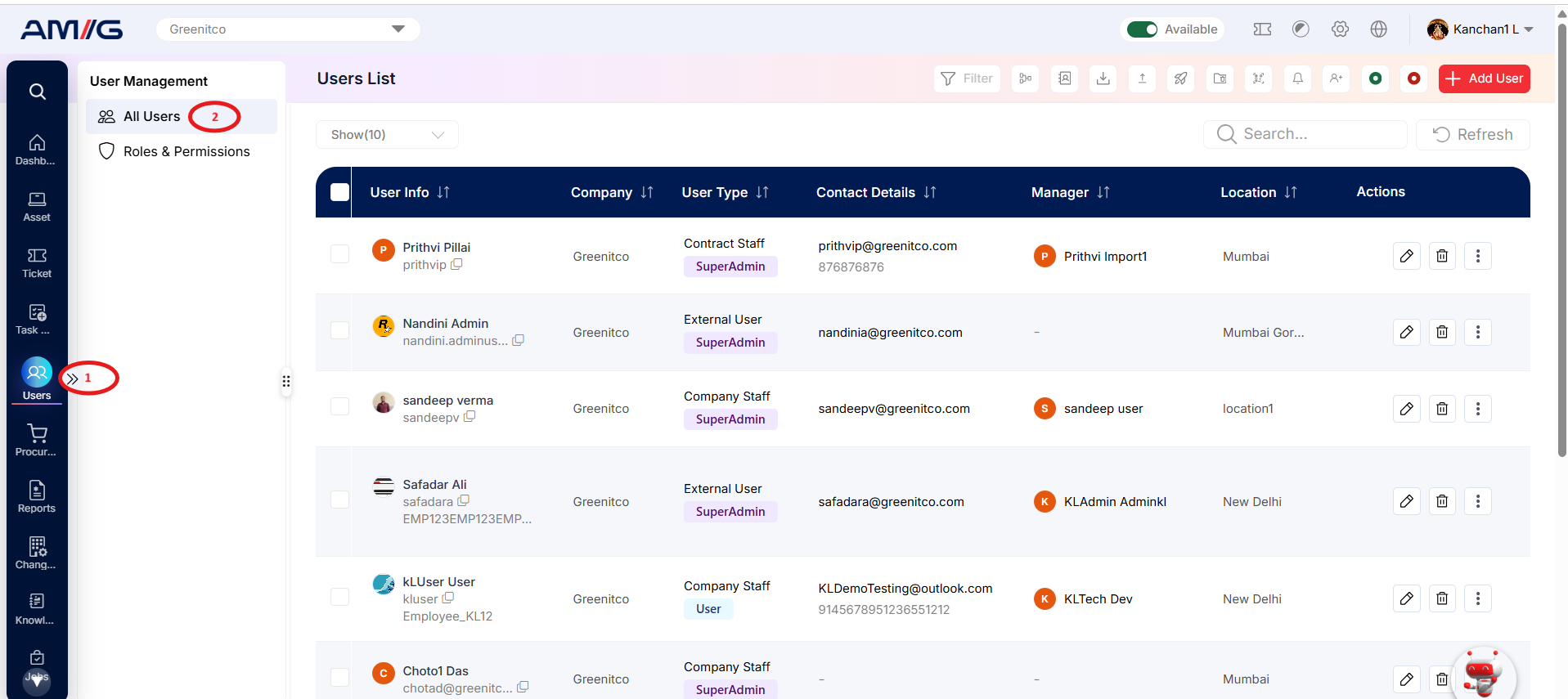
Open a user's permissions
- Open All Users.
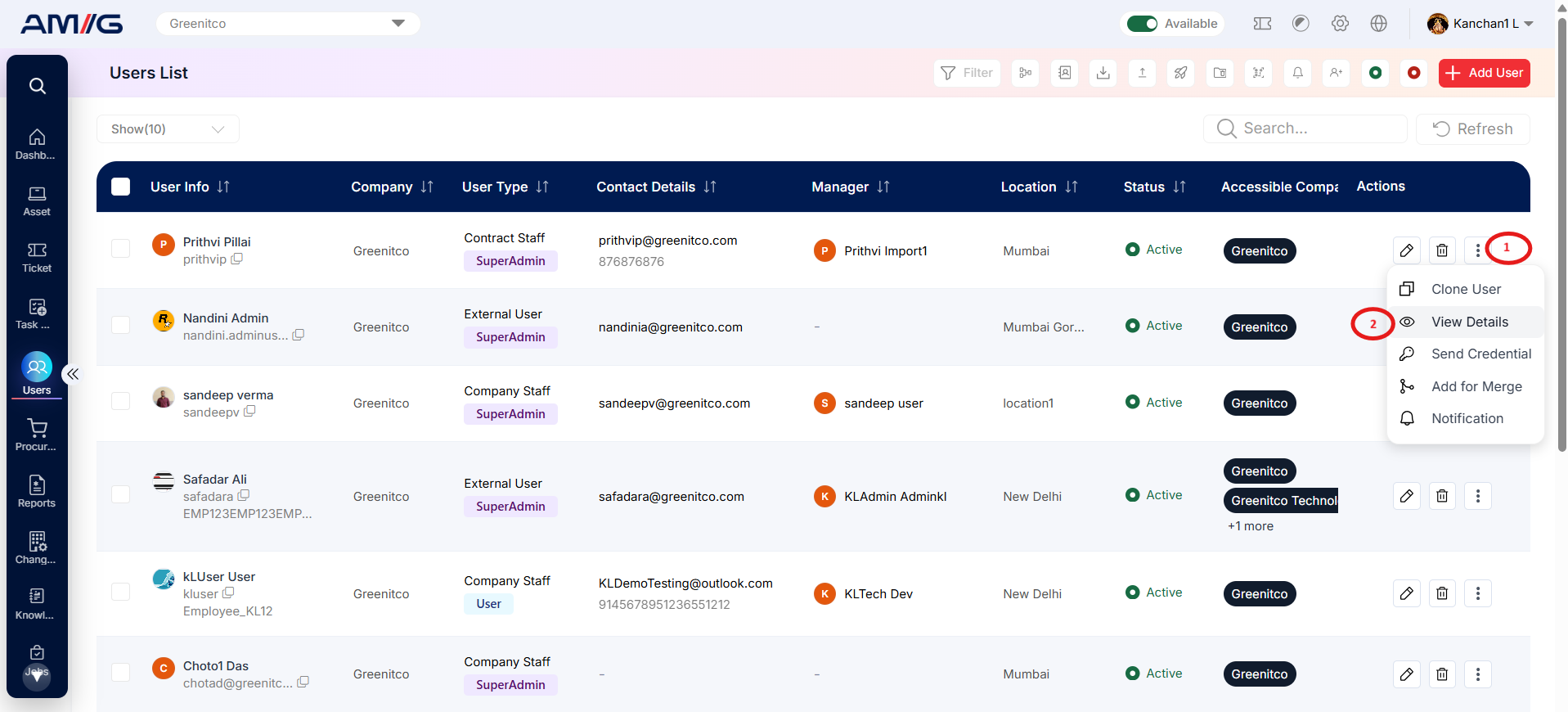
- Select the username, or select … → View (eye icon) in the Action column. The user detail page opens.
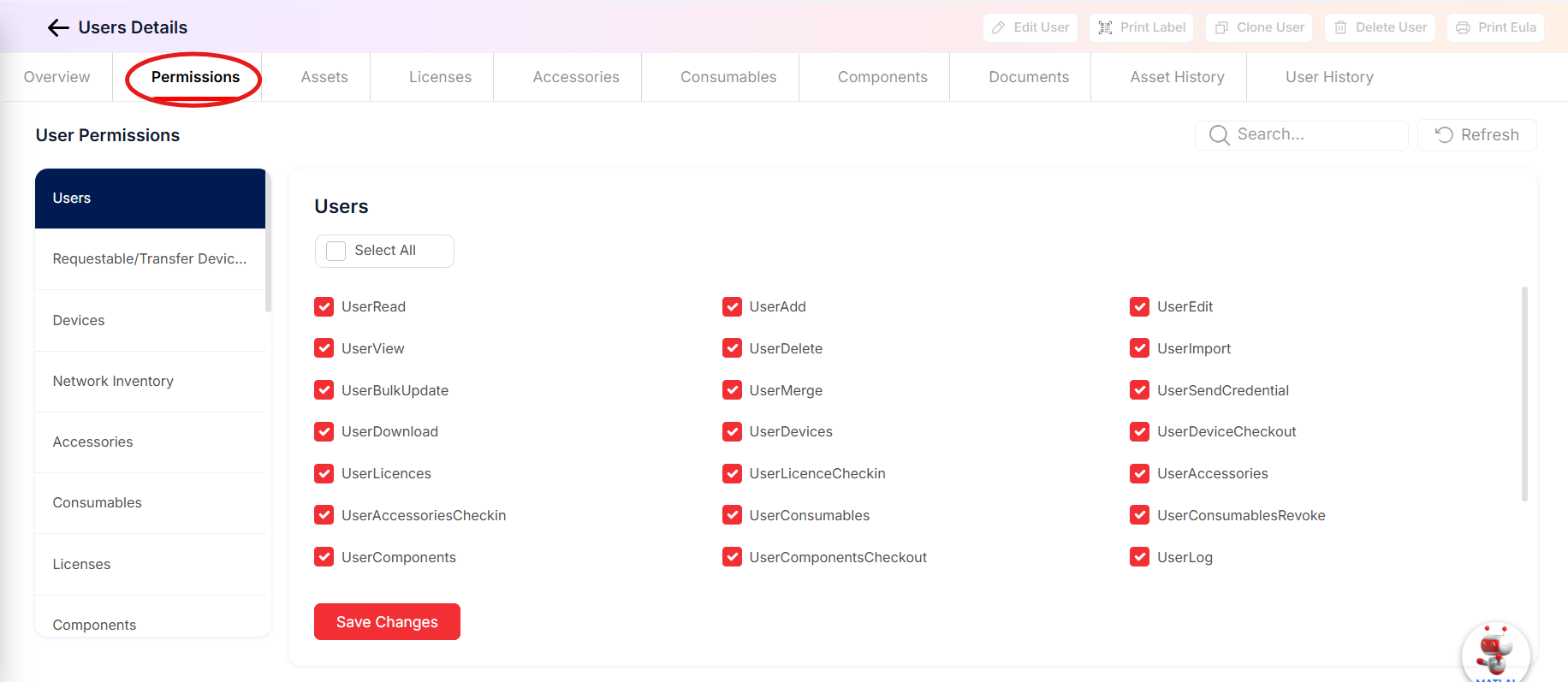
- Select the Permission tab. Permissions are shown in module-wise tabs.
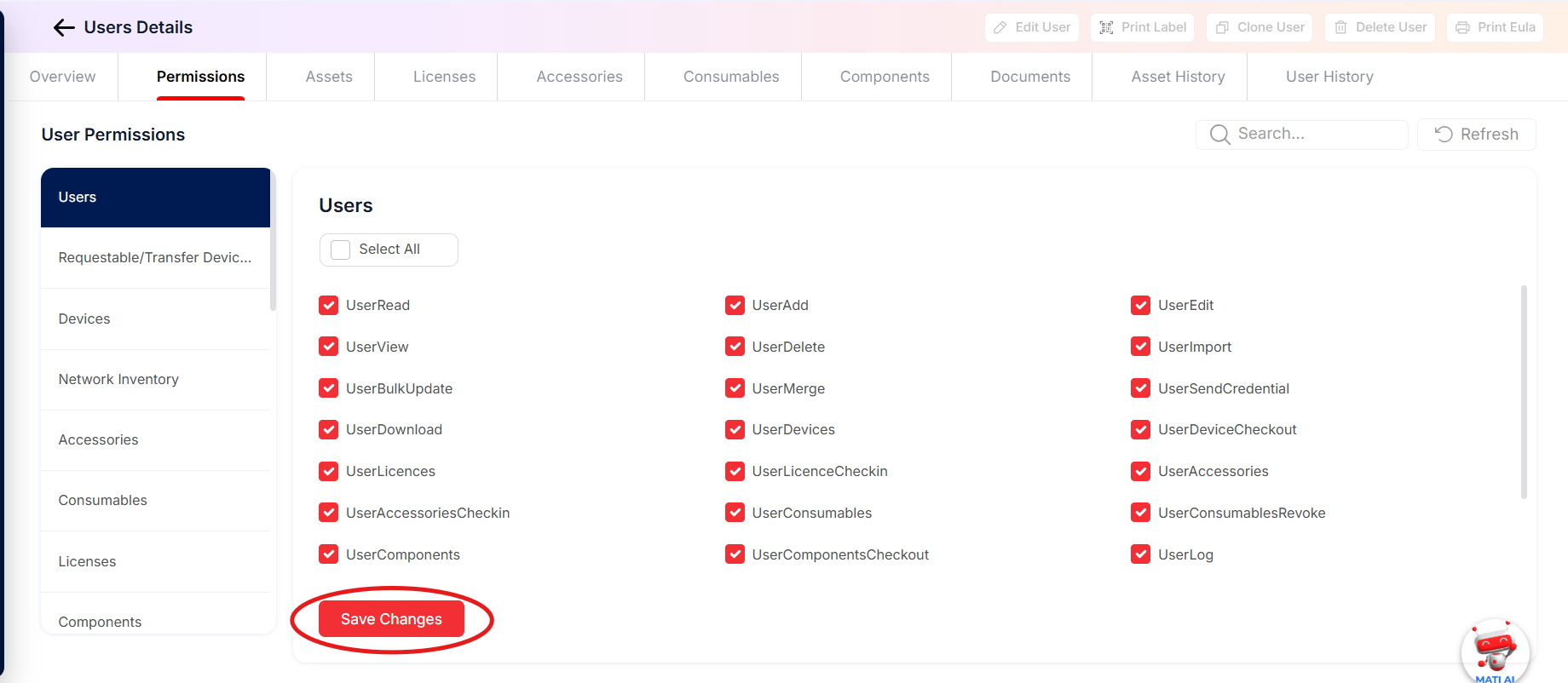
Change a user's permissions
- On the Permission tab, select the module tab.
- Select or clear the check boxes for the required permissions.
- Select Save Changes, or Cancel to discard.
To change who can edit permissions, see the UserPermission, UserBasePermission and UserEditRole permissions in the Permission Reference.